— Contents 18 sections
- 01 How the Bybit V5 API works
- 02 Before you start: keys, environments, and one auth helper
- 03 Getting the current price from the Bybit API
- 04 Fetching Bybit candlestick data (klines)
- 05 Reading Bybit’s per-symbol trading rules (instruments-info)
- 06 Checking your Bybit wallet balance in Python
- 07 Placing a limit order with the Bybit API
- 08 Placing a market order on Bybit (and the marketUnit trap)
- 09 Canceling orders and listing open Bybit orders
- 10 Checking Bybit order status and trade history
- 11 Getting a Bybit deposit address (and deposit history)
- 12 Withdrawing funds with the Bybit API
- 13 Moving funds between Bybit accounts (Funding ⇄ Unified)
- 14 Bybit WebSocket streams: live prices in Python
- 15 Bybit API rate limits and common errors
- 16 Running your Bybit API code as a bot
- 17 Conclusion and next steps
- 18 Frequently asked questions
The official Bybit API documentation is a reference: complete, current, and hard to use when all you want is the ten lines of Python that place an order or check your balance. This guide is the other half — for each common operation, what the docs specify in one or two sentences, then the shortest code that actually works, then the mistakes that cost people time. Everything here was verified against the current official V5 documentation and, where the endpoint allows it, against the live API. The scope is spot trading plus the asset operations (deposits, withdrawals, transfers between your own accounts) and the WebSocket streams a typical account needs.
How the Bybit V5 API works

Bybit has one API and one host — but many products behind it. The current
generation, V5, unified spot, derivatives and options into a single set of
endpoints; you choose the product per request with a category parameter
(spot, linear, inverse, option). Older per-product APIs (Spot V1/V3,
Futures V2, USDC Options V1) are retired, though the V3 docs are still online
as a separate tree — if a URL you found contains /docs/v3/, you are reading
the old one.
Within V5, endpoints are grouped by module — api.bybit.com/v5/{module}/… —
and the module tells you what kind of thing you are touching:
| Module | Path prefix | What it is | In this guide |
|---|---|---|---|
| Market | /v5/market/* | prices, candles, order book, per-symbol trading rules — public, no key | Yes |
| Trade | /v5/order/*, /v5/execution/* | place, cancel and query orders; your fills | Yes (category=spot) |
| Account | /v5/account/* | your Unified Trading Account: balances, fee rates | Yes (balances) |
| Asset | /v5/asset/* | movement across accounts: deposits, withdrawals, transfers, coin/chain info | Yes |
| User | /v5/user/* | API-key and sub-account metadata | Yes (key info only) |
| Position | /v5/position/* | positions and leverage — derivatives only | No — spot has no positions |
| Spot Margin Trade | /v5/spot-margin-trade/* | borrowing to trade spot with leverage | No — spot-named, but it creates debt |
| WebSocket | wss://stream.bybit.com/v5/public/{product}, /v5/private | streamed prices; streamed order, fill and balance events | Yes |
| Everything else (Earn, loans, broker, Web3, P2P, tax…) | various | separate products with their own sidebar groups | No |
This guide covers the bold rows with category=spot. The trap specific to
Bybit is that the same URL becomes a derivatives call when one string
changes: POST /v5/order/create with category=linear opens a leveraged
USDT-perpetual position, with parameters (positionIdx, reduceOnly,
leverage) that do not exist on spot and rate limits that differ. Most Bybit
code samples on the web are futures samples. Every example below hardcodes
"spot"; derivatives deserve their own guide rather than a shared chapter here.
Two more structural facts save real debugging time:
- The same request can go to four environments. Mainnet is
https://api.bybit.com; Demo Trading ishttps://api-demo.bybit.com; the Testnet ishttps://api-testnet.bybit.com(and there is a testnet-demo combination Bybit itself advises against). A key only works against the environment it was created in — more on this in the setup section. If you registered on a regional Bybit entity (Netherlands, Türkiye, Kazakhstan, the EEA and others), your host is different again; the integration guide lists them. Bybit also states that IP addresses in the US or mainland China get HTTP403on every request, public ones included. - HTTP 200 does not mean success. Every V5 response uses one envelope:
retCode(0 = success, anything else = an error code),retMsg,resultandtime. A rejected order comes back as HTTP 200 withretCode: 170140. CheckingretCode, not the HTTP status, is the habit every snippet in this guide is built around — and a few endpoints break the pattern by failing at the edge with a non-200 status and no body at all, which the helper below handles.
Two transports matter for most users. REST is request/response over
HTTPS — right for orders, balances and anything occasional. WebSocket
streams push data to you continuously — right for live prices, where polling
REST burns your rate limit. Requests that touch your account are signed:
four headers carry your key, a millisecond timestamp, a validity window and an
HMAC-SHA256 signature over timestamp + key + window + payload. Rate limiting
runs on two layers: 600 requests per 5-second window per IP, plus per-account,
per-endpoint limits (spot order creation is 20 per second).
Before you start: keys, environments, and one auth helper

You need a Bybit account with two-factor authentication — creating a key
requires a Google Authenticator code, and Bybit states that keys can only be
created on the website, not in the app. Bybit may also block key creation
for the first 48 hours after registration; the practice environments below
are the right use of that time. If you don’t have an account yet, our
Bybit review covers registration. Create the key under
the profile icon → API → API Management → Create New Key, and
choose the system-generated type: Bybit issues the key and secret, and
requests are signed with HMAC-SHA256. (The self-generated RSA type signs
differently and is not what the code below assumes.) Then grant the least you
can. Bybit rarely documents which permission each endpoint needs, so start
minimal and widen if you get 10005: a read-only key runs every read
recipe here, a read-write key with spot trading (SpotTrade) runs the
order recipes, and transfers need the Wallet group. Withdrawal permission
belongs on a separate key that no trading process ever sees. Two Bybit-specific rules: a key created without an IP restriction
expires after 90 days (bind an IP if the code runs on a fixed server, or put
the renewal in your calendar), and if you do bind an IP, a home connection whose address
rotates will lock you out with 10010. The full walkthrough is in our
Bybit trading bot guide.
Then choose where to practice. Bybit runs two sandboxes, and they are not the same thing:
- Demo Trading — created inside your real account (profile icon → Demo
Trading), simulated balances you can top up, real mainnet prices and
liquidity,
https://api-demo.bybit.com. Recommended for everything involving orders. It publishes a whitelist of supported endpoints: market data, orders, fills, balances and the private WebSocket are on it; the Asset endpoints (deposits, withdrawals, transfers) are not. - Testnet — a separate exchange copy with its own registration
(
testnet.bybit.com), a faucet, thin order books,https://api-testnet.bybit.com. It routes the Asset endpoints too, but testnet withdrawals are never processed and any real deposit to a testnet account is lost — so it is a syntax rehearsal for those recipes, never an end-to-end one.
That split sets the shape of this guide: everything up to and including the order recipes can be rehearsed on Demo Trading with zero risk. The Asset recipes cannot — demo does not expose the Asset endpoints at all, so the deposit, withdrawal and transfer calls (and the Funding-side balance read) run for the first time against your live account. The recipes are ordered accordingly — read public data, read private data, write orders, move money — with the WebSocket section last, since it re-reads market data by a different transport.
One rule explains most first-day authentication failures: a key only works
against the host it was created on. Bybit documents the mismatch as
retCode 10003, “API key is invalid”, but the symptom depends on the endpoint.
Measured while writing this guide with a non-existent key and a correct
signature: most endpoints return a normal JSON envelope with 10003; the
wallet-balance endpoint — the one everyone tries first — returns HTTP 401
with an empty body, and code that calls .json() unconditionally dies with a
decode error that hides the real cause. Hence the one diagnostic rule the
helper below encodes: check the HTTP status first (401 = key rejected, 404 =
wrong path or wrong HTTP method — both come with no body), and only then read
retCode.
All signed examples share this helper. BASE and the key must come from the
same environment; the comments say which:
import hmac, hashlib, json, time, os
import requests

BASE = "https://api-demo.bybit.com"   # Demo Trading. Testnet: https://api-testnet.bybit.com  Live: https://api.bybit.com
KEY = os.environ["BYBIT_KEY"]         # must be a key created in the SAME environment as BASE
SECRET = os.environ["BYBIT_SECRET"]   # system-generated (HMAC) key; RSA keys sign differently
RECV_WINDOW = "5000"                  # ms the request stays valid; keep the default

def _headers(payload):
    ts = str(int(time.time() * 1000))
    sig = hmac.new(SECRET.encode(), (ts + KEY + RECV_WINDOW + payload).encode(),
                   hashlib.sha256).hexdigest()
    return {"X-BAPI-API-KEY": KEY, "X-BAPI-TIMESTAMP": ts,
            "X-BAPI-SIGN": sig, "X-BAPI-RECV-WINDOW": RECV_WINDOW}

def _result(r):
    if r.status_code != 200:            # 401 = key rejected, 404 = wrong path or method: no JSON to read
        raise RuntimeError(f"HTTP {r.status_code}: {r.text[:200]}")
    data = r.json()
    if data["retCode"] != 0:            # HTTP 200 does not mean success on Bybit
        raise RuntimeError(f"{data['retCode']}: {data['retMsg']}")
    return data["result"]

def signed_get(path, **params):
    query = "&".join(f"{k}={v}" for k, v in params.items())    # built once: the same bytes are signed and sent
    url = f"{BASE}{path}" + (f"?{query}" if query else "")
    return _result(requests.get(url, headers=_headers(query)))

def signed_post(path, **body):
    payload = json.dumps(body)                                   # serialized once, then signed and sent verbatim
    return _result(requests.post(f"{BASE}{path}", data=payload,
                                 headers={**_headers(payload), "Content-Type": "application/json"}))
Two details in this code prevent the most common signature bug (10004): the
query string and the JSON body are each built once, and the same bytes are
both signed and sent. requests.post(url, json=body) after signing a
separately produced string re-serializes the dict and the bytes diverge. Bybit
does not care what your JSON looks like — only that the bytes you signed are the
bytes you sent.
Check your signing code offline. Bybit’s docs publish example signatures, but with the real key masked and the secret unpublished, so they cannot be recomputed. Use this deterministic vector instead — it is not from Bybit, but HMAC is deterministic, so any correct implementation of Bybit’s rule reproduces it exactly, no account or network needed:
key:      XXXXXXXXXXXXXXXXXXXX
secret:   YYYYYYYYYYYYYYYYYYYY
ts:       1700000000000     recv_window: 5000
payload:  category=spot&symbol=BTCUSDT
to sign:  1700000000000XXXXXXXXXXXXXXXXXXXX5000category=spot&symbol=BTCUSDT
expected: e12c9c58c63402e177e391330b9649561a7124028e399046f04770c3a54afa3d
If your helper produces that digest for those inputs, your REST signing is
correct. (The WebSocket private stream signs a different string — see the
streams section.) One more diagnostic worth knowing: signed_get("/v5/user/query-api")
echoes back what your key can actually do — its permission groups, readOnly
flag, bound IPs and, for keys without an IP binding, the expiredAt timestamp
— and Bybit states that any permission can call it. When a recipe fails with
10005 (permission denied), this one call replaces guesswork.
Getting the current price from the Bybit API

Docs say: GET /v5/market/tickers returns the latest price, best bid/ask
and 24-hour statistics for a symbol. category is required; symbol is
optional (omit it to get every spot pair in one response). Public — no key, no
headers.
Permission: none.
import requests

r = requests.get("https://api.bybit.com/v5/market/tickers",
                 params={"category": "spot", "symbol": "BTCUSDT"}).json()
t = r["result"]["list"][0]
print(t["lastPrice"], t["bid1Price"], t["ask1Price"], t["price24hPcnt"])Gotchas: every value is a string, and price24hPcnt is a fraction
("0.0097" = 0.97%), not a percentage. Symbols are uppercase and unseparated
— btcusdt and a pair that does not exist both fail with the same
10001 "Not supported symbols", so the message alone won’t tell you which
mistake you made. category is lowercase: SPOT fails with
"Param mParamCategory should be string.", a message that points nowhere near
the cause. And a spot ticker has no markPrice or fundingRate — those
fields belong to the derivatives tab of the same docs page, which is the tab
the page opens on. For a snapshot of depth, GET /v5/market/orderbook takes
the same category and symbol plus limit; on spot the default depth is
1 level, so pass limit explicitly (up to 1000). Bids (b) and asks (a)
are ["price", "size"] string pairs. Neither endpoint is meant for a live feed
— that is what the WebSocket section is for.
Sandbox: works on demo and testnet.
Reference: tickers · orderbook
Fetching Bybit candlestick data (klines)
Docs say: GET /v5/market/kline returns OHLCV candles for a symbol and
interval. Intervals are minutes as numbers (1, 3, 5, 15, 30, 60,
120, 240, 360, 720) or the letters D, W, M; limit defaults to
200 and caps at 1000. No key needed.
Permission: none.
r = requests.get("https://api.bybit.com/v5/market/kline",
                 params={"category": "spot", "symbol": "BTCUSDT",
                         "interval": "60", "limit": 100}).json()
rows = r["result"]["list"]                # newest candle FIRST
for start_ms, o, h, l, c, volume, turnover in reversed(rows):   # oldest -> newest
    print(start_ms, c)
closes = [float(row[4]) for row in reversed(rows)]Gotchas: category is optional here and defaults to linear — omit
it and you get USDT-perpetual candles with retCode: 0 and no warning (the
only tell is that category is missing from the response). Always pass
category=spot. Each candle is an array of seven strings — [startTime, open, high, low, close, volume, turnover] — not an object, and the list is
sorted newest first; both facts break a first chart. 1h-style intervals
fail with 10001 "Invalid period!" (so does omitting the interval). Asking for
limit=2000 is not an error — you silently get 1000, so use len(rows), not
the number you asked for. And the first row is a still-forming candle: the
docs note that closePrice is the last traded price while the candle is open.
Drop it, or use the WebSocket kline stream where confirm: true marks a closed
candle. For history beyond 1000 candles, page with start/end (millisecond
timestamps).
Sandbox: works on demo and testnet.
Reference: kline
Reading Bybit’s per-symbol trading rules (instruments-info)
Docs say: GET /v5/market/instruments-info returns, per symbol, the
constraints an order must satisfy: priceFilter.tickSize (price step) and
lotSizeFilter (basePrecision = quantity step, minOrderAmt = minimum
order value in the quote currency, maxLimitOrderQty, maxMarketOrderQty).
Public.
Permission: none.
from decimal import Decimal, ROUND_DOWN

r = requests.get("https://api.bybit.com/v5/market/instruments-info",
                 params={"category": "spot", "symbol": "BTCUSDT"}).json()
rules = r["result"]["list"]
if not rules:                                   # unknown symbol = empty list, NOT an error
    raise SystemExit("no such spot symbol")
tick = Decimal(rules[0]["priceFilter"]["tickSize"])          # "0.1"     on BTCUSDT, 2026-08-18
step = Decimal(rules[0]["lotSizeFilter"]["basePrecision"])   # "0.000001"
min_amt = Decimal(rules[0]["lotSizeFilter"]["minOrderAmt"])  # "5" USDT

def round_price(p): return (Decimal(str(p)) / tick).quantize(1, ROUND_DOWN) * tick
def round_qty(q): return (Decimal(str(q)) / step).quantize(1, ROUND_DOWN) * stepGotchas: the response still contains minOrderQty, maxOrderQty and
maxOrderAmt — all three are marked deprecated for spot, and the enforced
minimum is minOrderAmt, a value in the quote currency. Older tutorials that
size orders from minOrderQty produce exactly the 170140 rejection they were
trying to avoid. minOrderAmt was 5 for about 91% of the 556 spot pairs
sampled on 2026-08-17 — but it differs by pair, so read it rather than
assuming. maxLimitOrderQty, maxMarketOrderQty and postOnlyMaxLimitOrderSize
are adjusted twice a month, per Bybit’s own note, which is one more reason to
read the rules at runtime instead of pasting them from any article, including
this one. Note also that this endpoint is
lenient where the others are strict: a typo’d symbol returns an empty list with
retCode: 0, and lowercase symbols work here even though they fail on tickers
— don’t let a working instruments-info call convince you the rest of the API is
case-tolerant.
Sandbox: works on demo and testnet.
Reference: instruments-info
Checking your Bybit wallet balance in Python

Docs say: GET /v5/account/wallet-balance with accountType=UNIFIED
returns your Unified Trading Account — every coin with walletBalance,
locked and equity, plus account totals. That is where spot balances live.
Funds in the separate Funding account are read through the Asset module:
GET /v5/asset/transfer/query-account-coins-balance with accountType=FUND.
Signed requests.
Permission: a read-only key is enough for both.
uta = signed_get("/v5/account/wallet-balance", accountType="UNIFIED")
for c in uta["list"][0]["coin"]:
    print(c["coin"], c["walletBalance"], c["locked"])

fund = signed_get("/v5/asset/transfer/query-account-coins-balance", accountType="FUND")
for b in fund["balance"]:
print(b["coin"], b["walletBalance"], b["transferBalance"])Gotchas: this recipe answers the most common first-week question — “I
deposited but my balance is zero.” Under Bybit’s Unified Trading Account
(the default for accounts opened from 2025 onward) there are exactly two
account types: UNIFIED, where trading balances sit, and FUND, where
deposits can land and withdrawals are drawn from. If the trading call shows
nothing, read the Funding side; the transfer recipe below is the fix. Tutorials
that pass accountType=SPOT or CONTRACT are written for older account modes
you don’t have. If your key is wrong on this endpoint you get the empty
HTTP 401 described in the setup section, not a JSON error. And when reading
the Funding side, coin is optional for FUND but mandatory if you query
UNIFIED through the same asset endpoint. transferBalance (not
walletBalance) is the amount you can actually move — open orders lock funds.
Sandbox: wallet-balance works on demo and testnet; the Funding-side call
is not on demo’s supported list (testnet only).
Reference: wallet balance · all coins balance
Placing a limit order with the Bybit API

Docs say: POST /v5/order/create with orderType=Limit needs
category, symbol, side (Buy/Sell), qty (always the base coin for
limit orders), price and, optionally, timeInForce — GTC (default, rests
until filled or canceled), IOC, FOK or PostOnly (canceled if it would
fill immediately). All numbers are strings. The response contains only
orderId and orderLinkId — acceptance, not execution.
Permission: spot trading (SpotTrade) on a read-write key.
import uuid

order = signed_post("/v5/order/create",
                    category="spot", symbol="BTCUSDT", side="Buy",
                    orderType="Limit", timeInForce="GTC",
                    qty=str(round_qty("0.0002")),           # base coin (BTC); about 12.8 USDT on 2026-08-18
                    price=str(round_price("60000")),        # a few percent below market, so it rests
                    orderLinkId=uuid.uuid4().hex)           # your own ID — must be unique, max 36 chars
print(order["orderId"], order["orderLinkId"])Gotchas: this is the right first write, because its quantity semantics are
unambiguous and a far-from-market price won’t fill — the next recipe cancels
it, and the round trip costs nothing. Price must sit on the tickSize grid
(110003 "Order price exceeds the allowable range." otherwise) and quantity on
the basePrecision grid (110017 "orderQty will be truncated to zero"), and
price × quantity must clear minOrderAmt (170140) — the round_price /
round_qty helpers from the instruments-info recipe above handle the first two. orderLinkId lets you find the
order again even if the request times out; Bybit says it must be unique, and a
fresh UUID per order is the simplest way. Take-profit / stop-loss can be
attached to a spot limit order with takeProfit / stopLoss (plus
tpLimitPrice / slLimitPrice for limit-type triggers) — same endpoint, same
shape; check the parameter table
before using them. If a snippet you found sets positionIdx, reduceOnly or
isLeverage=1, it is a futures or margin snippet: the first two mean nothing on
spot, and the third makes the order borrow.
Sandbox: works on demo and testnet.
Reference: place order · timeInForce
Placing a market order on Bybit (and the marketUnit trap)
Docs say: orderType=Market fills immediately at the best available
prices; price is ignored and timeInForce is always IOC. On spot, qty
for a market buy is read as an amount of quote currency to spend by
default; marketUnit (baseCoin or quoteCoin) sets it explicitly.
Permission: spot trading (SpotTrade) on a read-write key.
# spend exactly 20 USDT at market
order = signed_post("/v5/order/create",
                    category="spot", symbol="BTCUSDT", side="Buy",
                    orderType="Market", qty="20", marketUnit="quoteCoin",
                    orderLinkId=uuid.uuid4().hex)

# sell exactly 0.0002 BTC at market
order = signed_post("/v5/order/create",
                    category="spot", symbol="BTCUSDT", side="Sell",
                    orderType="Market", qty="0.0002", marketUnit="baseCoin",
orderLinkId=uuid.uuid4().hex)Gotchas: the quantity semantics are the single most expensive beginner
mistake on this exchange. qty="0.001" on a BTCUSDT market buy does not
request 0.001 BTC — it requests a 0.001 USDT purchase, which fails against the
5 USDT minimum with 170140 "Order value exceeded lower limit". The reverse
mistake is worse: qty="1000" meant as “1000 units of a cheap coin” spends
1,000 USDT. Always set marketUnit explicitly. Bybit documents optional
slippage controls for market orders (slippageToleranceType = TickSize or
Percent, with slippageTolerance); the safe habit without them is to size
against the live top of book, or to use a limit order. As with limit orders,
a successful response tells you the order was accepted, not at what price it
filled — that is the job of the order-status recipe.
Sandbox: works on demo. On the testnet, market orders can fail or fill
strangely because the books are thin — Bybit’s own FAQ says so — which says
nothing about your code.
Reference: place order
Canceling orders and listing open Bybit orders
Docs say: GET /v5/order/realtime lists your open orders (category
required; symbol optional); POST /v5/order/cancel cancels one by
orderId or orderLinkId; POST /v5/order/cancel-all cancels every open
spot order in one call — on spot, no symbol is needed.
Permission: listing needs read access; canceling needs spot trading on a
read-write key.
open_orders = signed_get("/v5/order/realtime", category="spot", symbol="BTCUSDT")
for o in open_orders["list"]:
    print(o["orderId"], o["side"], o["price"], o["qty"], o["orderStatus"])
    signed_post("/v5/order/cancel", category="spot", symbol="BTCUSDT", orderId=o["orderId"])

everything = signed_post("/v5/order/cancel-all", category="spot")   # kill switch
print(everything["success"], everything["list"]) # success is the STRING "1", not a booleanGotchas: canceling something that already filled returns
110001 "Order does not exist" — in a cleanup loop that is the desired end
state, so treat it as benign and re-query rather than retrying. Bybit notes
that order creation and cancellation are asynchronous, so a status you
read one instant later can lag; the private WebSocket is Bybit’s own
recommendation for real-time order state. Under the Unified account,
avgPrice on an order with no fills is an empty string, not "0" — guard
before converting. realtime can also show recently filled or canceled orders
(openOnly=1, up to the last 500), which is the fastest way to confirm what a
just-placed order did. On spot, cancel-all without a symbol cancels
everything; the futures form of the same call requires a symbol, so don’t copy
it across.
Sandbox: works on demo and testnet.
Reference: open orders · cancel order · cancel all
Checking Bybit order status and trade history
Docs say: GET /v5/order/history returns closed orders (filled,
canceled, rejected) and GET /v5/execution/list returns your actual fills with
execPrice, execQty and execFee. Both default to the last 7 days, and a
startTime–endTime window may span at most 7 days; the Unified account keeps
730 days of history, 7 days at a time. Signed.
Permission: read access.
history = signed_get("/v5/order/history", category="spot", symbol="BTCUSDT", limit=20)
for o in history["list"]:
    print(o["orderId"], o["orderStatus"], o["avgPrice"] or "-", o["cumExecQty"])

fills = signed_get("/v5/execution/list", category="spot", symbol="BTCUSDT", limit=20)
for f in fills["list"]:
print(f["orderId"], f["execPrice"], f["execQty"], f["execFee"])Gotchas: orders tell you what you asked for; execution/list tells you
what actually happened — one order can produce several fills at several
prices, and any fee or profit-and-loss accounting must come from here. Two
status values surprise people on spot: PartiallyFilledCanceled (an order that
partly filled and was then canceled does not show as Cancelled) and
Deactivated (a TP/SL or conditional order canceled before it triggered).
Fully canceled and rejected orders are queryable through order/history for
only 24 hours; beyond 7 days only orders with fills are returned. This endpoint
family is also your safety net: when an order request times out or returns a
5XX, the outcome is unknown — look the order up by orderLinkId before any
retry, because a blind retry double-buys.
Sandbox: works on demo (demo keeps orders for 7 days) and testnet.
Reference: order history · trade history · order status values
Getting a Bybit deposit address (and deposit history)
Docs say: GET /v5/asset/coin/query-info lists each coin’s chains with
their deposit/withdrawal status, minimums and fees; GET /v5/asset/deposit/query-address
returns your deposit address for a coin on a chain (chainType — which,
per the docs, takes the chain code from coin-info, e.g. ETH);
GET /v5/asset/deposit/query-record lists deposits (last 30 days by default,
30-day maximum window). Signed; not available on Demo Trading — these
recipes need BASE = "https://api.bybit.com" and a mainnet key.
Permission: read access — notably not withdrawal permission. Fetching an
address is a read.
# BASE must be https://api.bybit.com here — the Asset endpoints are not on demo
info = signed_get("/v5/asset/coin/query-info", coin="USDT")
for ch in info["rows"][0]["chains"]:
    print(ch["chain"], ch["chainType"], "deposits:", ch["chainDeposit"], "min:", ch["depositMin"])
chain = "ETH"        # choose deliberately from the list printed above — sending on the wrong chain is not reversible

addr = signed_get("/v5/asset/deposit/query-address", coin="USDT", chainType=chain)
for a in addr["chains"]:
    print(a["chain"], a["addressDeposit"], a["tagDeposit"] or "(no tag)")

deposits = signed_get("/v5/asset/deposit/query-record", coin="USDT", limit=10)
for d in deposits["rows"]:
print(d["chain"], d["amount"], d["status"], d["txID"])Gotchas: a deposit address is meaningless without its chain, and chains
are suspended routinely — check chainDeposit == "1" before sending anything.
For coins that use a memo/tag, tagDeposit is as load-bearing as the address:
omit it and the deposit is lost. Deposit status values worth knowing: 1
pending confirmation, 2 processing, 3 success (the one to poll for), 4
failed — plus a 7 / 7xxxx rollback family for the rare case where a credited
deposit is reversed after a chain reorganization, which is why “success” is
not always the last word. Bybit publishes no sandbox for this, but every call
in this recipe is a read — the irreversible step is the deposit you send
afterwards, to the wrong chain or without its tag. Sub-accounts have their own
address endpoint, callable only with the master key.
Sandbox: not on demo; the testnet routes the calls, but real deposits to a
testnet account are lost, so nothing here should be sent for real there.
Reference: coin info · deposit address · deposit records
Withdrawing funds with the Bybit API
Docs say: POST /v5/asset/withdraw/create submits a withdrawal:
coin, chain, address, amount, a timestamp in the body (replay
protection), and accountType — which wallet pays: FUND, UTA (moved to
Funding first, automatically), EARN, or the combo FUND,UTA,EARN. The
response is only an id; completion is confirmed by polling
GET /v5/asset/withdraw/query-record, never by the response itself.
Permission: the Withdraw permission (Wallet group), master-account key
only — and the destination address must already be in your withdrawal address
book, added on the website with email and 2FA verification. Bybit states both
on the endpoint page.
A safety frame before any code: withdrawal is the one permission that lets a leaked key move funds off the exchange. A trading bot never needs it — keep it off the key used by every other recipe in this guide (the same rule as in our bot guide). If you automate withdrawals at all, use a dedicated key, IP-restricted, run by a separate process, against an address already in your address book, and start with the smallest amount the chain allows.
# BASE = https://api.bybit.com, and BYBIT_KEY / BYBIT_SECRET = the withdrawal key, not the trading key
result = signed_post("/v5/asset/withdraw/create",
                     coin="USDT", chain="ETH",                # chain code from coin/query-info
                     address="0xYourWhitelistedAddress",     # copied verbatim from your address book (case-sensitive)
                     amount="10", accountType="FUND",
                     feeType=1,                              # 1 = fee deducted from amount; 0 (default) = fee charged on top
                     forceChain=1,                           # force an on-chain withdrawal
                     timestamp=int(time.time() * 1000),
                     requestId=uuid.uuid4().hex)             # idempotency: a retry with the same id cannot pay twice
print(result["id"])   # now poll /v5/asset/withdraw/query-record for status

for w in signed_get("/v5/asset/withdraw/query-record", coin="USDT", limit=5)["rows"]:
print(w["withdrawId"], w["status"], w["amount"], w["withdrawFee"], w["txID"] or "-")Gotchas: there is no sandbox for this — demo doesn’t expose the
endpoint and testnet withdrawals are never processed — so the first real run
is on production with real assets; that is why the smallest-amount rule is not
optional. Three parameters do most of the damage when misunderstood.
accountType is required (older tutorials omit it or pass SPOT, which no
longer exists). With the default feeType=0, amount is what the recipient
receives and the fee is charged on top — pass your whole balance and the call
cannot cover the fee; feeType=1 deducts the fee from amount. And
requestId is what makes a timed-out withdrawal safe to retry; without it a
retry can pay twice. Read chainWithdraw, withdrawMin, withdrawFee and
minAccuracy from coin/query-info before sending. Bybit does not publish
specific error codes for the address-book, tag or chain-status rejections, so
print retCode and retMsg rather than branching on a number. Two more
things to know: withdrawal status values are SecurityCheck, Pending,
success (lowercase, unlike the others), CancelByUser, Reject, Fail,
BlockchainConfirmed and MoreInformationRequired; and users in some
jurisdictions must attach Travel Rule information (questionnaire,
beneficiary) documented on the endpoint page. Bybit also offers account-level
withdrawal protections (address-book-only mode, a 24-hour new-address lock, a
configurable delay, app-only withdrawals) and does not document how each
interacts with the API — check your own settings before scripting a withdrawal.
Rate limit: 5 per second, plus once every 10 seconds per chain/coin pair.
Sandbox: not available.
Reference: withdraw · withdrawal records · Travel Rule questionnaire
Moving funds between Bybit accounts (Funding ⇄ Unified)
Docs say: POST /v5/asset/transfer/inter-transfer moves a coin between
your own account types — fromAccountType / toAccountType are FUND and
UNIFIED — with a caller-generated transferId that must be a UUID.
GET /v5/asset/transfer/query-inter-transfer-list shows the history (7-day
window). Signed; not on demo.
Permission: Bybit’s key permission vocabulary has a Wallet →
AccountTransfer entry for this; per-endpoint requirements are not documented,
so if a transfer fails with 10005, that is the box to check. Funds stay
inside your account, so this is far less dangerous than withdrawal — but leave
it off a pure trading key anyway.
# BASE = https://api.bybit.com — the Asset endpoints are not on demo
moved = signed_post("/v5/asset/transfer/inter-transfer",
                    transferId=str(uuid.uuid4()),          # a UUID, generated by you, unique per transfer
                    coin="USDT", amount="50",
                    fromAccountType="FUND", toAccountType="UNIFIED")
print(moved["transferId"], moved["status"])              # SUCCESS / PENDING / FAILED / STATUS_UNKNOWN

for t in signed_get("/v5/asset/transfer/query-inter-transfer-list", coin="USDT", limit=10)["list"]:
print(t["transferId"], t["fromAccountType"], "->", t["toAccountType"], t["amount"], t["status"])Gotchas: this closes the loop from the balance recipe — your deposit
landed in FUND, your code reads UNIFIED, and this is the one call that
fixes it (FUND → UNIFIED to fund trading; UNIFIED → FUND to park funds
before a withdrawal). The transferId doubles as the idempotency key and the
lookup key in the history endpoint, so generate one per transfer with
uuid.uuid4() and log it. Transfer transferBalance (from the balance
recipe), not walletBalance — locked funds don’t move. Not every coin can move
between every account type; GET /v5/asset/transfer/query-transfer-coin-list
tells you which. A PENDING status is not a failure — check the history side
before retrying, or you may move funds twice. Transfers between different
accounts (a main account and its sub-accounts) use a separate endpoint,
universal-transfer, with member IDs.
Sandbox: not on demo; works on the testnet with test coins.
Reference: inter-transfer · transfer history · transferable coins
Bybit WebSocket streams: live prices in Python

Docs say: public spot streams live at wss://stream.bybit.com/v5/public/spot.
Subscribe by sending {"op": "subscribe", "args": ["tickers.BTCUSDT"]};
topics include tickers.{symbol} (spot pushes full snapshots every 50 ms),
kline.{interval}.{symbol} (e.g. kline.1.BTCUSDT, with a confirm flag),
orderbook.{depth}.{symbol} (depths 1, 50, 200, 1000) and publicTrade.{symbol}.
Bybit recommends a {"op": "ping"} every 20 seconds and closes idle
connections after about 10 minutes. No key.
Permission: none for market data.
# pip install websocket-client
import json, threading, time, websocket

def on_open(ws):
    ws.send(json.dumps({"op": "subscribe", "args": ["tickers.BTCUSDT"]}))
    def heartbeat():
        while ws.keep_running:
            ws.send(json.dumps({"op": "ping"}))     # Bybit asks for one every 20 seconds
            time.sleep(20)
    threading.Thread(target=heartbeat, daemon=True).start()

def on_message(ws, msg):
    m = json.loads(msg)
    if "op" in m:                                   # subscribe / ping acknowledgements
        if not m.get("success"):
            print("refused:", m.get("ret_msg"))     # the connection stays open; only this topic failed
        return
    print(m["data"]["lastPrice"])                   # spot tickers: snapshot only

ws = websocket.WebSocketApp("wss://stream.bybit.com/v5/public/spot",
                            on_open=on_open, on_message=on_message)
ws.run_forever() # in production, wrap in a loop that reconnects on closeGotchas: unlike REST, the product is in the URL path, not a parameter
— subscribe to tickers.BTCUSDT on /v5/public/linear and you get perpetual
prices with no error. The spot ticker stream carries no bid/ask; for top of
book subscribe to orderbook.1.BTCUSDT as well (deeper levels arrive as a
snapshot followed by deltas you must merge yourself, which is beyond a first
script). The WebSocket kline is an object with named fields — don’t reuse the
REST array parser — and confirm: true is the only correct trigger for
candle-close logic. Check success on every subscribe acknowledgement: a
bad symbol is refused (the ack comes back success: false, "Invalid symbol :[...]") while the connection stays open —
but the refusal takes down the whole subscribe message the bad symbol was batched in (verified
live), so subscribe one message per topic, or validate symbols against
instruments-info first. Spot allows at most 10 args per subscribe message.
publicTrade is silent until a trade actually prints — that silence is not a
broken subscription. And Demo Trading has no public stream: even on demo,
market data comes from mainnet wss://stream.bybit.com (the private stream is
wss://stream-demo.bybit.com/v5/private).
Private streams (/v5/private on the host matching your key) push your
order, fill and balance events — Bybit’s recommended way to learn what an order
did. Authenticate before subscribing, and note that this signs a different
string from REST — "GET/realtime" + expires, no key, no window, no payload:
# continuing in the same file — private stream, same environment as your key
def on_open_private(ws):
    expires = int((time.time() + 1) * 1000)
    sig = hmac.new(SECRET.encode(), f"GET/realtime{expires}".encode(), hashlib.sha256).hexdigest()
    ws.send(json.dumps({"op": "auth", "args": [KEY, expires, sig]}))
    # wait for {"op":"auth","success":true} before subscribing, then:
    ws.send(json.dumps({"op": "subscribe", "args": ["order.spot", "execution.spot", "wallet"]}))
The offline check for this one — same kind of self-made vector as in the setup
section, not Bybit’s: secret YYYYYYYYYYYYYYYYYYYY, expires
1700000000000, string GET/realtime1700000000000, expected
3d697c497440e053b459e296f587bdd16fd93912817648ca89bd6d69b00d1d1b. Subscribing
before the auth acknowledgement is refused with "Request not authorized" —
the connection itself opens fine without auth, so a script that only checks
“connected” waits forever. order.spot and execution.spot filter
server-side; the wallet topic sends no initial snapshot, so seed your balance
from wallet-balance once and apply updates from there.
Sandbox: public stream — not on demo (demo has no public stream; use
mainnet wss://stream.bybit.com), and the testnet has its own at
wss://stream-testnet.bybit.com; private stream — demo and testnet.
Reference: WebSocket connect — subscribing · heartbeat · authentication · tickers · kline · orderbook · private order stream
Bybit API rate limits and common errors
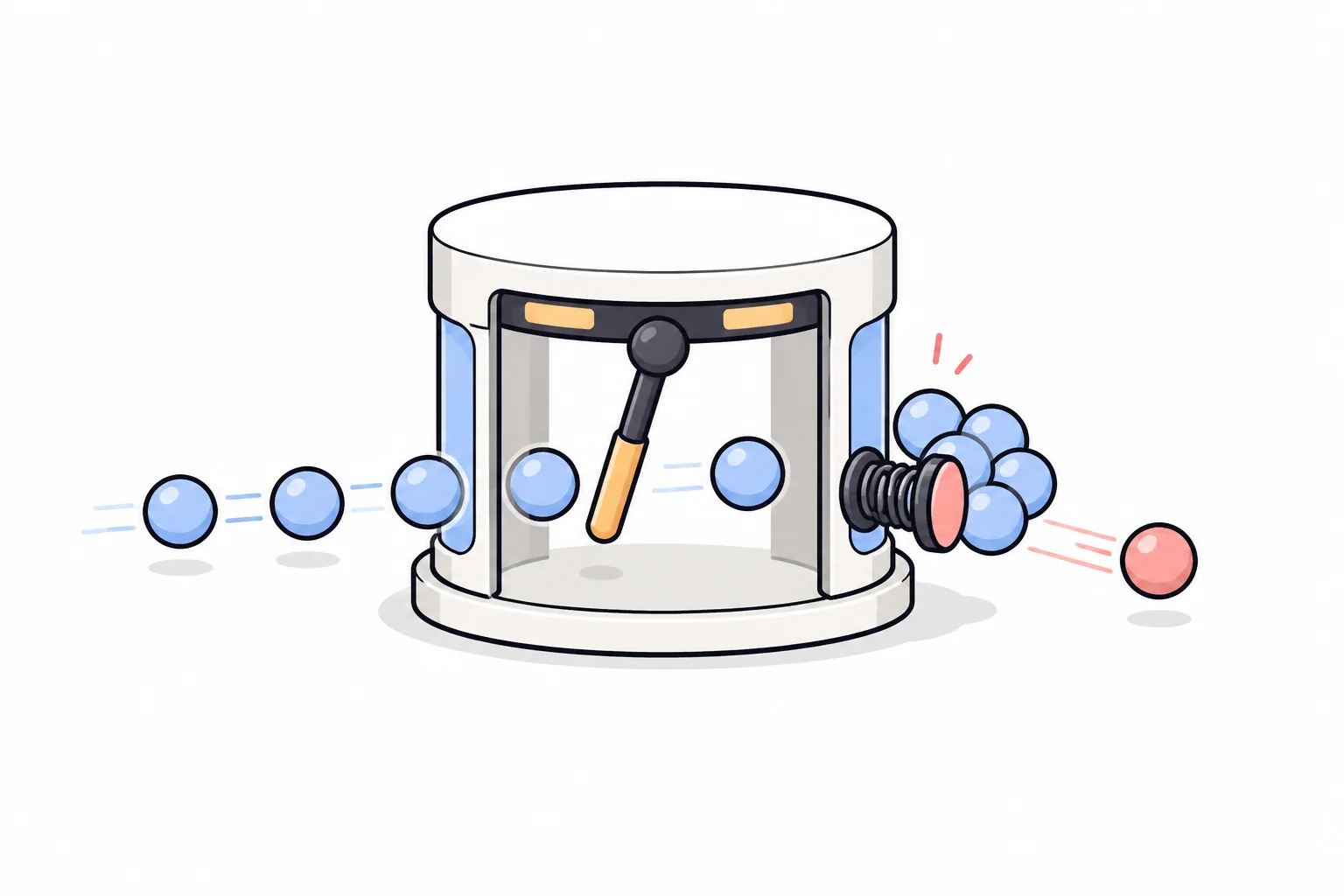
Bybit limits on two independent layers. Per IP: 600 requests per 5-second
window across all endpoints (older articles quote “120 per minute” — the real
figure is 120 per second); breaching it returns HTTP 403 and a ban that
lifts only after at least 10 minutes. Per account and per endpoint: on spot,
order creation, cancellation and cancel-all are 20 per second each, order and
fill queries 50 per second, and the Asset endpoints have their own — often
per-minute — figures (deposit records 100 per minute, transfers 60 per
minute), so carry the unit when you read the table. Breaching this layer
returns retCode: 10006, "Too many visits!". Bybit documents X-Bapi-Limit
/ X-Bapi-Limit-Status headers on authenticated responses, showing your
remaining quota; public market endpoints carry no such header, so don’t look
for them on ticker calls. A
script polling every few seconds is nowhere near any of these numbers — what
actually trips them is a retry loop with no delay. The errors this guide’s
recipes mention most:
| Code | Meaning | Usual fix |
|---|---|---|
HTTP 401, empty body | key rejected at the edge (notably on wallet-balance) | wrong key, wrong environment, or missing headers — check the status before .json() |
HTTP 404, empty body | wrong path, or GET sent to a POST endpoint | check both the path and the method |
HTTP 403 | IP rate limit breached, or a US / mainland-China IP | slow down and wait; region blocks are enforced at the API layer |
10003 | API key is invalid | the four-environments rule: key and host must match |
10004 | signature error | the string you signed isn’t the string you sent — build the payload once; verify against the vector above |
10002 | timestamp outside recv_window | sync your clock (NTP); compare with GET /v5/market/time (no key) |
10005 | permission denied | the key lacks the permission — read it back with /v5/user/query-api |
10001 | request parameter error | lowercase symbol, missing category, 1h-style interval, wrong types — the retMsg names it |
10006 | too many visits | per-endpoint rate limit — add a delay to your retry loop |
10010 | unmatched IP | the key is IP-bound and you moved (or your home IP rotated) |
33004 | API key expired (Bybit labels it “(Derivatives)“) | the 90-day rule for keys without an IP binding — on spot an expired key can surface as the empty 401 above instead |
170140 | order value below minimum | below minOrderAmt — very often the market-buy quantity trap |
170131 | insufficient balance | funds are in FUND not UNIFIED, or fees not accounted for |
110003 / 110017 | price off tick / quantity truncated to zero | round to tickSize and basePrecision |
110001 | order does not exist | already filled or never accepted — re-query, don’t retry |
Running your Bybit API code as a bot
The recipes above are the pieces; a bot is what runs them unattended — a loop
of read → decide → order, with a WebSocket that reconnects, retries that check
state before re-sending, and a kill switch (cancel-all exists for exactly
that). That infrastructure, from key setup through demo trading to the first
automated order, is the subject of our step-by-step
Bybit trading bot guide.
Conclusion and next steps
The pattern repeats across every operation: hardcode category=spot, keep the
key and the host in the same environment, build each payload once and sign
those exact bytes, check the HTTP status and then retCode, and read a
symbol’s rules from instruments-info instead of pasting numbers. Everything
that trades can be rehearsed on Demo Trading against real prices; everything
the Asset module touches cannot — which is exactly where the smallest-amount rule, the
idempotency IDs and the separate withdrawal key in this guide matter most.
Orders and transfers your code submits are your responsibility alone. If you
don’t have a Bybit account yet, our Bybit review
covers registration, fees and features in detail.
All endpoints, parameters, limits and error texts verified against the official Bybit V5 documentation on 2026-08-18, with live checks where the endpoint permits. Specifications change — the reference links in each section point at the current official source.
Frequently asked questions
What is the Bybit API?
An interface that lets your own programs talk to Bybit directly: read prices, check balances, place orders and move funds with code instead of the app. The current generation is V5 — one set of endpoints for spot, derivatives and options, with the product selected per request by a category parameter. This guide covers spot (category=spot) plus the asset operations every account needs.
Is the Bybit API free to use?
There is no separate charge for API access. Orders placed through the API pay the same trading fees as orders placed in the app — 0.1% maker and 0.1% taker on spot for regular (non-VIP) users — and all public market data can be read without an account.
Can I create a Bybit API key in the mobile app?
No. Bybit states that API keys can only be created on the website. Create the key in a desktop browser, then use it from any machine.
Should I test Bybit API code on the testnet or in demo trading?
Demo trading for anything involving orders: it lives inside your real account, runs against mainnet prices, and needs no second registration. The testnet is a separate exchange copy with its own registration and thin order books. Neither is a rehearsal for deposits or withdrawals — those endpoints are not on demo's supported list, and testnet withdrawals are never processed; internal transfers do work on the testnet with test coins. Keys are bound to the environment they were created in.
Does this guide cover Bybit futures (USDT perpetuals)?
No. On Bybit the same V5 endpoints serve derivatives when category is linear or inverse, but the parameters, position and leverage concepts and rate limits differ. Every example here hardcodes category=spot; changing that string changes the product.
Why does Bybit say my API key is invalid (10003), or return an empty HTTP 401?
Almost always an environment mismatch: a key only works against the host it was created on (mainnet, demo trading or testnet). Depending on the endpoint, a rejected key surfaces as retCode 10003 in a normal JSON response or as HTTP 401 with an empty body — the balance endpoint does the latter. Check the key's origin before touching your signing code.
Which Python library should I use for the Bybit API?
Bybit's official Python SDK is pybit (pip install pybit, Python 3.10 or later). The examples here use plain requests so they run anywhere and show exactly what any SDK does underneath. Note that the popular Node.js package bybit-api is labeled a community SDK in Bybit's docs, not an official one.