— Contents 10 sections
- 01 Is the Binance referral code “HELMCODE” still active?
- 02 What the Binance referral code “HELMCODE” gets you
- 03 Binance sign-up steps with the referral code
- 04 What to do after signing up at Binance
- 05 The Binance referral code cannot be added after sign-up
- 06 What is Binance
- 07 What makes Binance distinct
- 08 Binance regulatory landscape
- 09 Binance availability across major jurisdictions
- 10 Risks to acknowledge before using Binance
chainhelm’s exclusive Binance referral code is .
As of 2026-07-16, we signed up as a new user and confirmed that the referral code was applied.
Enter the code at sign-up to receive a new-user bonus of up to 100 USD equivalent and a 10% discount on trading fees. You can only do this during registration, so we recommend entering it right then and there.
This article covers the sign-up process with the Binance referral code, Binance’s distinguishing features, availability across major markets, and the risks to acknowledge — with the sign-up flow and code application verified first-hand by chainhelm’s editorial team.
Is the Binance referral code “HELMCODE” still active?
The chainhelm editorial team created a fresh Binance account on 2026-07-16 and confirmed that the referral code “HELMCODE” is still active.
Here is the actual screen captured during verification.
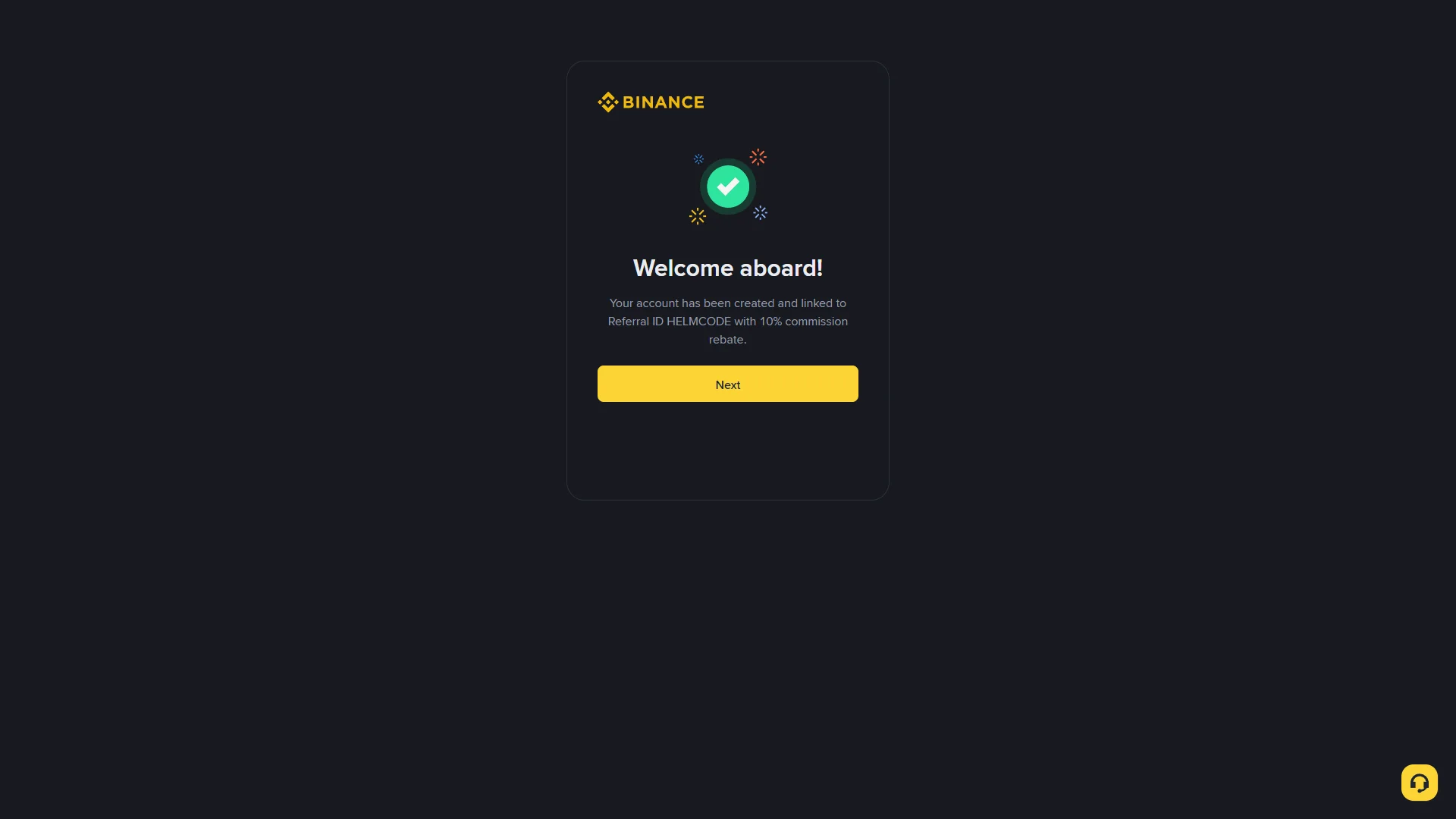
The screen shows “Welcome aboard!”, confirming that the referral code HELMCODE was correctly applied.
chainhelm continuously verifies the validity of the code and confirms it remains usable.
What the Binance referral code “HELMCODE” gets you
Apply this code at sign-up to receive the following benefits on Binance:
- Benefit: a new-user bonus of up to 100 USD equivalent; a 10% discount on trading fees
- Expiration: None
- Eligibility: New users
To receive the benefits, you need to enter the code when you create your account. Be careful not to miss this step.
Binance sign-up steps with the referral code
We cover the sign-up process separately for PC/browser and smartphone (mobile).
PC/browser sign-up steps
-
First, open the Binance official sign-up page (the link applies the referral code). When you open it, you’ll see a screen like the one below.
-
Open the registration form
The empty sign-up form2026-07-16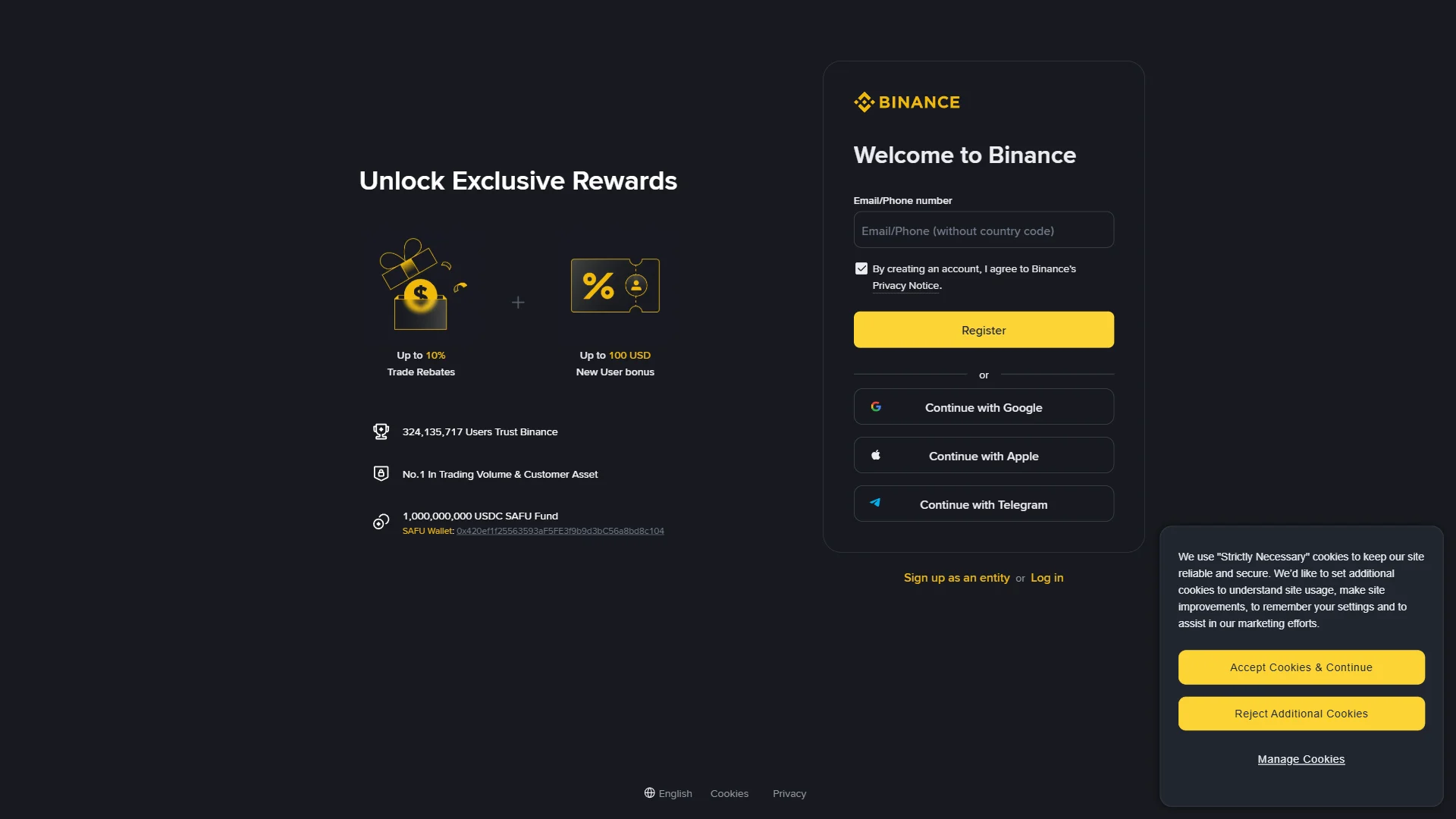
The "Welcome to Binance" panel with an empty "Email/Phone number" field, the pre-checked privacy notice, and the first-visit cookie banner. Source: chainhelm editorial Open the Binance sign-up page through your chainhelm referral link and you land on the “Welcome to Binance” panel. On a first visit a cookie-consent banner appears in the corner; clear it by choosing “Accept Cookies & Continue”, or open the settings to decide for yourself.
The consent line “By creating an account, I agree to Binance’s Privacy Notice” is already ticked, so your only task here is the “Email/Phone number” field. Type the address you want linked to the account, which readies the form for the next step.
-
Submit the sign-up form
The completed sign-up form2026-07-16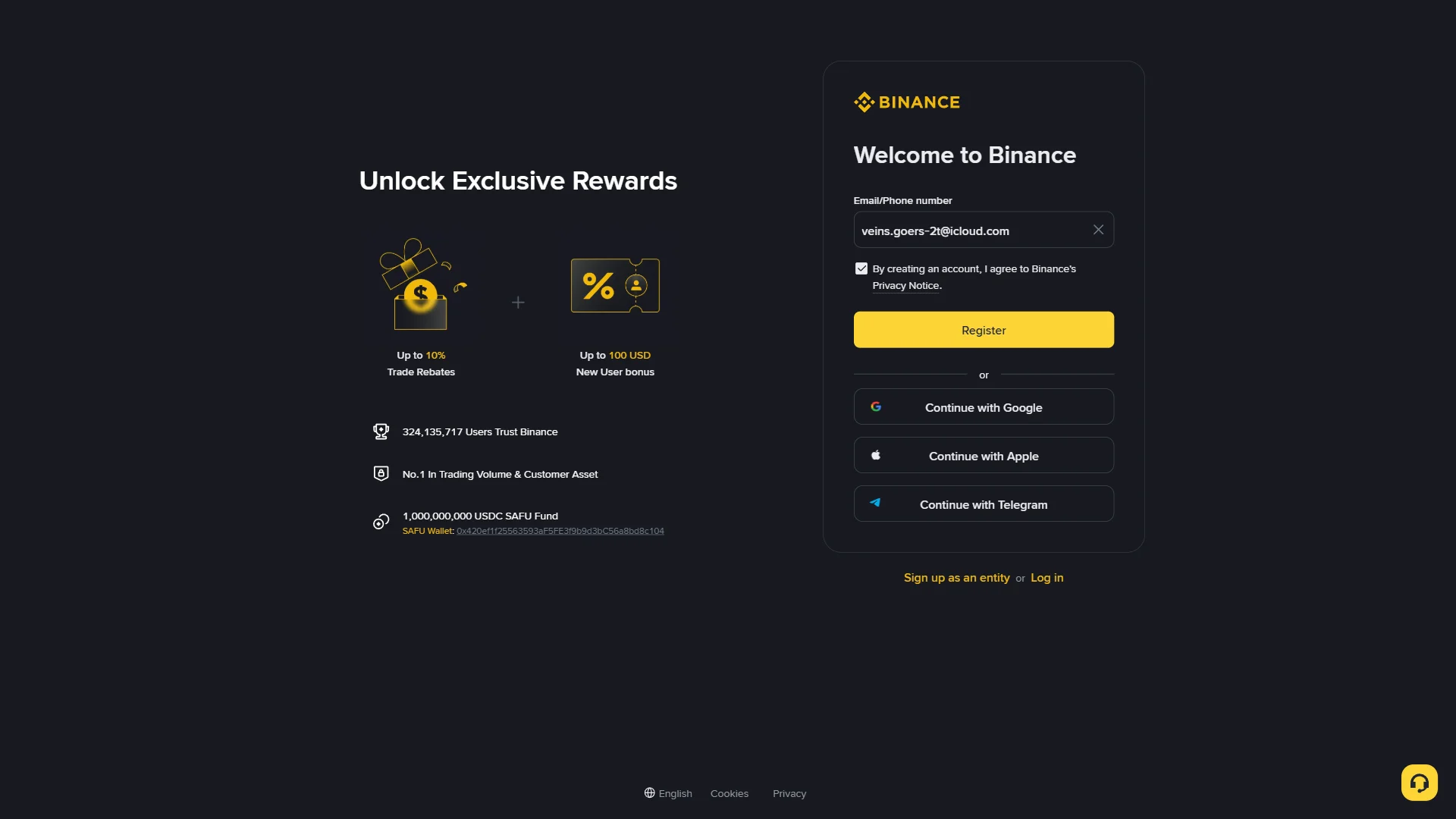
The "Email/Phone number" field now holding the entered address, with "Register" and the social sign-up options below. Source: chainhelm editorial With your address showing in the “Email/Phone number” field, check that the “Privacy Notice” consent stays ticked and click “Register”.
Binance emails a verification code and moves you on to the “Verify your email” screen. If you would rather not use an email and password, the “Continue with Google”, “Continue with Apple”, and “Continue with Telegram” buttons below the form start the same sign-up from a linked account instead.
-
Enter the verification code
The email verification screen2026-07-16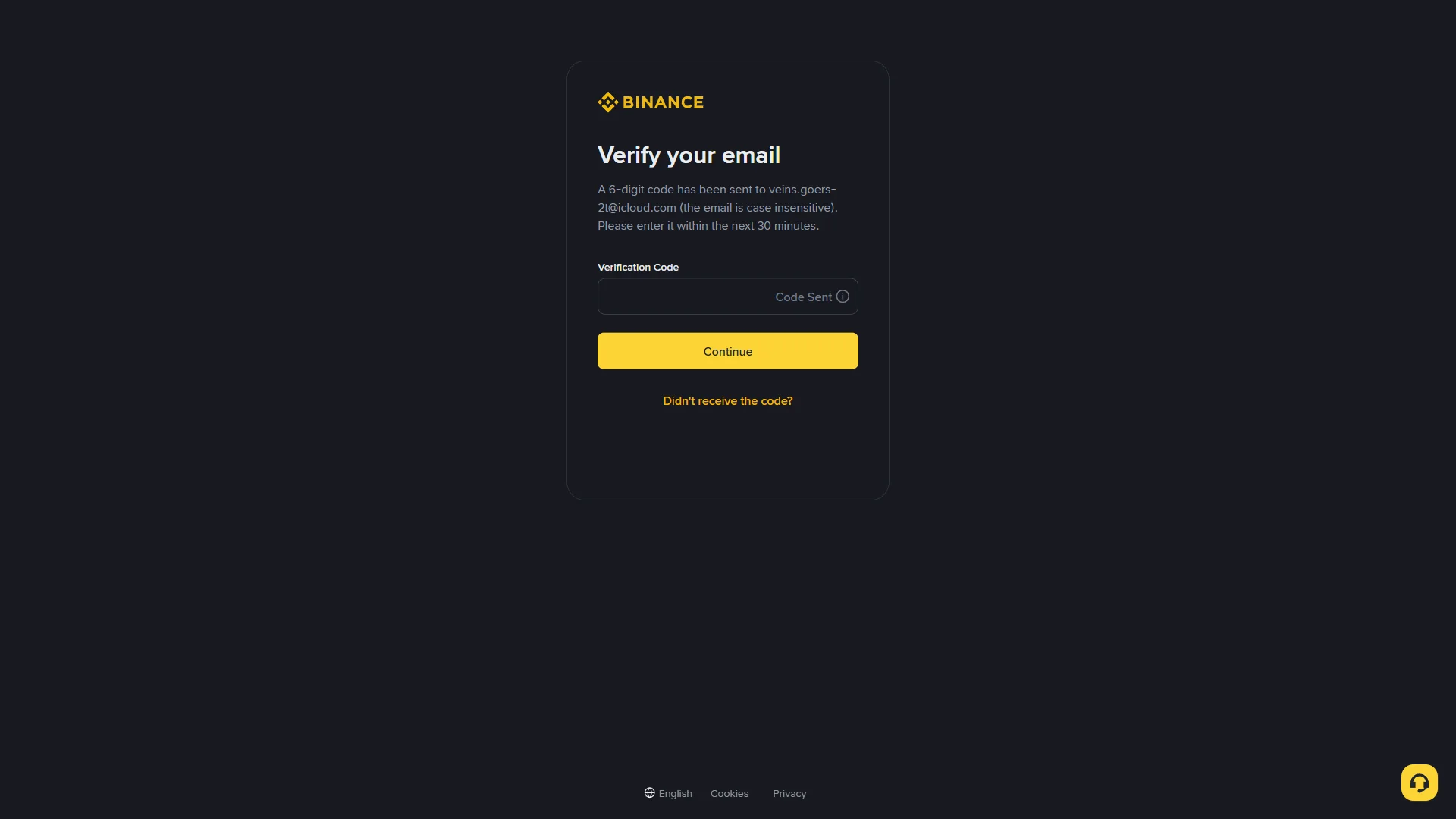
The "Verify your email" screen with an empty "Verification Code" field marked "Code Sent" and the "Continue" button. Source: chainhelm editorial The “Verify your email” screen confirms that a six-digit code has gone to your address and gives you thirty minutes to use it. Open your inbox, read the code from the Binance message, and type it into the “Verification Code” field, which reads “Code Sent” until you start entering digits.
Click “Continue” to submit the code. Binance accepts it and opens the “Create a password” screen. If nothing arrives, “Didn’t receive the code?” resends it.
-
Read the code from your inbox
The confirmation email2026-07-16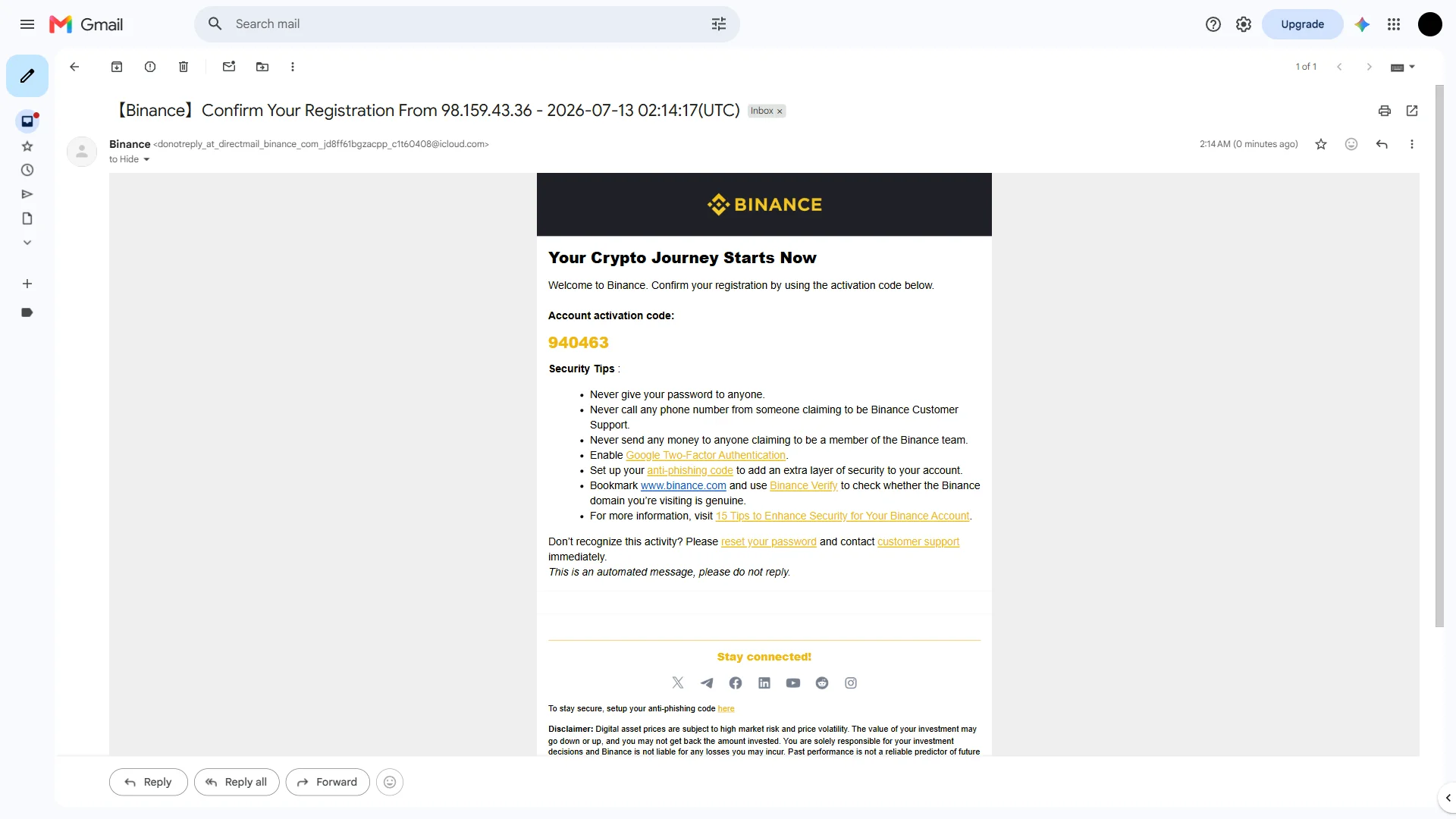
The Binance registration email showing the six-digit "Account activation code" in the inbox. Source: chainhelm editorial Switch to the inbox for the address you registered and open the Binance message about confirming your registration. Below the “Account activation code” heading you will see a six-digit number, which is the code the verification screen is waiting for.
Copy it and return to the “Verify your email” tab to enter it. The same email lists Binance’s standard security reminders, such as never sharing your password, that are worth a quick read before you move on.
-
Set your account password
The empty password field2026-07-16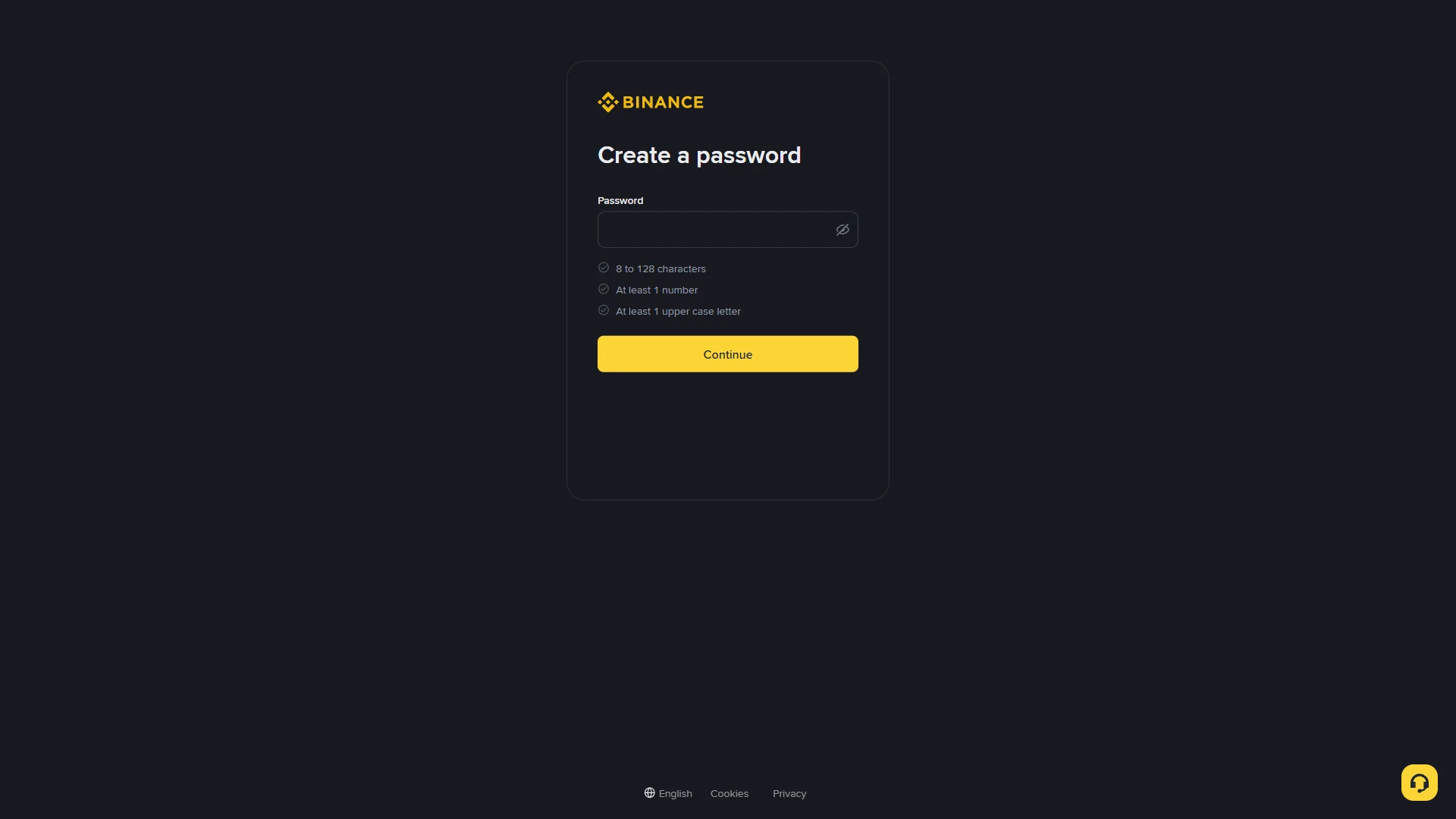
The "Create a password" screen with an empty "Password" field and the three unmet requirement checks below. Source: chainhelm editorial On the “Create a password” screen, type a password into the “Password” field. The eye icon at the end of the field toggles between hidden and visible text if you want to check what you typed.
Three rules sit below the field: “8 to 128 characters”, “At least 1 number”, and “At least 1 upper case letter”. Each one stays grayed out until your entry satisfies it, so build the password until all three conditions are met.
-
Submit the password
Requirements met2026-07-16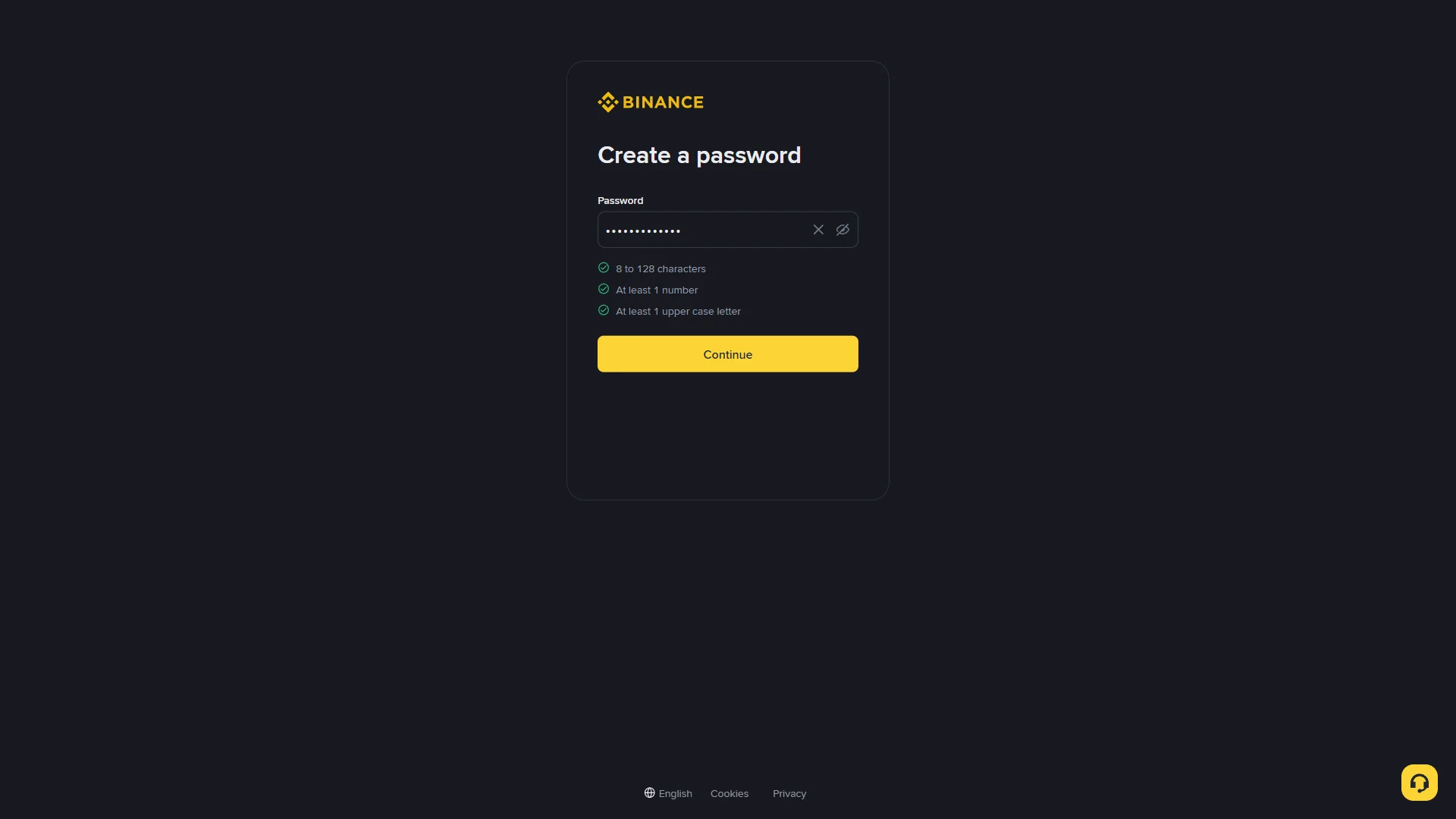
The "Password" field filled, with all three requirement checks turned green above the "Continue" button. Source: chainhelm editorial Once the password satisfies every rule, the three checks below the field turn green to confirm it qualifies. Click “Continue” to submit it. Binance finishes creating the account and opens the “Welcome aboard!” confirmation screen.
-
Confirm the account and referral
Account created2026-07-16 The "Welcome aboard!" screen confirming the new account is linked to Referral ID "HELMCODE". Source: chainhelm editorial The “Welcome aboard!” screen confirms the account exists and notes that it is now linked to Referral ID “HELMCODE”. This is the moment to check the code reads “HELMCODE” as expected, since that link is what ties the account to your chainhelm referral.
Click “Next” to leave the confirmation and open your Binance dashboard.
Smartphone (iOS / Android) sign-up steps
-
First, open the Binance official sign-up page in the mobile app or browser (the link applies the referral code). When you open it, you’ll see a screen like the one below.
-
Open the registration form
The empty sign-up form2026-07-16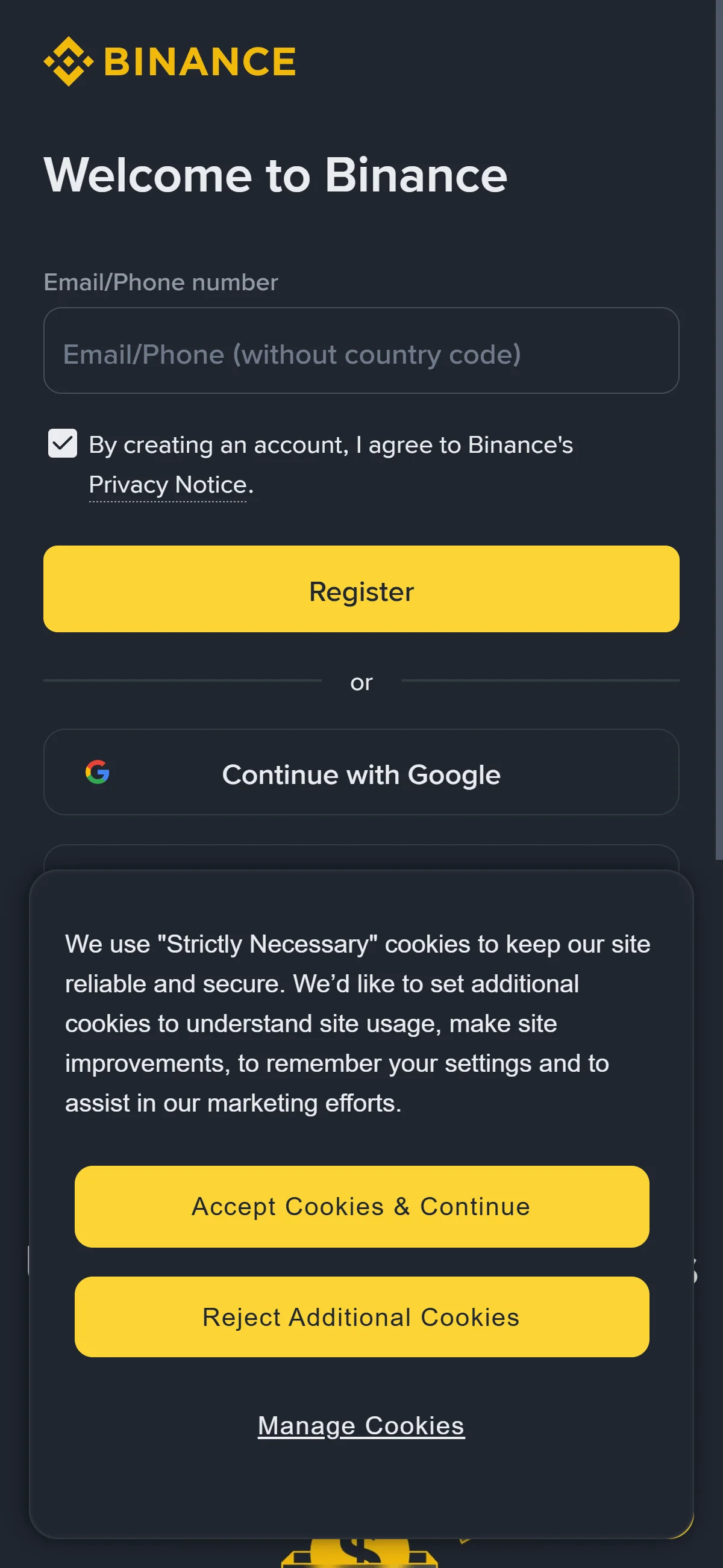
The "Welcome to Binance" panel with an empty "Email/Phone number" field, the pre-checked privacy notice, and the first-visit cookie banner. Source: chainhelm editorial Open the Binance sign-up page through your chainhelm referral link and you land on the “Welcome to Binance” panel. On a first visit a cookie-consent banner appears in the corner; clear it by choosing “Accept Cookies & Continue”, or open the settings to decide for yourself.
The consent line “By creating an account, I agree to Binance’s Privacy Notice” is already ticked, so your only task here is the “Email/Phone number” field. Type the address you want linked to the account, which readies the form for the next step.
-
Submit the sign-up form
The completed sign-up form2026-07-16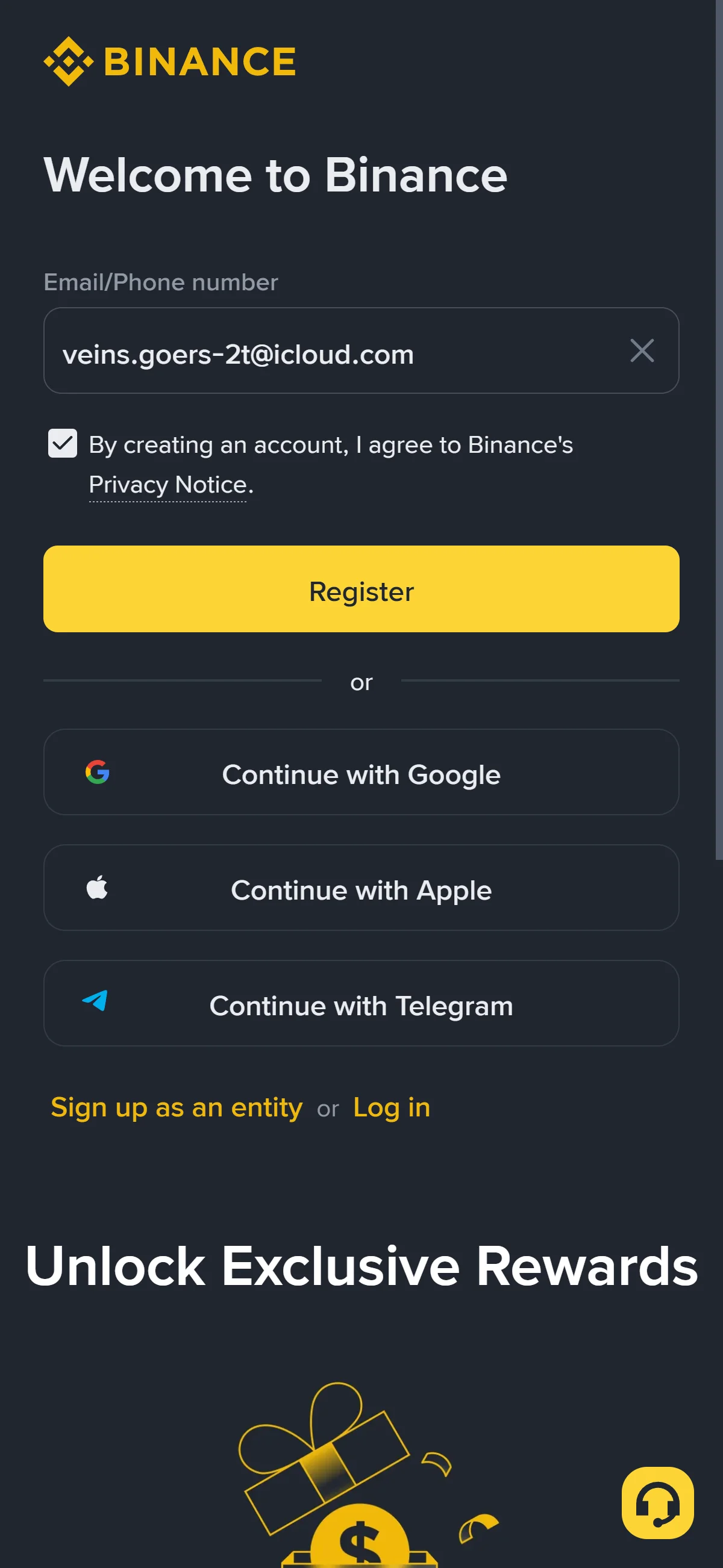
The "Email/Phone number" field now holding the entered address, with "Register" and the social sign-up options below. Source: chainhelm editorial With your address showing in the “Email/Phone number” field, check that the “Privacy Notice” consent stays ticked and click “Register”.
Binance emails a verification code and moves you on to the “Verify your email” screen. If you would rather not use an email and password, the “Continue with Google”, “Continue with Apple”, and “Continue with Telegram” buttons below the form start the same sign-up from a linked account instead.
-
Enter the verification code
The email verification screen2026-07-16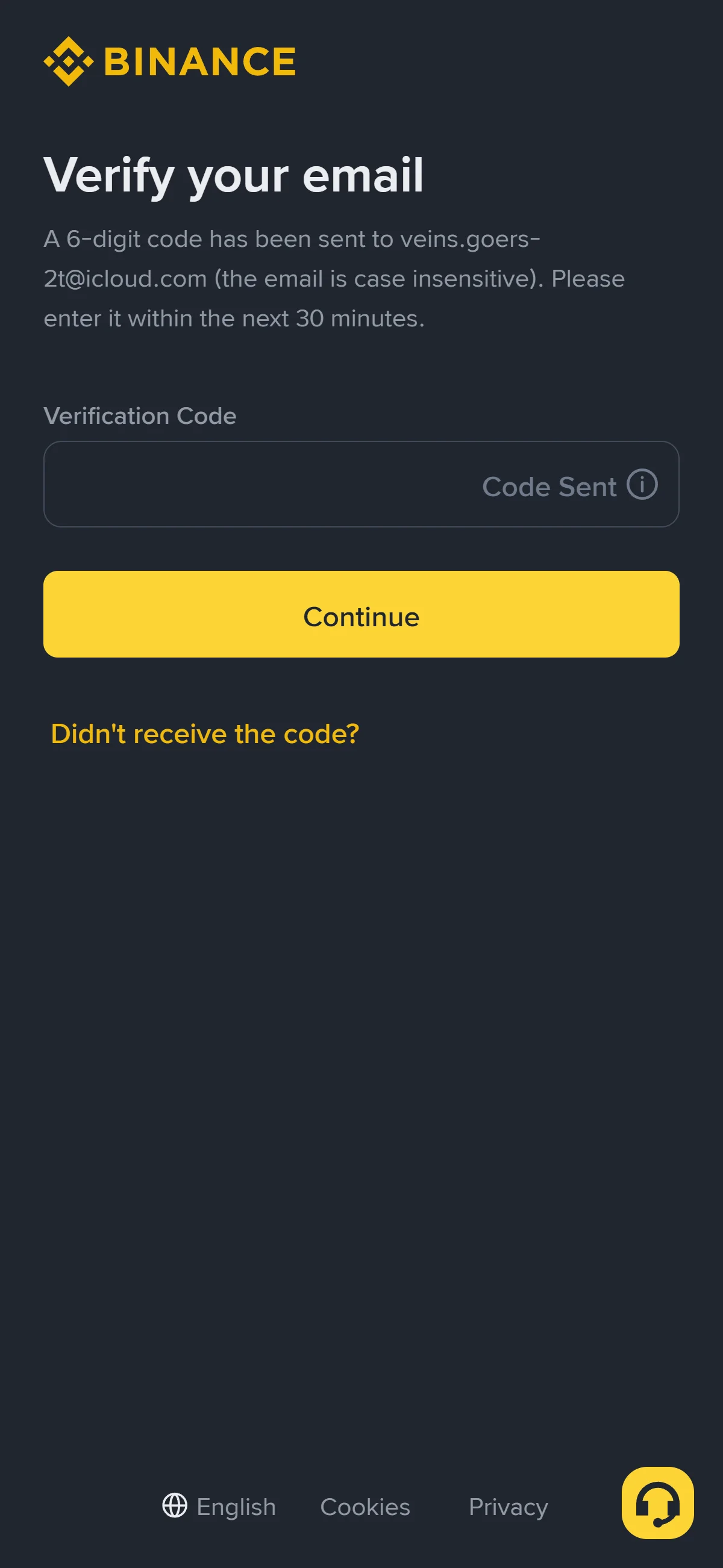
The "Verify your email" screen with an empty "Verification Code" field marked "Code Sent" and the "Continue" button. Source: chainhelm editorial The “Verify your email” screen confirms that a six-digit code has gone to your address and gives you thirty minutes to use it. Open your inbox, read the code from the Binance message, and type it into the “Verification Code” field, which reads “Code Sent” until you start entering digits.
Click “Continue” to submit the code. Binance accepts it and opens the “Create a password” screen. If nothing arrives, “Didn’t receive the code?” resends it.
-
Read the code from your inbox
The confirmation email2026-07-16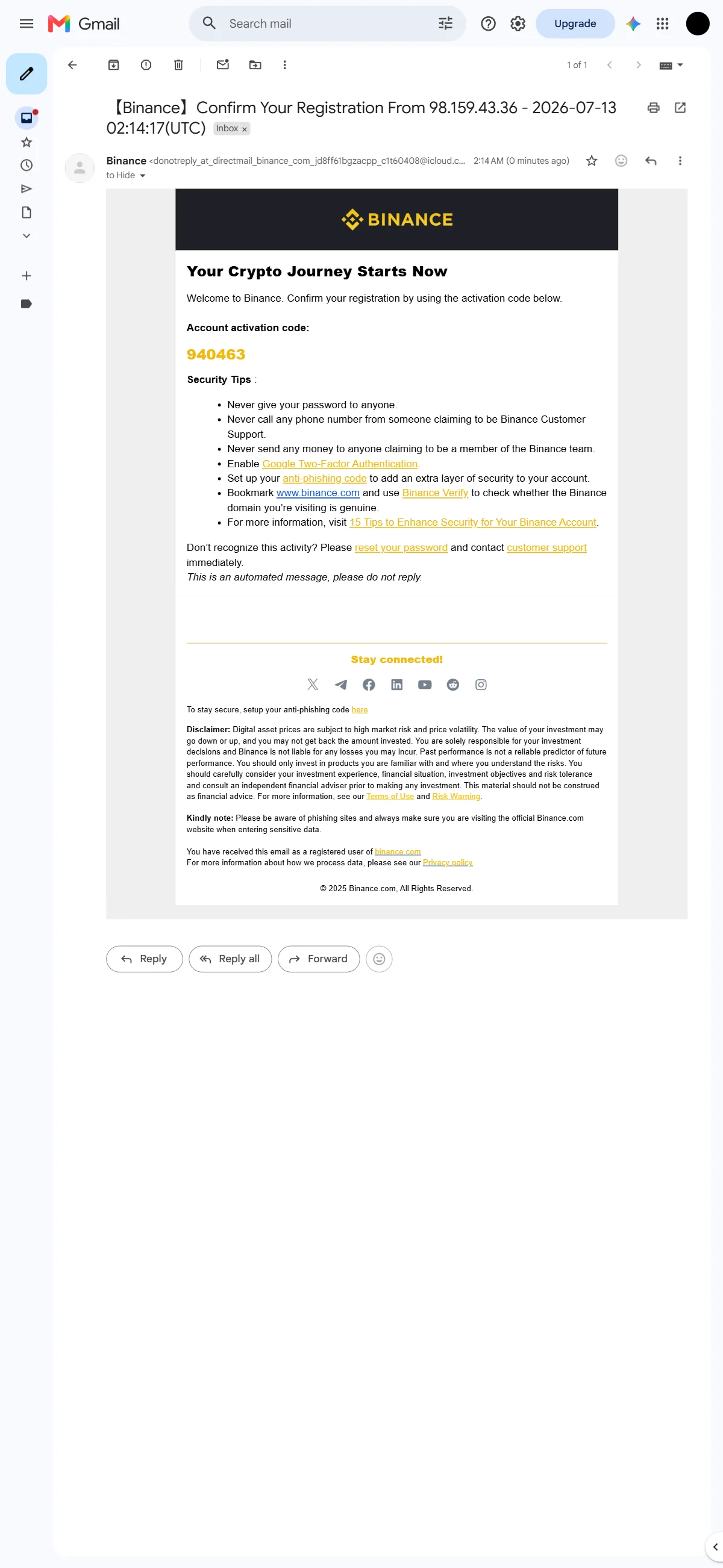
The Binance registration email showing the six-digit "Account activation code" in the inbox. Source: chainhelm editorial Switch to the inbox for the address you registered and open the Binance message about confirming your registration. Below the “Account activation code” heading you will see a six-digit number, which is the code the verification screen is waiting for.
Copy it and return to the “Verify your email” tab to enter it. The same email lists Binance’s standard security reminders, such as never sharing your password, that are worth a quick read before you move on.
-
Set your account password
The empty password field2026-07-16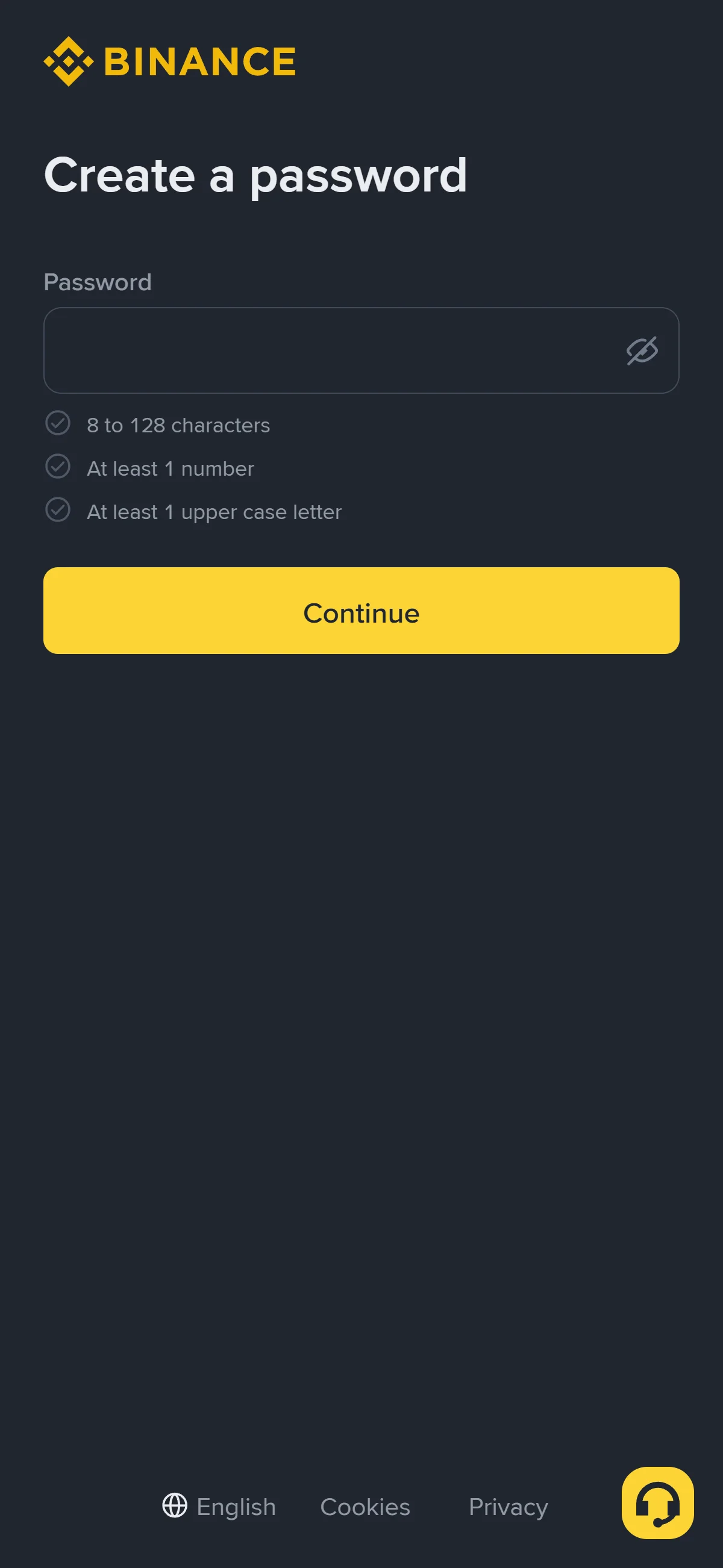
The "Create a password" screen with an empty "Password" field and the three unmet requirement checks below. Source: chainhelm editorial On the “Create a password” screen, type a password into the “Password” field. The eye icon at the end of the field toggles between hidden and visible text if you want to check what you typed.
Three rules sit below the field: “8 to 128 characters”, “At least 1 number”, and “At least 1 upper case letter”. Each one stays grayed out until your entry satisfies it, so build the password until all three conditions are met.
-
Submit the password
Requirements met2026-07-16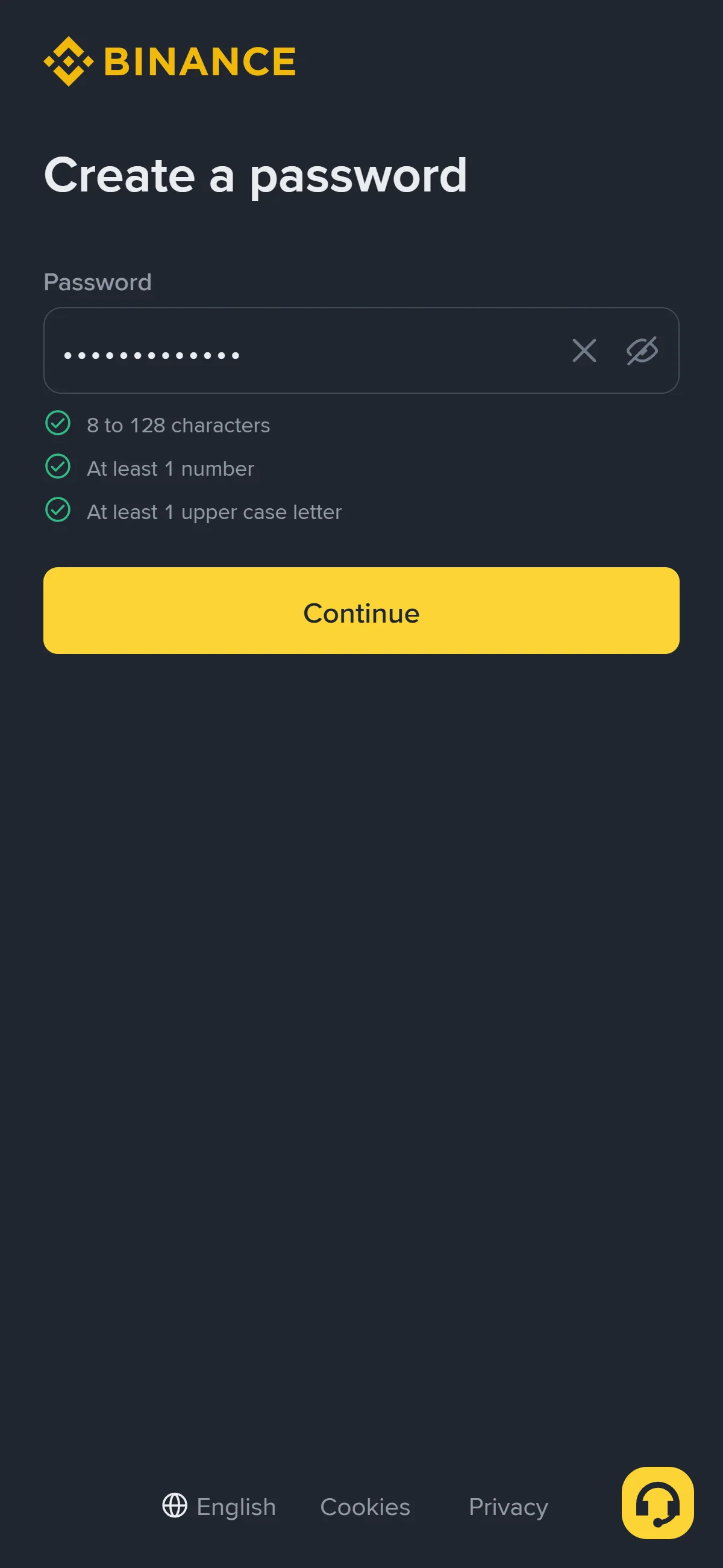
The "Password" field filled, with all three requirement checks turned green above the "Continue" button. Source: chainhelm editorial Once the password satisfies every rule, the three checks below the field turn green to confirm it qualifies. Click “Continue” to submit it. Binance finishes creating the account and opens the “Welcome aboard!” confirmation screen.
-
Confirm the account and referral
Account created2026-07-16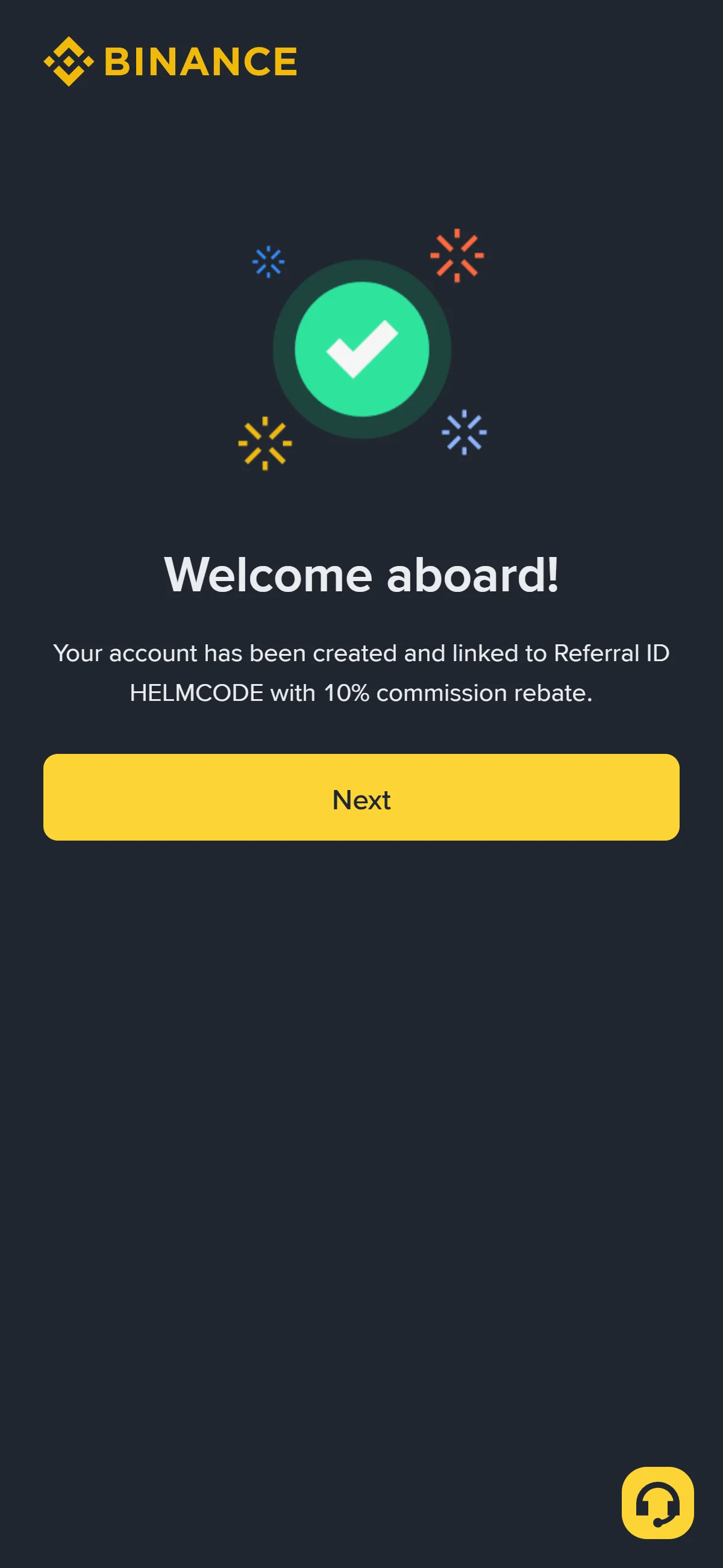
The "Welcome aboard!" screen confirming the new account is linked to Referral ID "HELMCODE". Source: chainhelm editorial The “Welcome aboard!” screen confirms the account exists and notes that it is now linked to Referral ID “HELMCODE”. This is the moment to check the code reads “HELMCODE” as expected, since that link is what ties the account to your chainhelm referral.
Click “Next” to leave the confirmation and open your Binance dashboard.
What to do after signing up at Binance
We cover identity verification separately for PC/browser and smartphone (mobile).
PC/browser identity verification
Your dashboard opens with a “Get Started” checklist laid out in three steps: “Verify Account”, “Deposit”, and “Trade”. The first step explains that verifying your identity unlocks the rest of Binance’s services, while “Deposit” and “Trade” stay marked “Pending” until it is done.
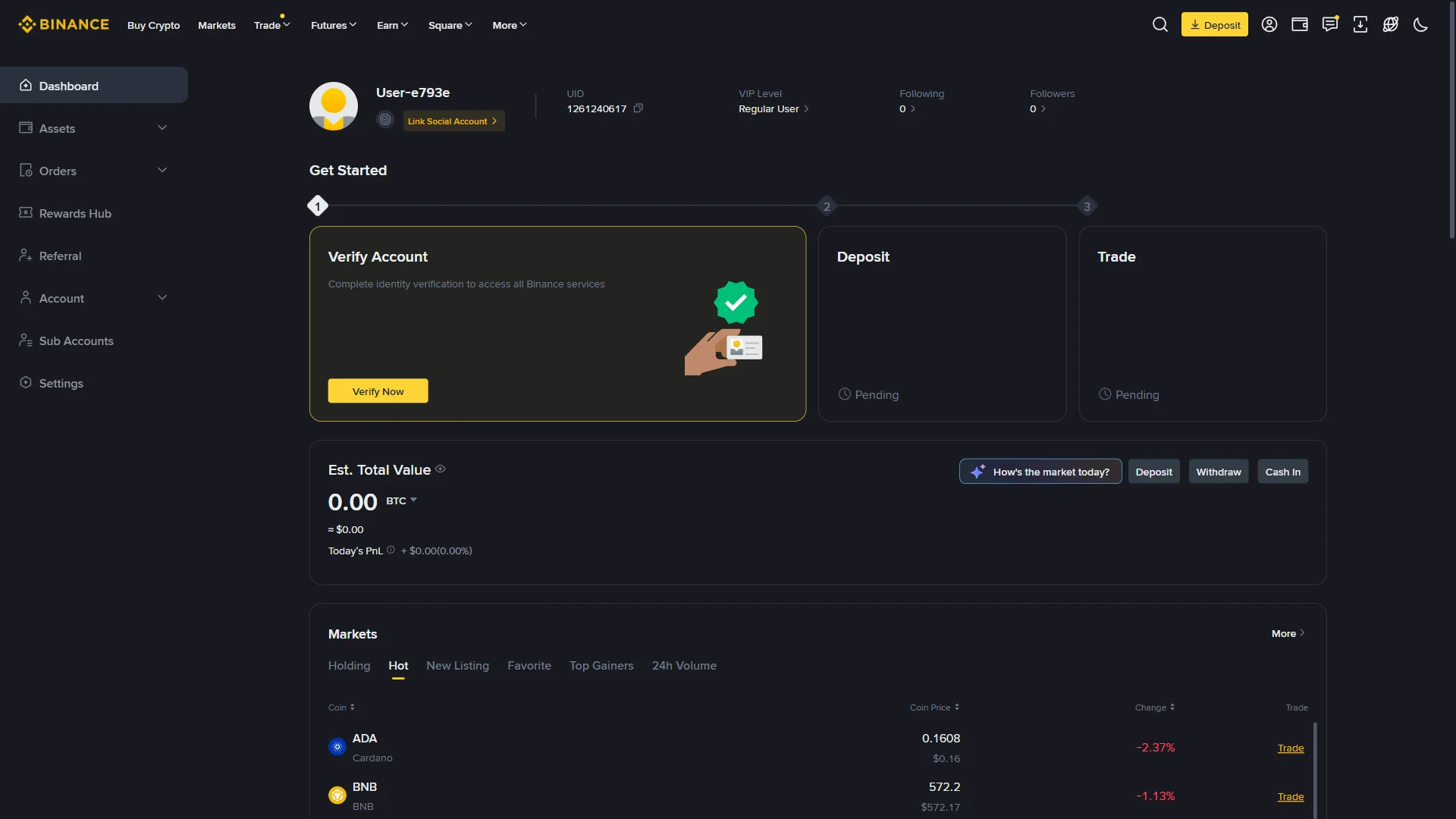
Click “Verify Now” on the “Verify Account” card to begin, which opens the verification start screen.
The “Let’s Get You Verified” screen opens with two dropdowns, “Residence” and “Document Issuing Country/Region”. Check that each shows the correct country and change it from the dropdown if not.
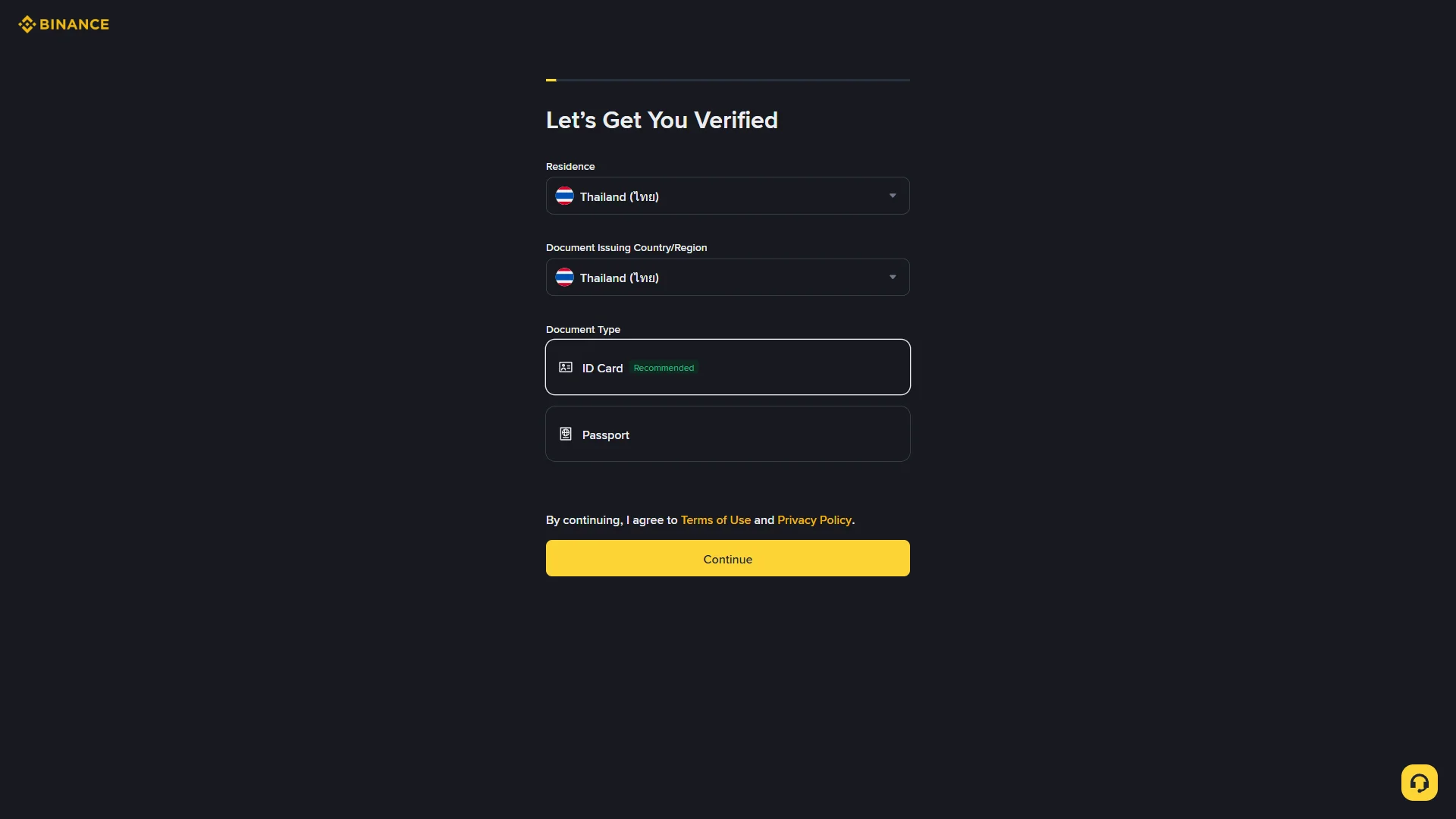
Under “Document Type”, choose the ID you will use: “ID Card”, marked “Recommended”, or “Passport”. With both countries and a document type set, click “Continue” to move to the document upload screen.
The “Document Verification” screen asks how you want to submit your ID document. On a computer you can choose “Upload from Current Device” or “Verify with Phone”, which shows a QR code to scan and continue capture on your phone; on a phone the options are “Take Pictures” or “Upload Photos” instead.
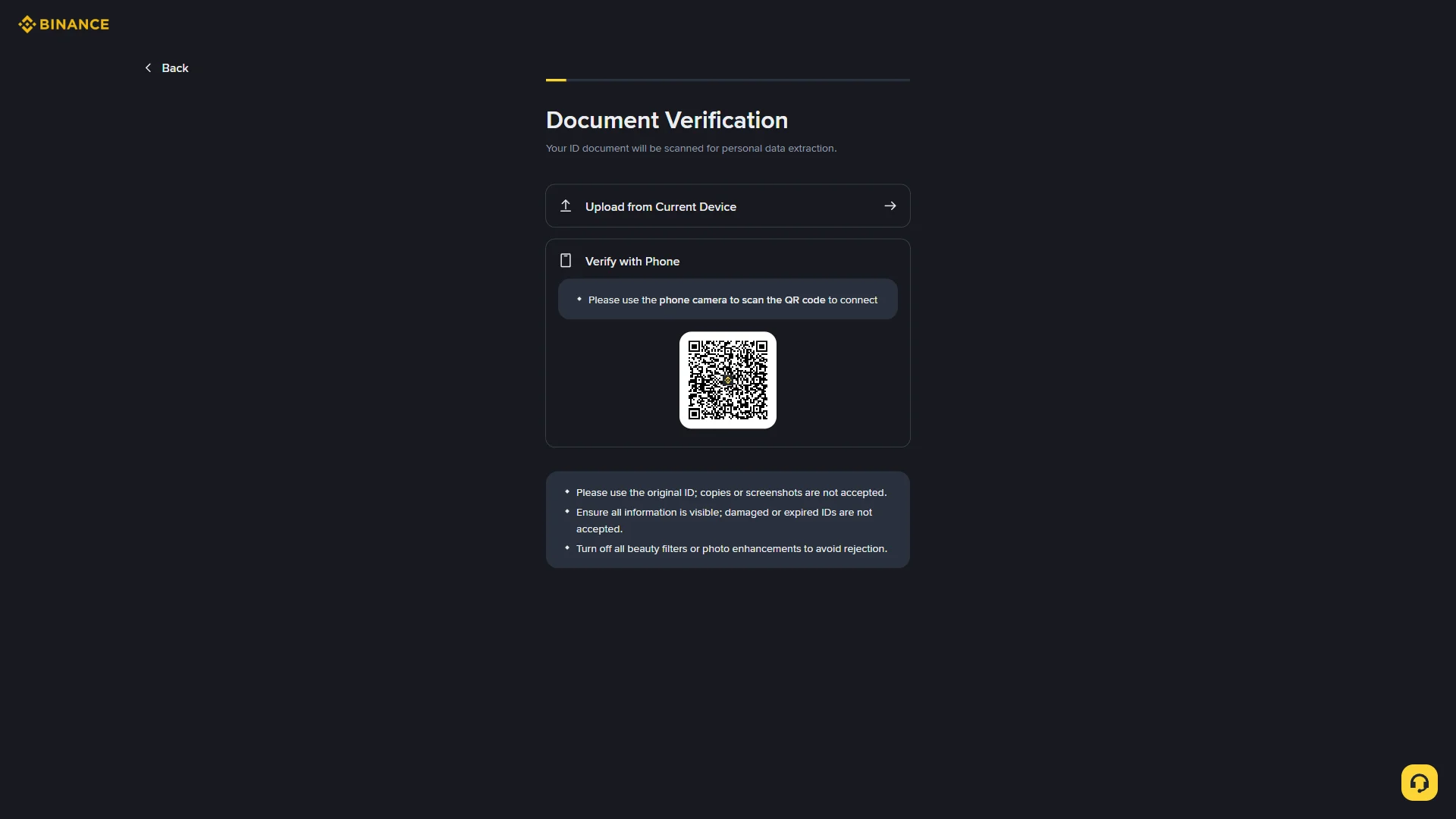
Before you pick a method, note the conditions on screen: use the original ID rather than a copy or screenshot, keep every detail readable, and switch off any beauty filters or photo enhancements so the document is not rejected. Choose the method that matches your device to hand over the ID image.
Smartphone (iOS / Android) identity verification
Your dashboard opens with a “Get Started” checklist laid out in three steps: “Verify Account”, “Deposit”, and “Trade”. The first step explains that verifying your identity unlocks the rest of Binance’s services, while “Deposit” and “Trade” stay marked “Pending” until it is done.
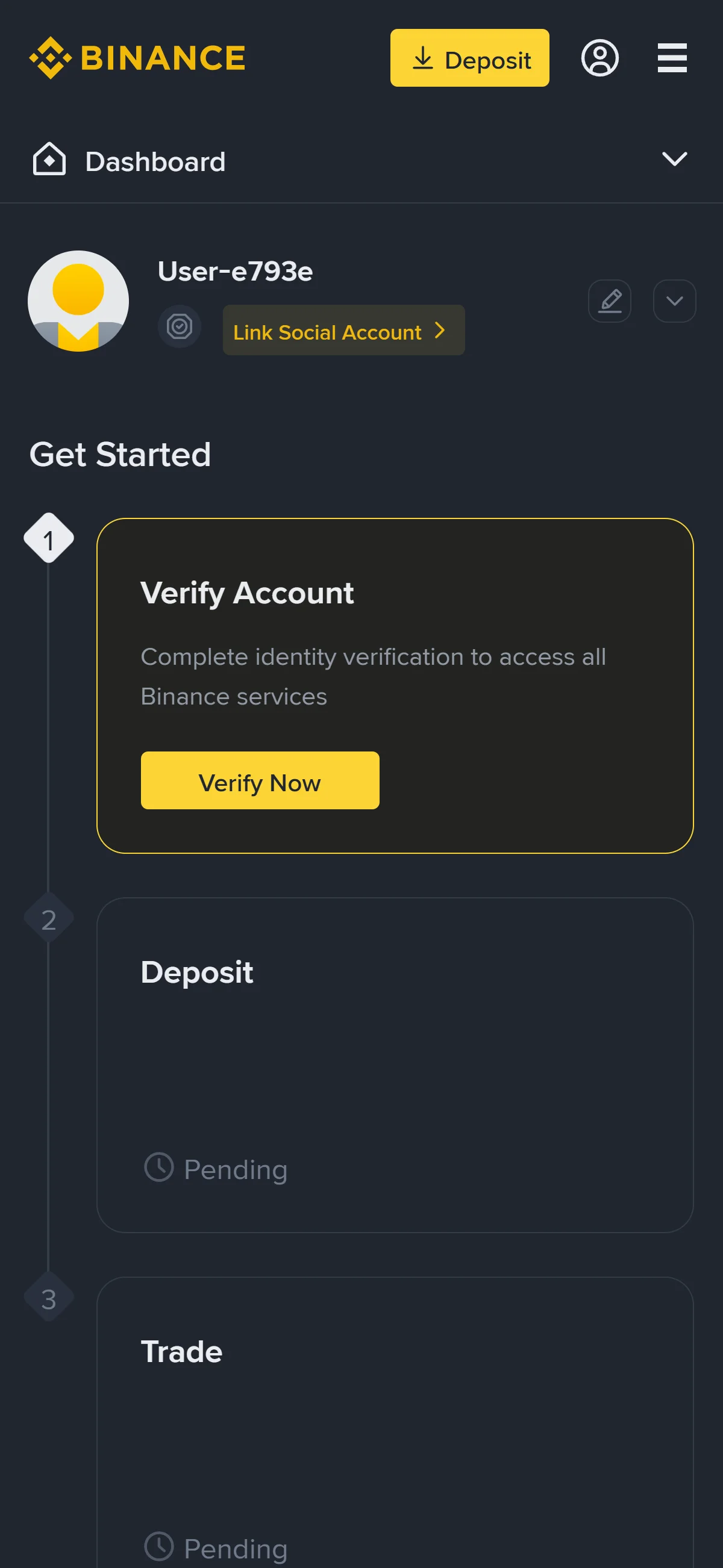
Click “Verify Now” on the “Verify Account” card to begin, which opens the verification start screen.
The “Let’s Get You Verified” screen opens with two dropdowns, “Residence” and “Document Issuing Country/Region”. Check that each shows the correct country and change it from the dropdown if not.
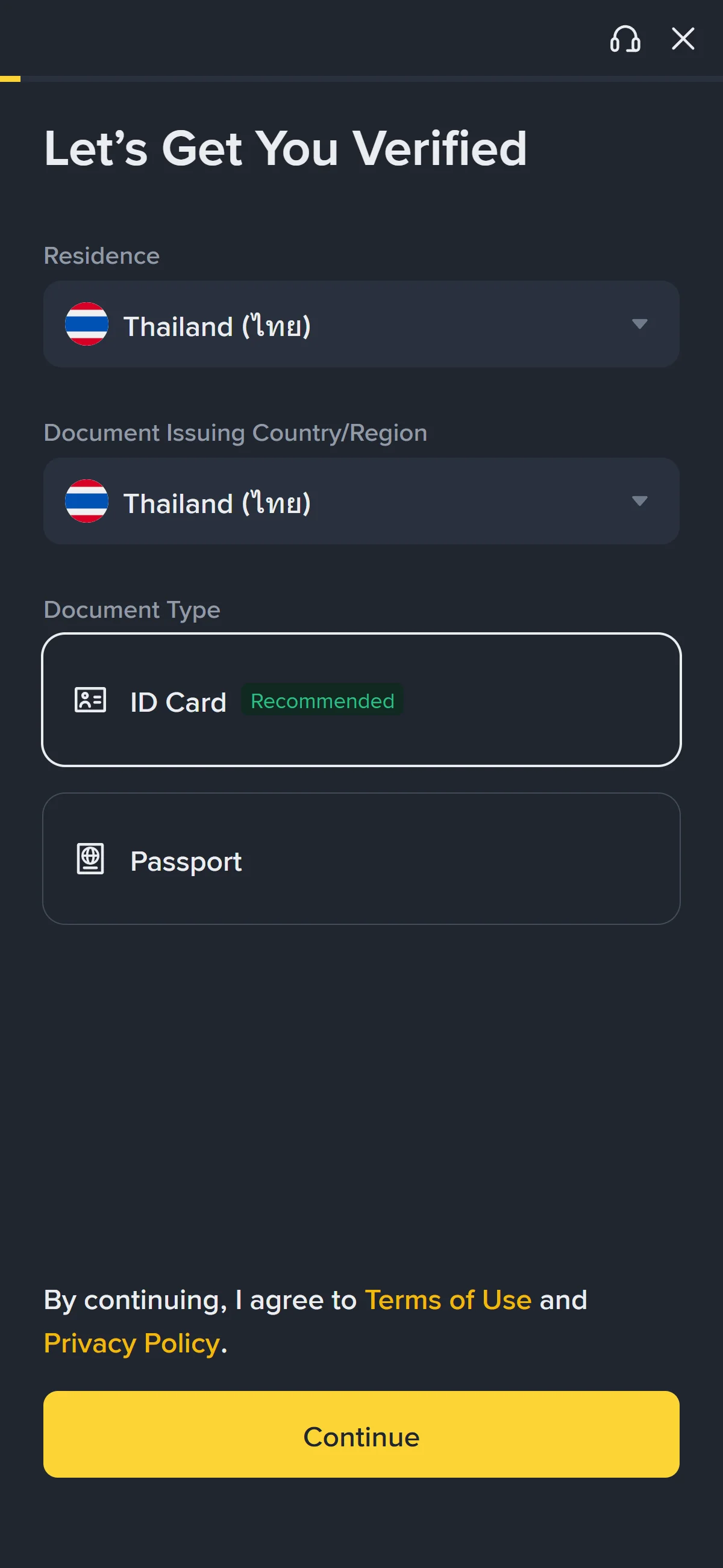
Under “Document Type”, choose the ID you will use: “ID Card”, marked “Recommended”, or “Passport”. With both countries and a document type set, click “Continue” to move to the document upload screen.
The “Document Verification” screen asks how you want to submit your ID document. On a computer you can choose “Upload from Current Device” or “Verify with Phone”, which shows a QR code to scan and continue capture on your phone; on a phone the options are “Take Pictures” or “Upload Photos” instead.
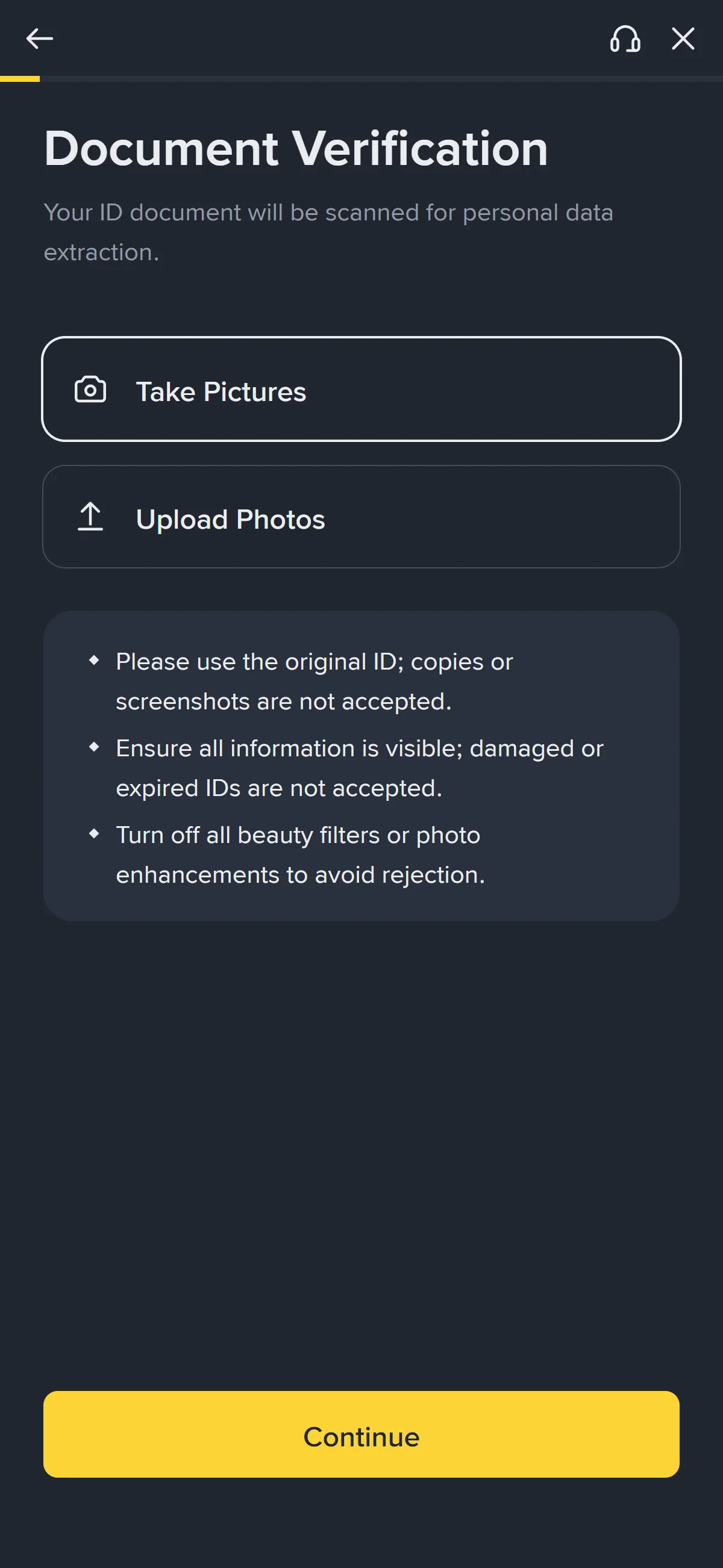
Before you pick a method, note the conditions on screen: use the original ID rather than a copy or screenshot, keep every detail readable, and switch off any beauty filters or photo enhancements so the document is not rejected. Choose the method that matches your device to hand over the ID image.
Once identity verification is complete, the account can use Binance’s full range of services, including deposits and trading.
The Binance referral code cannot be added after sign-up
The referral code can only be entered at sign-up — it cannot be added afterwards.
If you overlook this and complete registration without the code, there is no mechanism for linking it to that account after the fact.
If you have not yet completed KYC (identity verification), creating a fresh account is an option worth considering. Some exchanges, though, restrict opening more than one account in their terms of use.
- Does the sign-up screen show referral code HELMCODE as applied? (Going through the link applies it automatically; where the exchange provides a code field, check there as well.)
- Once registration is complete, open the Referral / Rewards page and confirm that the referral shows as linked to your account
What is Binance
Who runs Binance and its market scale
Binance launched in 2017-07 under founder Changpeng Zhao (CZ) and, within roughly 180 days, had grown into the largest digital-asset exchange by trading volume — a pace of ascent that still frames how large the venue is today. That scale, rather than a generic “major exchange” label, is why this article’s referral venue sits at the deep end of the market.
Binance runs without a single global headquarters — historically it operated on a decentralized, remote basis — but its regulated activity now clusters in named hubs: Binance FZE in Dubai and an ADGM-authorized entity in Abu Dhabi in the UAE, with the principal holding company registered in the Cayman Islands. Its principal operating and holding entity is Binance Holdings Limited, as identified by the US Department of Justice. Richard Teng has been chief executive since 2023-11-21; CZ, who resigned as CEO in 2023-11 and was pardoned in 2025-10, remains founder and majority beneficial owner.
In absolute, own-venue terms the size is hard to overstate.
For a reader weighing where to sign up, the takeaway is simple: this is the deepest-liquidity centralized venue rather than a boutique exchange, which is what makes tight spreads and fillable size the default here.
Trading fees and the BNB fee reduction
Real trading cost separates into two very different books — spot and futures — and it is worth reading them apart rather than trusting a single “low fees” line. The figures below are the standard headline tiers as of 2026-07-16; both schedules step down through VIP tiers set by 30-day volume and BNB balance, which the full fee table details.
Spot
USDⓈ-M futures
Two costs sit outside that table. Withdrawals carry a per-asset network fee that varies by coin and network and is adjusted dynamically, so there is no single flat figure — the real cost of moving funds out is the trading fee plus that withdrawal fee, not the trading fee alone. Separately, holding or paying fees in BNB reduces trading fees by 25% on spot and 10% on futures; this native-token discount is a structural property of the fee schedule, separate from the raw fees shown above.
What makes Binance distinct
Where Binance leads — liquidity, asset range, and the BNB ecosystem
Measured against the venues a reader actually weighs it against, Binance’s edge is first a matter of depth.
Among the centralized exchanges measured, Binance posts the highest single-venue 24h spot and derivatives volume — multiples of the #2 venue on CoinMarketCap.
The second axis is breadth. Binance lists 448 coins across 1,358 spot pairs, and it pairs that range with one of the widest product line-ups among centralized exchanges — spot, margin, USDⓈ-M, COIN-M and TradFi futures, options, Earn, copy trading, trading bots, a Web3 wallet, NFTs, tokenized stocks, and REST, WebSocket and FIX 4.4 APIs — a spread that reaches from a first-time retail buyer to an execution desk. Anchoring all of it is the BNB ecosystem: a vertically integrated exchange token, layer-1 chain and launch platform in one, with BNB underpinning BNB Chain, Launchpool, Launchpad and Earn, plus the fee reduction covered above. For a reader deciding where to trade, that combination is the concrete case for choosing Binance over a thinner venue — provided it is available to them, which is where the next section draws the line.
When another exchange is the better fit
Binance is not the right venue for everyone, and the honest cases are specific. US residents cannot use binance.com global at all and must turn to the separate Binance.US entity or another US-regulated venue. EU (EEA) users who need MiCA-regulated services lost Binance’s route when its MiCA pathway via Greece lapsed at the 2026-06-30 EU transition deadline; from 2026-07-01 Binance restricted regulated services for affected EU users. Those are not caveats at the margin — for those readers, another exchange is simply the correct choice.
Deep-liquidity traders
Restricted or MiCA-bound users
This verdict is the one place we consolidate who Binance suits; the per-market detail of where global sign-up is open or closed follows in the availability section.
Binance regulatory landscape
Where Binance is licensed, restricted, and excluded
Binance’s standing is not one status but a map, and it reads best by named jurisdiction rather than a vague sense of “many countries”. Where it holds licenses, it holds specific ones; where it is restricted, the restriction has a date.
Beyond the panel, binance.com global also excludes Canada, the Netherlands, North Korea, Iran, Cuba and the sanctioned Ukrainian regions of Crimea, Donetsk and Luhansk. That exclusion list is enforced through Binance’s Terms of Use and can change, so it is a snapshot rather than a permanent boundary; the UK warning, by contrast, carries live weight, as it is now the subject of a 2026-07 High Court claim over retail derivatives.
Market exits, local entities, and where regulation is heading
Two past exits belong on the map as landscape fact: Binance withdrew from Canada in 2023-05 under regulatory pressure, and from the Netherlands in 2023-07 after it could not secure DNB VASP registration. Alongside those retreats, it runs separate local entities in several markets — Binance.US, Binance Japan, Tokocrypto in Indonesia, Binance TR in Türkiye and Binance TH in Thailand — each a distinct venue whose individual reader availability is handled in the next section rather than enumerated here.
Read as a whole, the direction of travel is mixed. Since the 2023 US Department of Justice settlement, Binance has pivoted to a compliance-first, licensed-operator strategy — the VARA, ADGM FSRA, AMF, El Salvador and AFSA authorizations above, plus an independent compliance monitor — but the net trajectory is uneven: de-escalating in the United States while tightening or staying unsettled across the EU and UK.
Binance availability across major jurisdictions
United States: binance.com global is closed, and Binance.US is a separate venue
For US readers the availability question is settled: binance.com global does not accept US residents. It has been excluded under the Terms of Service since 2019, and the 2023 DOJ / FinCEN resolution mandates a complete US exit. The Binance-brand option that remains is Binance.US — a separate entity (BAM Trading, a FinCEN-registered MSB) with its own liquidity, no futures, and some states excluded.
Because the two are separate businesses, the referral flow and code HELMCODE in this article apply to binance.com global and do not carry over to Binance.US, whose referral program is its own. A US reader who signs up at Binance.US therefore does not receive this article’s benefit — that is the plain trade-off, stated as a fact rather than a nudge in either direction.
United Kingdom: not FCA-registered — the practical route is an FCA-registered venue
Binance stopped onboarding new UK users on 2023-10-16 and is not FCA-registered, and crypto derivatives are banned for UK retail traders. A new binance.com account is therefore not the UK route; the practical path runs through FCA-registered venues, set out below on a flat basis of regulatory standing and local strengths rather than as a ranked pitch.
Coinbase
Kraken
Revolut
The trade-off stays flat: these FCA-registered venues are the practical UK path, and this article’s referral code applies to binance.com global, so it does not carry over to them.
Singapore: on the MAS alert list — the practical route is a MAS-licensed venue
binance.com has sat on the MAS Investor Alert List since 2021-09, and Binance wound down its Singapore services when binance.sg closed in 2022-02. Singapore readers are steered to MAS-licensed venues instead, presented below with their licensing and local rails.
Coinhako
OKX
Crypto.com
Coinbase
The line holds neutral: these are the MAS-licensed path, while this article’s referral code applies to binance.com global — the venue the MAS listing steers Singapore readers away from.
Risks to acknowledge before using Binance
Counterparty health — incident history and reserves
The first risk with any exchange is the exchange itself — whether it stays solvent and can hand your funds back — so the honest place to start is Binance’s own track record. In 2019 a hot-wallet breach saw 7,000 BTC (≈$40.8M) stolen through compromised API keys and 2FA. Only hot wallets, around 2% of Binance’s BTC holdings, were exposed, and Binance covered every loss from its SAFU fund, so no user lost money.
On the reserves side, the raw scale is real — and so is one specific gap in how it is verified.
Access to your funds — withdrawal-pause history
Reserves existing is not the same as being able to withdraw on demand, and Binance’s record has one relevant mark. In 2023-05, during Bitcoin network congestion driven by a BRC-20 and Ordinals fee spike, Binance paused BTC withdrawals twice within about 12 hours, resuming within hours each time after it adjusted fees and integrated the Lightning Network; a similar brief congestion pause had occurred in 2022-06. Both were access interruptions rather than losses — no user funds were taken — but they are a reminder that “your funds are on the platform” and “you can move them this minute” are two different guarantees.
Regulatory risk to you — the DOJ settlement and shrinking access
The event that most shapes user-facing risk is the 2023-11 resolution with the US DOJ, FinCEN, OFAC and CFTC: Binance pleaded guilty to Bank Secrecy Act, unlicensed money-transmission and sanctions violations, agreed to pay more than $4.3B and to retain an independent compliance monitor, and CZ pleaded guilty individually. What matters to you is not the headline penalty but what it signals about how access can narrow in your own market.
None of this stops binance.com global from working for an eligible reader today. The forward-looking risk is narrower and more personal: a venue that has already left two markets and had services restricted in a third can do the same in yours, so treat present availability as a condition that can change rather than a fixed right.