— Contents 10 sections
- 01 Is the CoinW referral code “26682339” still active?
- 02 What the CoinW referral code “26682339” gets you
- 03 CoinW sign-up steps with the referral code
- 04 What to do after signing up at CoinW
- 05 The CoinW referral code cannot be added after sign-up
- 06 What is CoinW
- 07 What makes CoinW distinct
- 08 CoinW regulatory landscape
- 09 CoinW availability across major jurisdictions
- 10 Risks to acknowledge before using CoinW
chainhelm’s exclusive CoinW referral code is .
As of 2026-07-11, we signed up as a new user and confirmed that the referral code was applied.
Enter the code at sign-up to receive a new-user bonus of up to 12,000 USD equivalent. You can only do this during registration, so we recommend entering it right then and there.
This article covers the sign-up process with the CoinW referral code, CoinW’s distinguishing features, availability in your region, and the risks to acknowledge — with the sign-up flow and code application verified first-hand by chainhelm’s editorial team.
Is the CoinW referral code “26682339” still active?
The chainhelm editorial team created a fresh CoinW account on 2026-07-11 and confirmed that the referral code “26682339” is still active.
Here is the actual screen captured during verification.
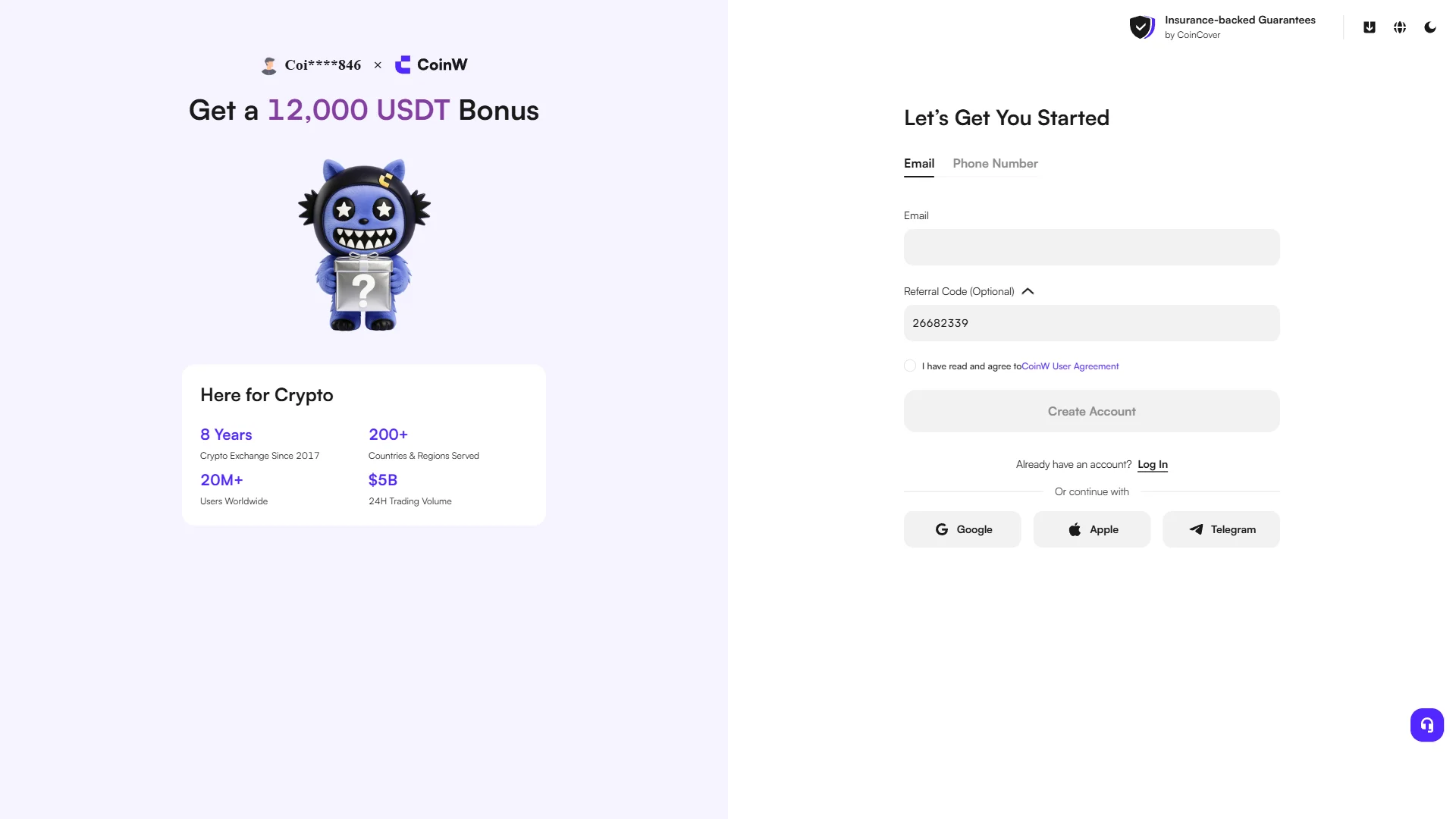
The screen shows “Coi****846 × CoinW”, confirming that the referral code 26682339 was correctly applied. chainhelm continuously verifies the validity of the code and confirms it remains usable.
What the CoinW referral code “26682339” gets you
Apply this code at sign-up to receive the following benefits on CoinW:
- Benefit: a new-user bonus of up to 12,000 USD equivalent
- Expiration: None
- Eligibility: New users
To receive the benefits, you need to enter the code when you create your account. Be careful not to miss this step.
CoinW sign-up steps with the referral code
We cover the sign-up process separately for PC/browser and smartphone (mobile).
PC/browser sign-up steps
-
First, open the CoinW official sign-up page (the link applies the referral code). When you open it, you’ll see a screen like the one below.
-
Open the sign-up form and enter your email
— Figure 2The CoinW sign-up form2026-07-11 The registration form with the "Email" field still empty and the referral code 26682339 already prefilled. Source: chainhelm editorial On the “Let’s Get You Started” form, type your email into the empty “Email” field, or switch to the “Phone Number” tab if you’d rather sign up with a phone number instead. The “Referral Code (Optional)” box already holds 26682339, which keeps your sign-up tied to the referrer and the “Get a 12,000 USDT Bonus” offer shown next to the form.
Leave the agreement checkbox and the grayed-out “Create Account” button as they are for now; you’ll tick the box and activate the button once your email is in.
-
Agree to the terms and create your account
— Figure 3Completed sign-up form2026-07-11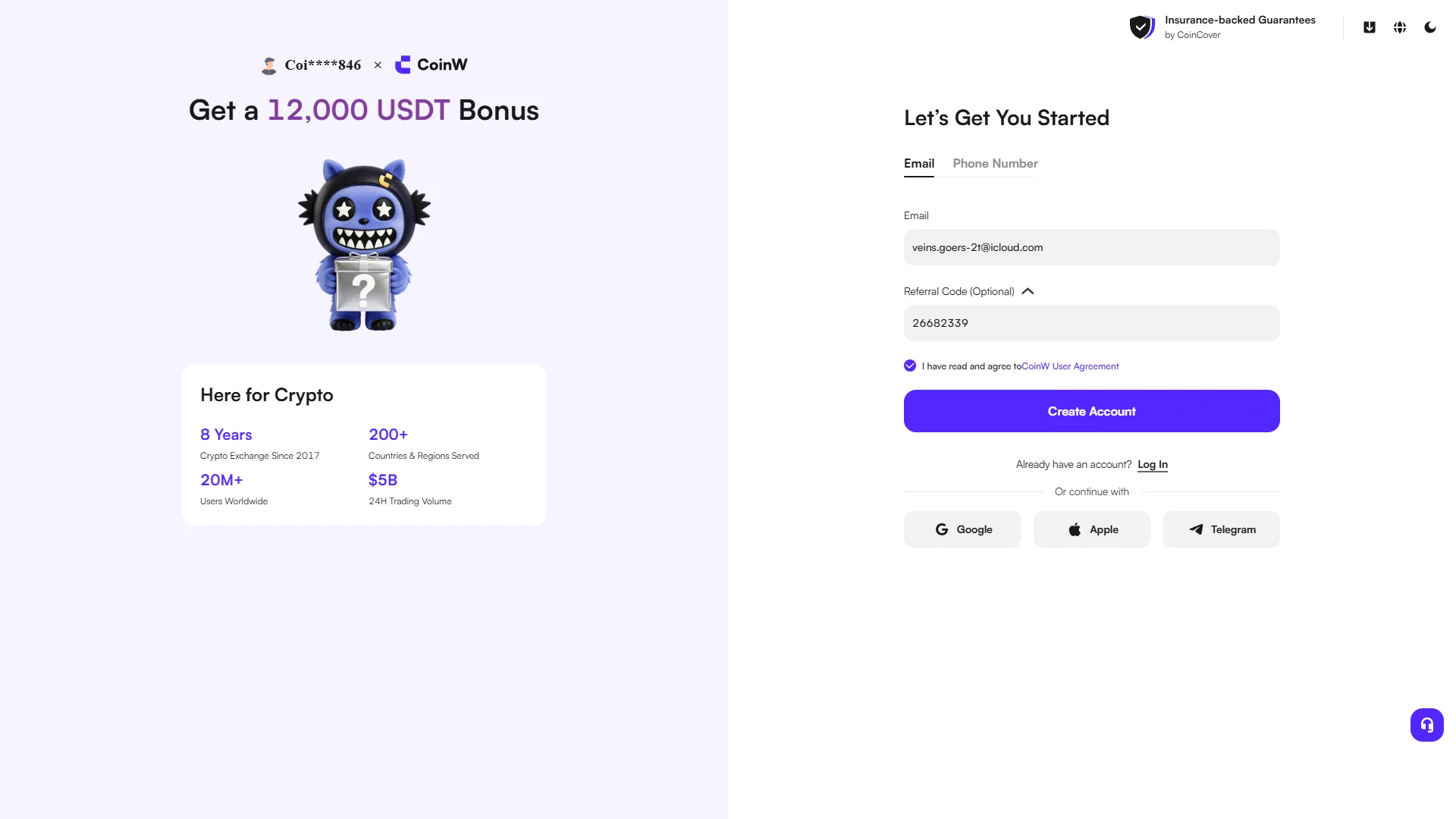
The email entered and the agreement ticked, with "Create Account" now active in purple. Source: chainhelm editorial With your email now in the field, tick the “I have read and agree to CoinW User Agreement” checkbox. That activates the “Create Account” button, which turns solid purple.
Click “Create Account” to submit the form and move on to the security check. If you prefer, you can also start registration with a Google, Apple, or Telegram account instead of email.
-
Complete the image verification
— Figure 4Image verification (GeeTest)2026-07-11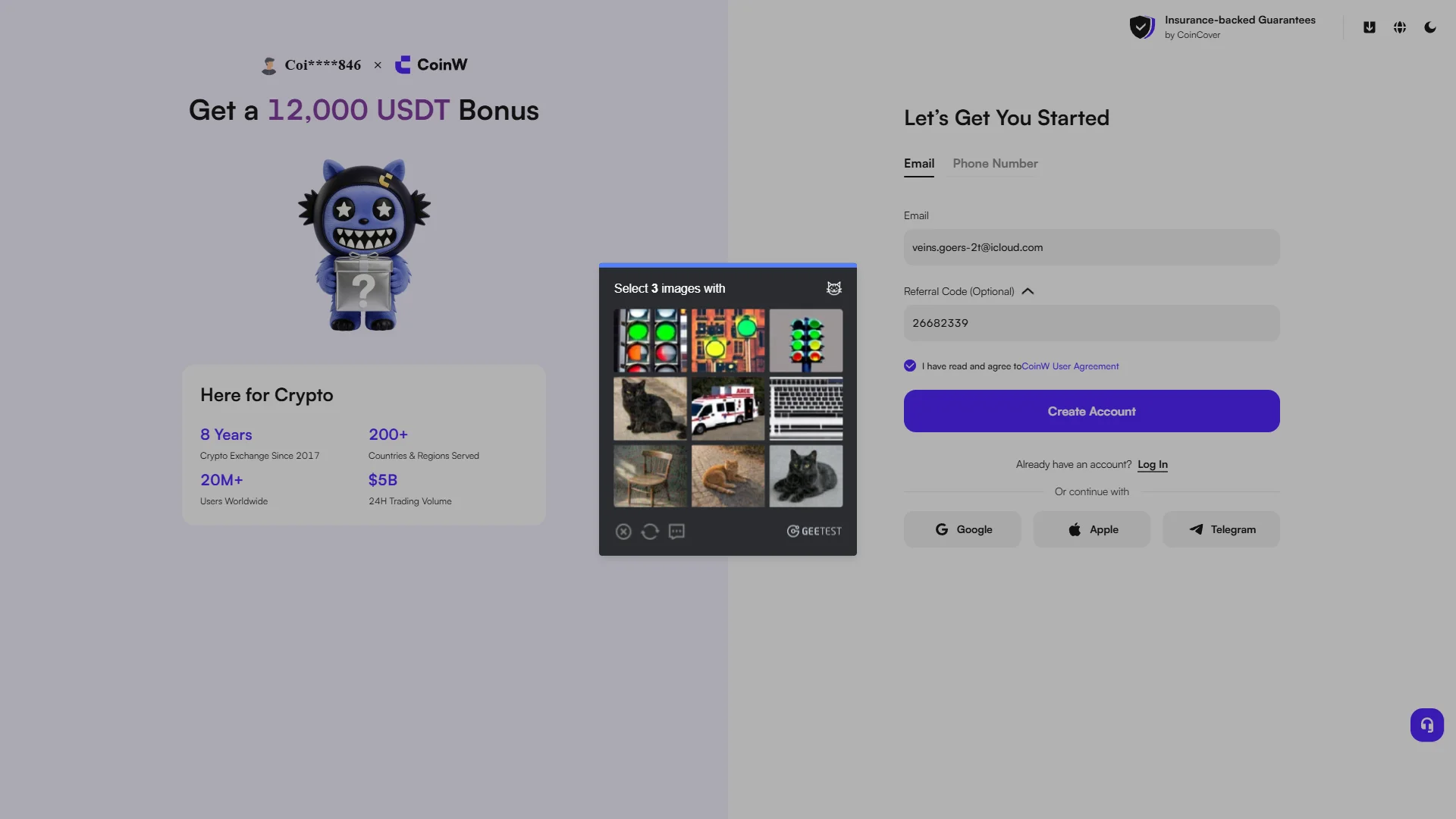
A GeeTest challenge asking you to select three matching images from a 3x3 grid. Source: chainhelm editorial A “Select 3 images with…” challenge appears over the form. Pick the three images in the 3x3 grid that match the icon shown in the prompt, then submit your selection.
Once you solve it, CoinW confirms you’re not a bot and sends a verification code to your email so you can move to the next step.
-
Enter the emailed verification code
— Figure 5Email verification screen2026-07-11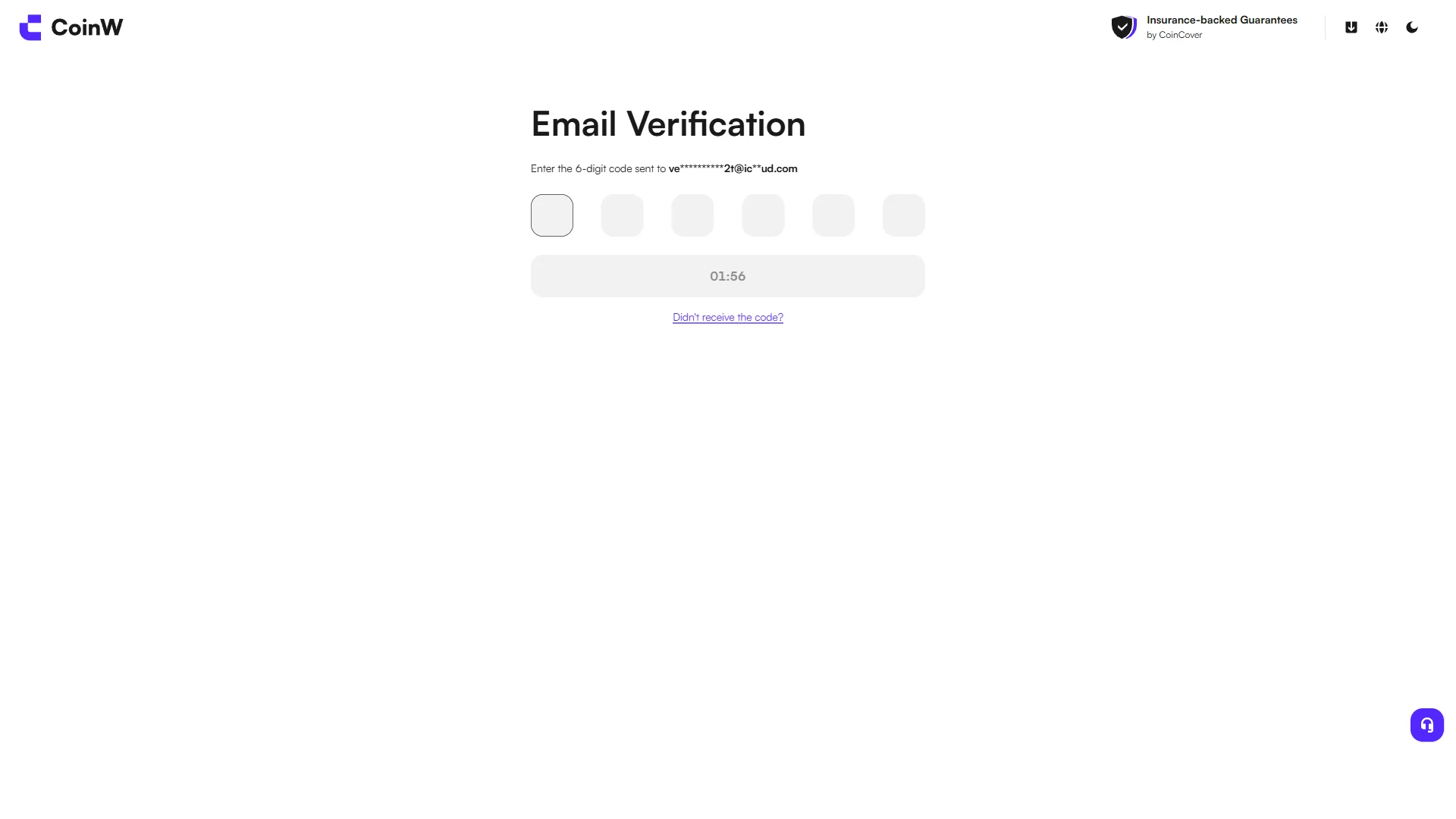
Six empty code fields with a resend countdown, awaiting the code sent to your email. Source: chainhelm editorial On the “Email Verification” screen, you’ll enter the 6-digit code into the six empty boxes. The code goes to the email address you registered with, shown here partly masked.
Open your inbox in another tab to read the code. If it doesn’t arrive, wait for the countdown to run out and use “Didn’t receive the code?” to request a new one.
-
Copy the code from the CoinW email
— Figure 6Verification code email2026-07-11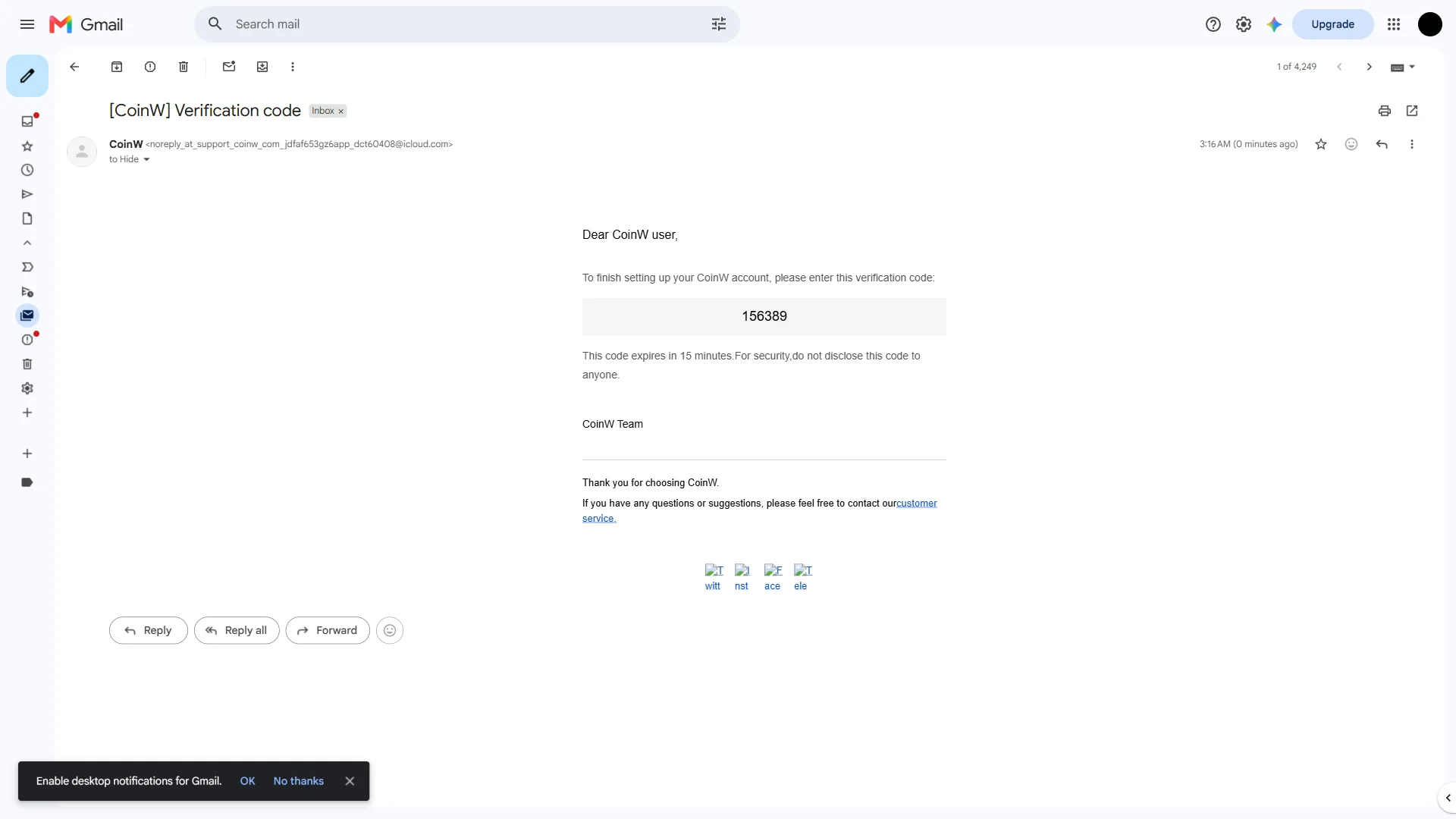
The CoinW email showing the six-digit code, valid for 15 minutes. Source: chainhelm editorial Open the “[CoinW] Verification code” email in your inbox and copy the 6-digit code it contains. The message notes the code expires in 15 minutes, so use it promptly.
Type the code back into the six boxes on the verification screen. Once it’s accepted, CoinW takes you on to set your password.
-
Create your account password
— Figure 7Set new password screen2026-07-11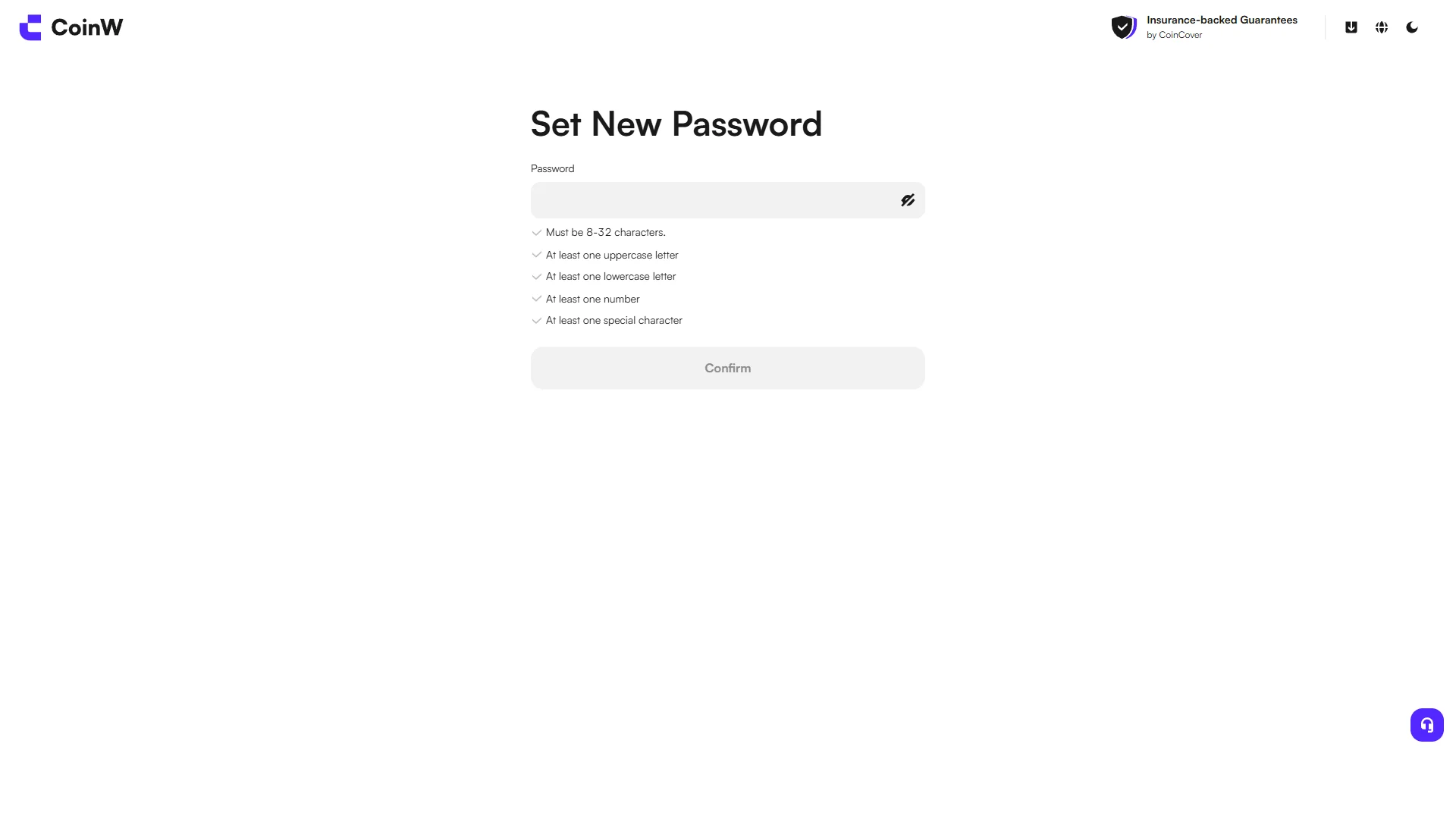
An empty password field above the five password rules, with "Confirm" still inactive. Source: chainhelm editorial On the “Set New Password” screen, type a password into the empty “Password” field. It has to satisfy the five rules listed below it: 8 to 32 characters, with at least one uppercase letter, one lowercase letter, one number, and one special character.
Each rule is ticked off as your password meets it, and the “Confirm” button stays inactive until all five pass.
-
Confirm your password
— Figure 8Password meets all rules2026-07-11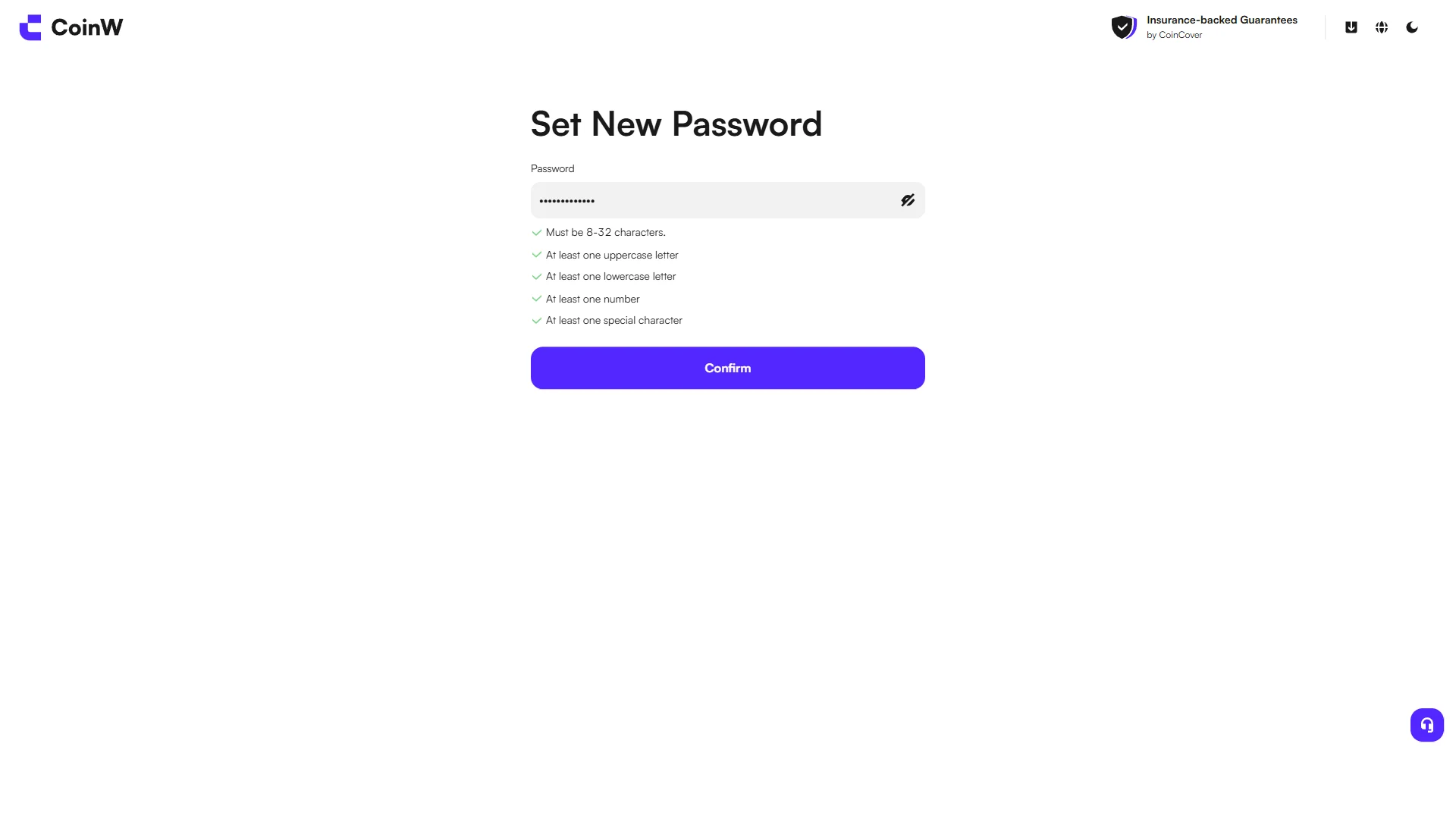
The password filled in and all five rules passing, with "Confirm" now active in purple. Source: chainhelm editorial With all five rules now ticked green, the “Confirm” button turns active. Click “Confirm” to save your new password.
CoinW then takes you to a short “Stay Signed In” prompt to finish signing in.
-
Choose whether to stay signed in
— Figure 9Stay Signed In prompt2026-07-11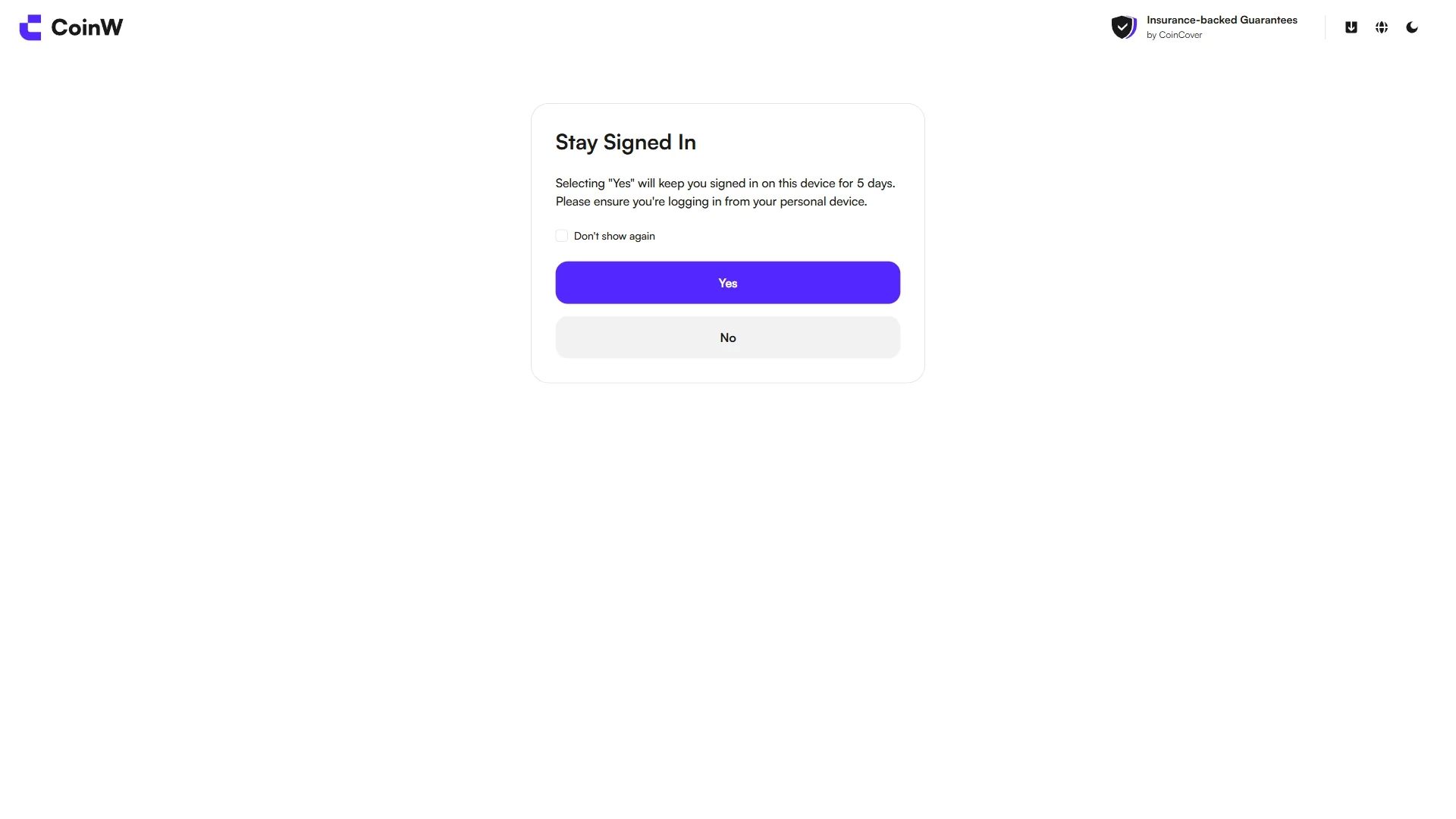
A dialog offering to keep you signed in for 5 days on a personal device, with "Yes" and "No". Source: chainhelm editorial On the “Stay Signed In” dialog, decide whether to stay logged in on this device. Choosing “Yes” keeps you signed in here for 5 days, so pick it only on your own personal device; otherwise select “No”.
After you make your choice, CoinW moves on to one last optional prompt.
-
Add a passkey or skip for now
— Figure 10Add Passkey prompt2026-07-11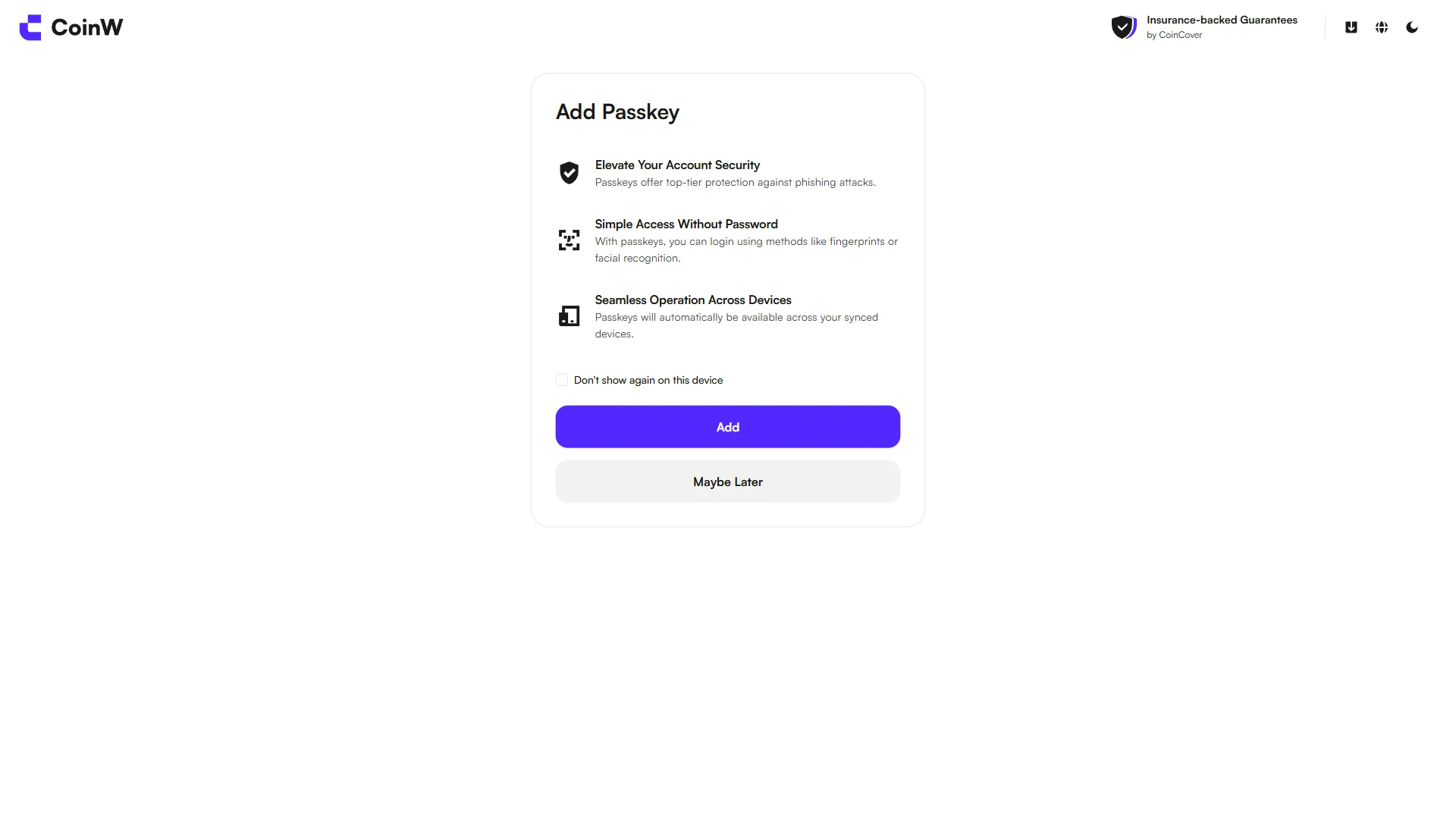
The optional passkey dialog listing three benefits, with "Add" and "Maybe Later" buttons. Source: chainhelm editorial The final “Add Passkey” prompt offers passwordless sign-in, listing three benefits: stronger account security, logging in by fingerprint or face instead of a password, and passkeys that sync across your devices.
Click “Add” to set one up now, or choose “Maybe Later” to skip it. Either way, your CoinW account is now created and ready.
Smartphone (iOS / Android) sign-up steps
-
First, open the CoinW official sign-up page in the mobile app or browser (the link applies the referral code). When you open it, you’ll see a screen like the one below.
-
Open the sign-up form and enter your email
— Figure 11The CoinW sign-up form2026-07-11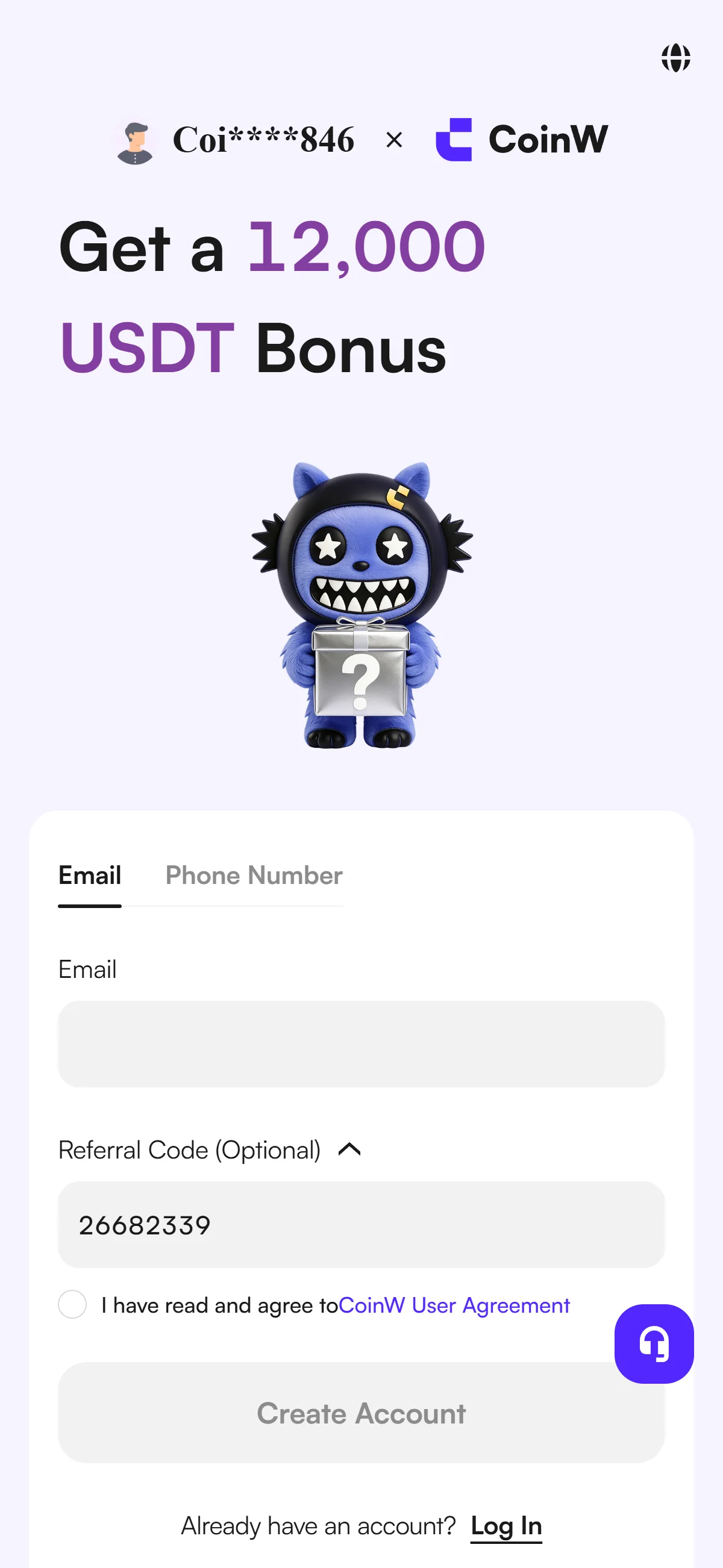
The registration form with the "Email" field still empty and the referral code 26682339 already prefilled. Source: chainhelm editorial On the “Let’s Get You Started” form, type your email into the empty “Email” field, or switch to the “Phone Number” tab if you’d rather sign up with a phone number instead. The “Referral Code (Optional)” box already holds 26682339, which keeps your sign-up tied to the referrer and the “Get a 12,000 USDT Bonus” offer shown next to the form.
Leave the agreement checkbox and the grayed-out “Create Account” button as they are for now; you’ll tick the box and activate the button once your email is in.
-
Agree to the terms and create your account
— Figure 12Completed sign-up form2026-07-11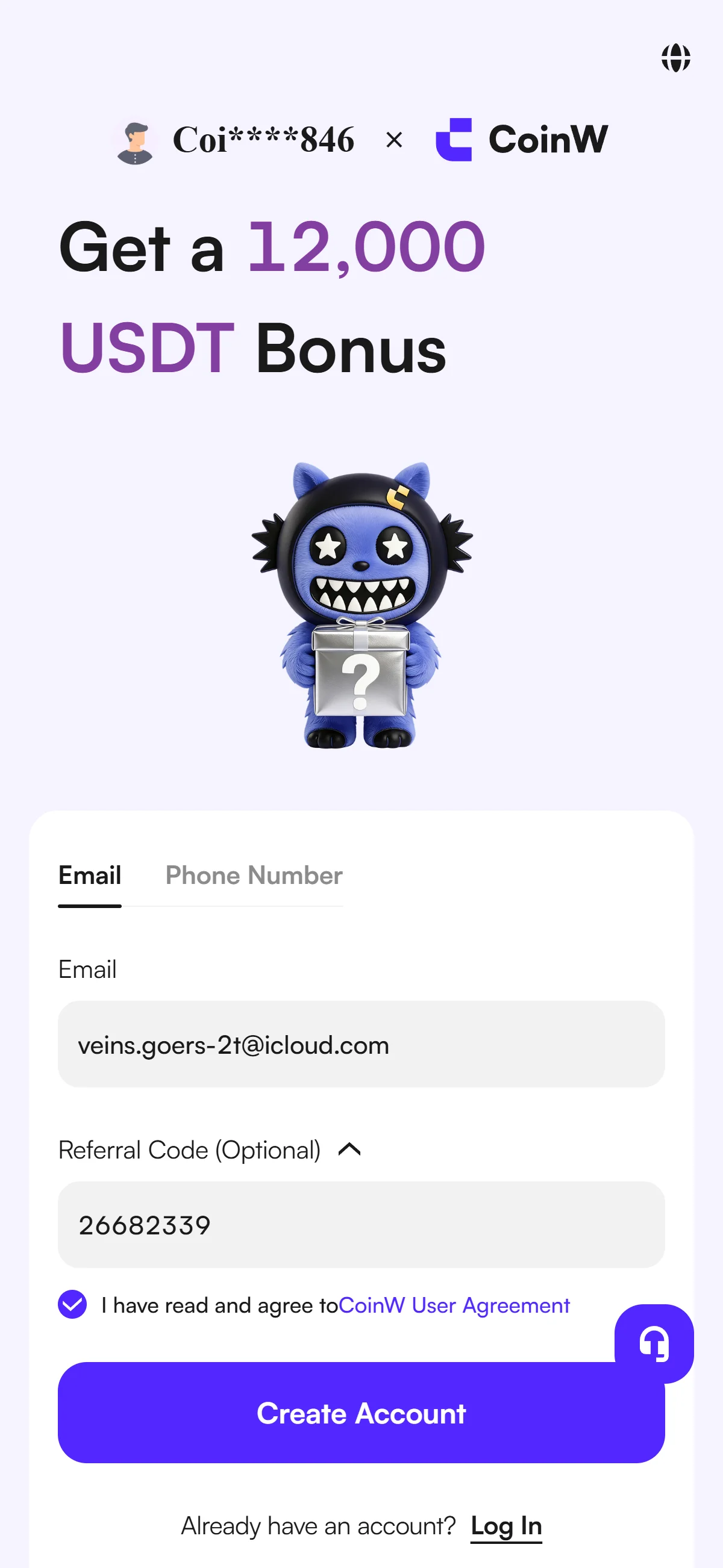
The email entered and the agreement ticked, with "Create Account" now active in purple. Source: chainhelm editorial With your email now in the field, tick the “I have read and agree to CoinW User Agreement” checkbox. That activates the “Create Account” button, which turns solid purple.
Click “Create Account” to submit the form and move on to the security check. If you prefer, you can also start registration with a Google, Apple, or Telegram account instead of email.
-
Complete the image verification
— Figure 13Image verification (GeeTest)2026-07-11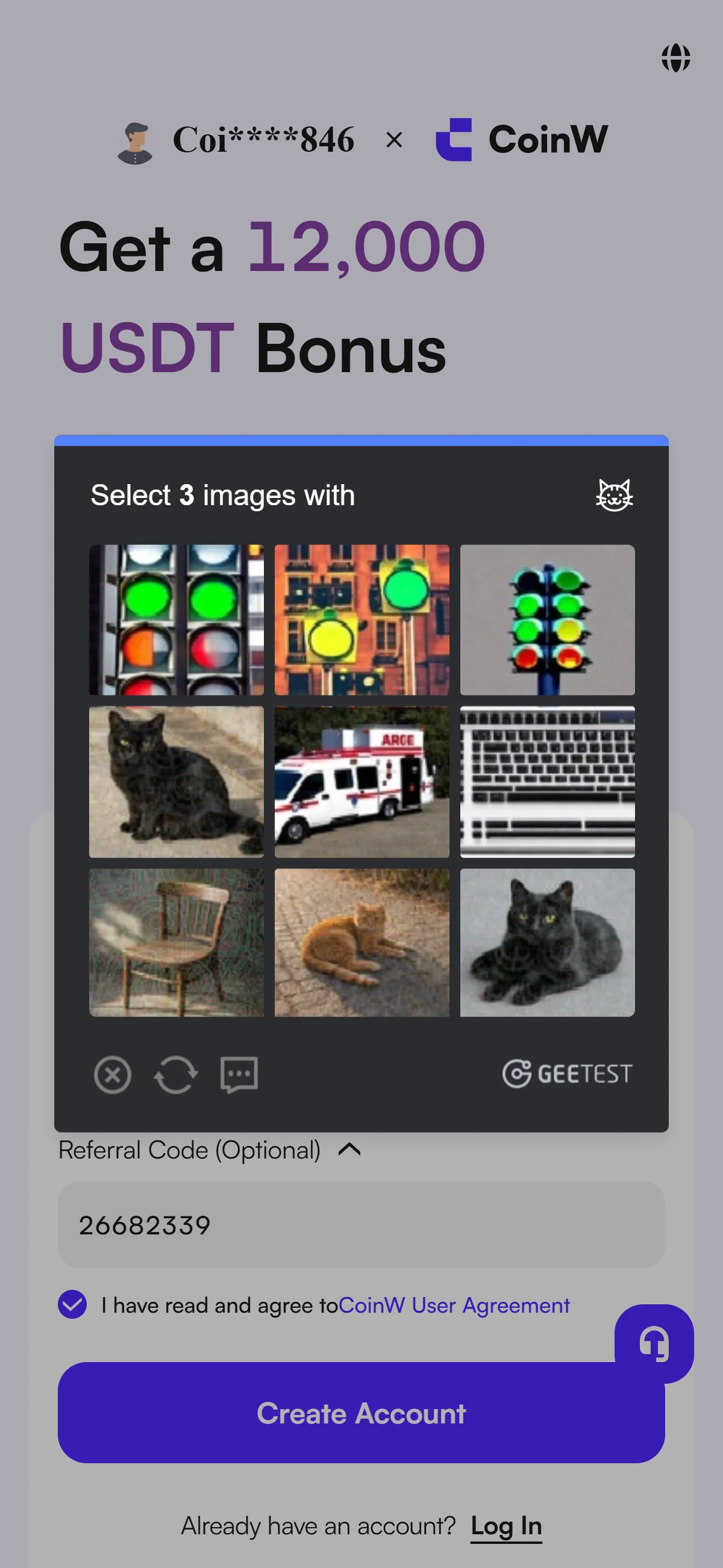
A GeeTest challenge asking you to select three matching images from a 3x3 grid. Source: chainhelm editorial A “Select 3 images with…” challenge appears over the form. Pick the three images in the 3x3 grid that match the icon shown in the prompt, then submit your selection.
Once you solve it, CoinW confirms you’re not a bot and sends a verification code to your email so you can move to the next step.
-
Enter the emailed verification code
— Figure 14Email verification screen2026-07-11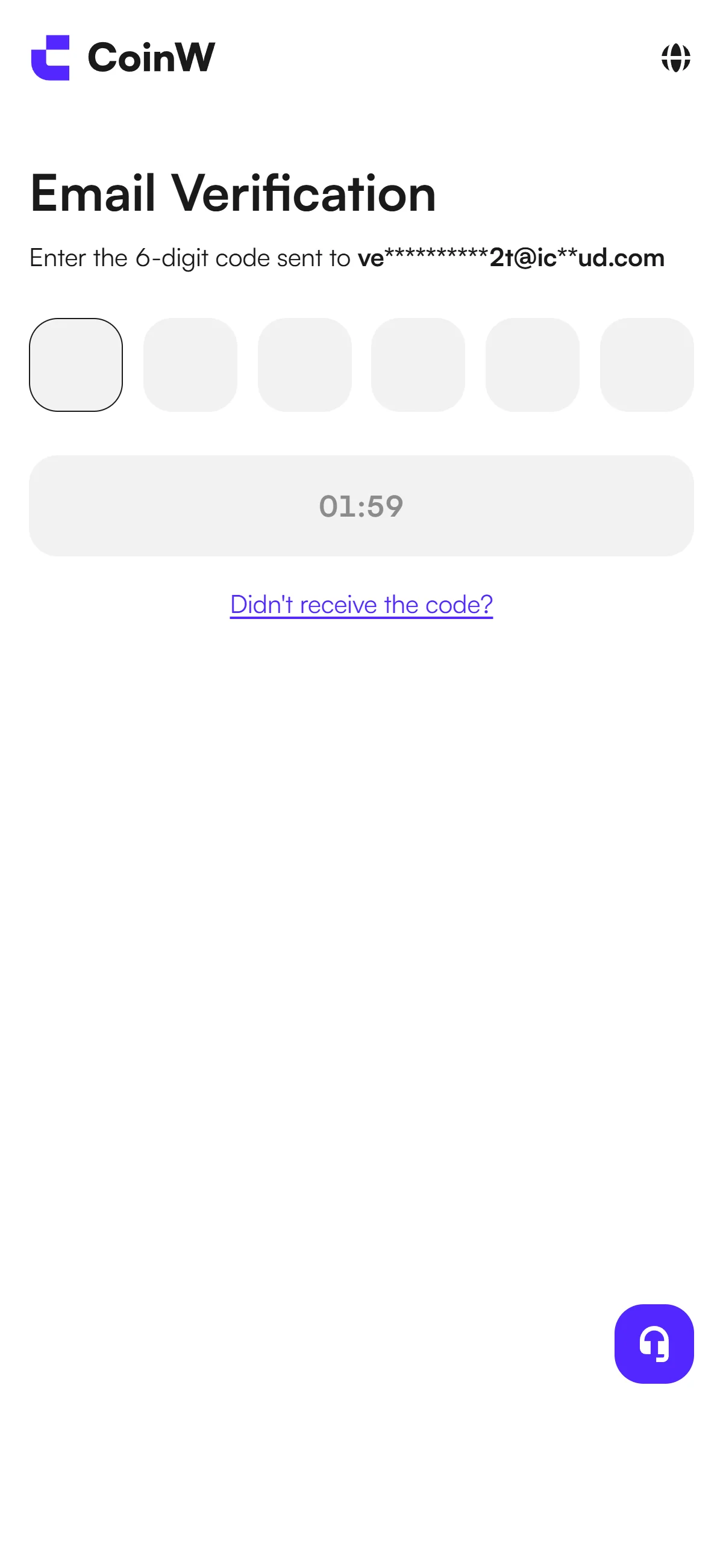
Six empty code fields with a resend countdown, awaiting the code sent to your email. Source: chainhelm editorial On the “Email Verification” screen, you’ll enter the 6-digit code into the six empty boxes. The code goes to the email address you registered with, shown here partly masked.
Open your inbox in another tab to read the code. If it doesn’t arrive, wait for the countdown to run out and use “Didn’t receive the code?” to request a new one.
-
Copy the code from the CoinW email
— Figure 15Verification code email2026-07-11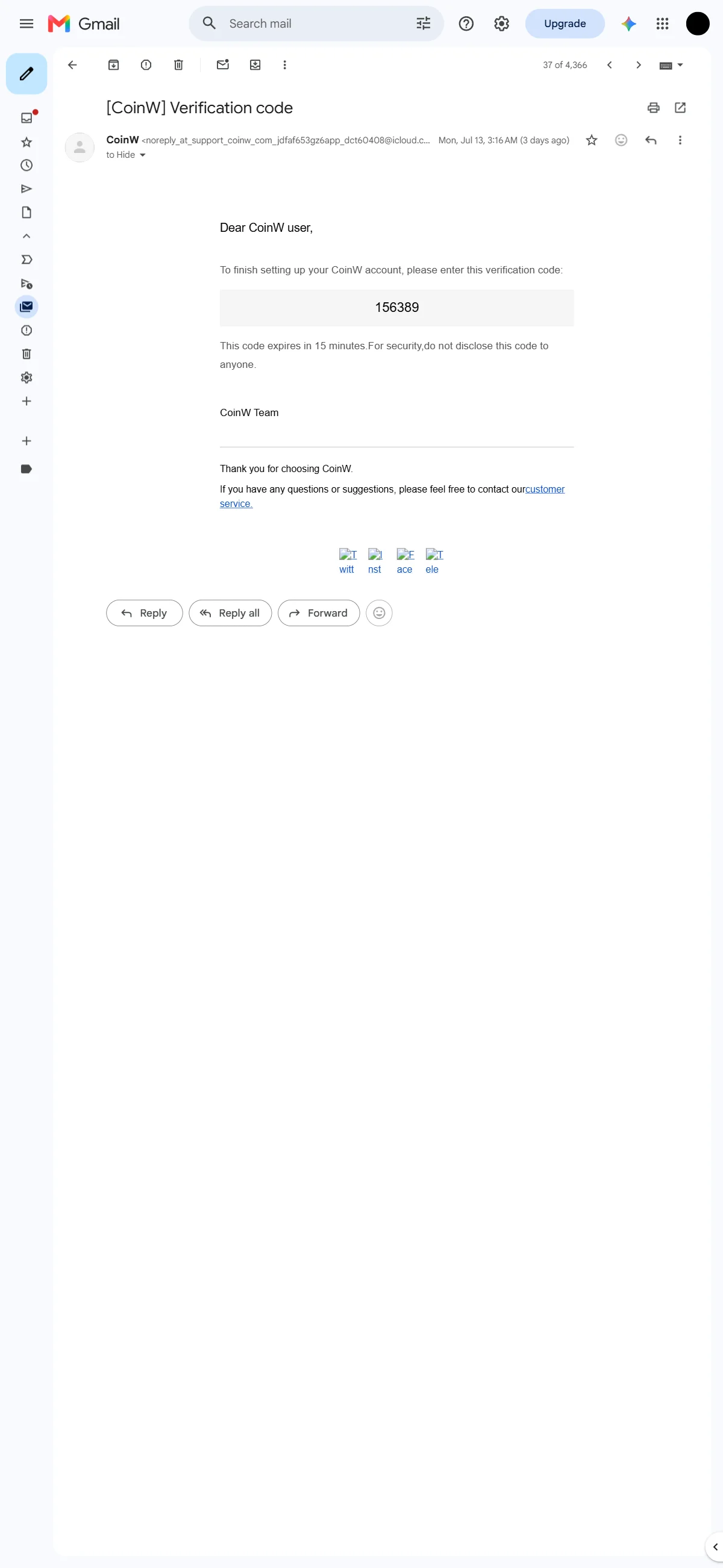
The CoinW email showing the six-digit code, valid for 15 minutes. Source: chainhelm editorial Open the “[CoinW] Verification code” email in your inbox and copy the 6-digit code it contains. The message notes the code expires in 15 minutes, so use it promptly.
Type the code back into the six boxes on the verification screen. Once it’s accepted, CoinW takes you on to set your password.
-
Create your account password
— Figure 16Set new password screen2026-07-11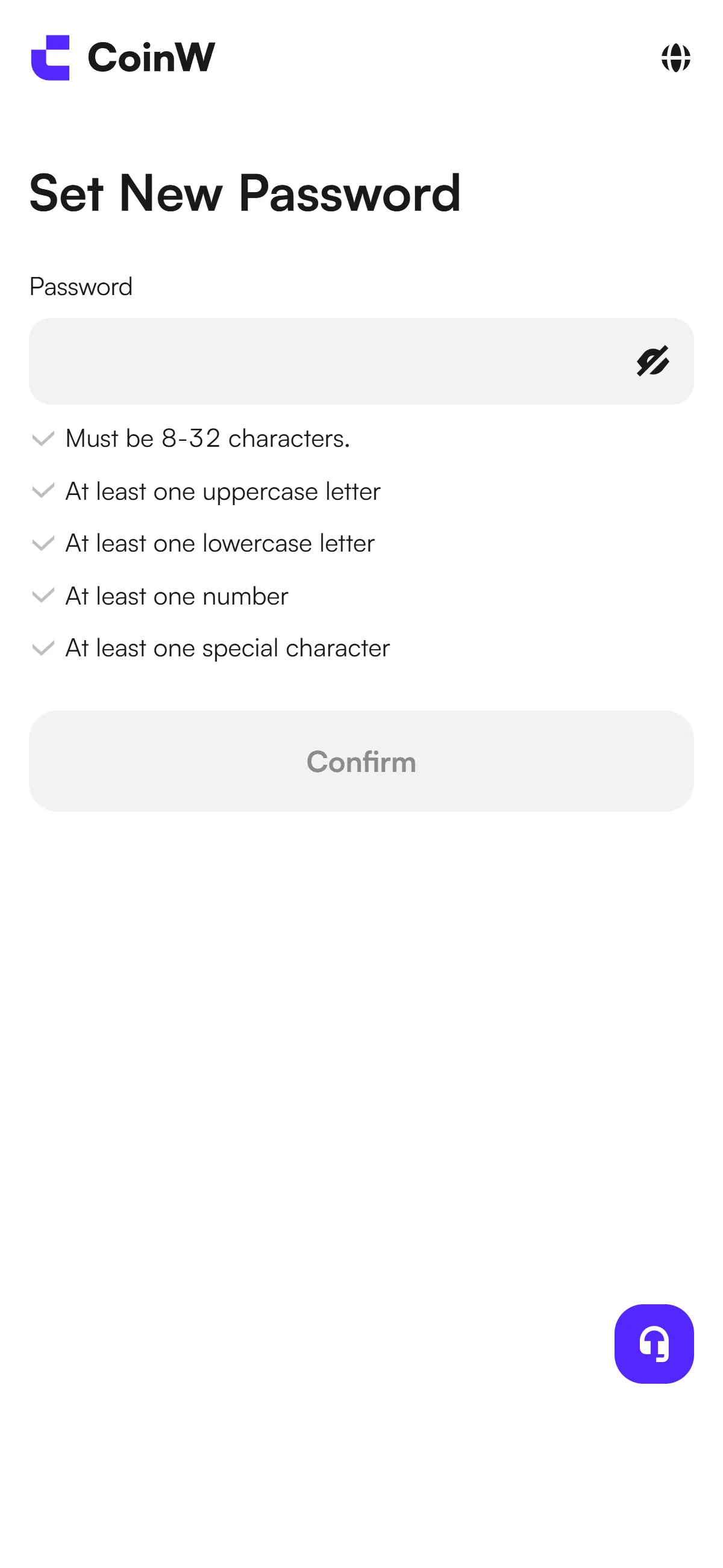
An empty password field above the five password rules, with "Confirm" still inactive. Source: chainhelm editorial On the “Set New Password” screen, type a password into the empty “Password” field. It has to satisfy the five rules listed below it: 8 to 32 characters, with at least one uppercase letter, one lowercase letter, one number, and one special character.
Each rule is ticked off as your password meets it, and the “Confirm” button stays inactive until all five pass.
-
Confirm your password
— Figure 17Password meets all rules2026-07-11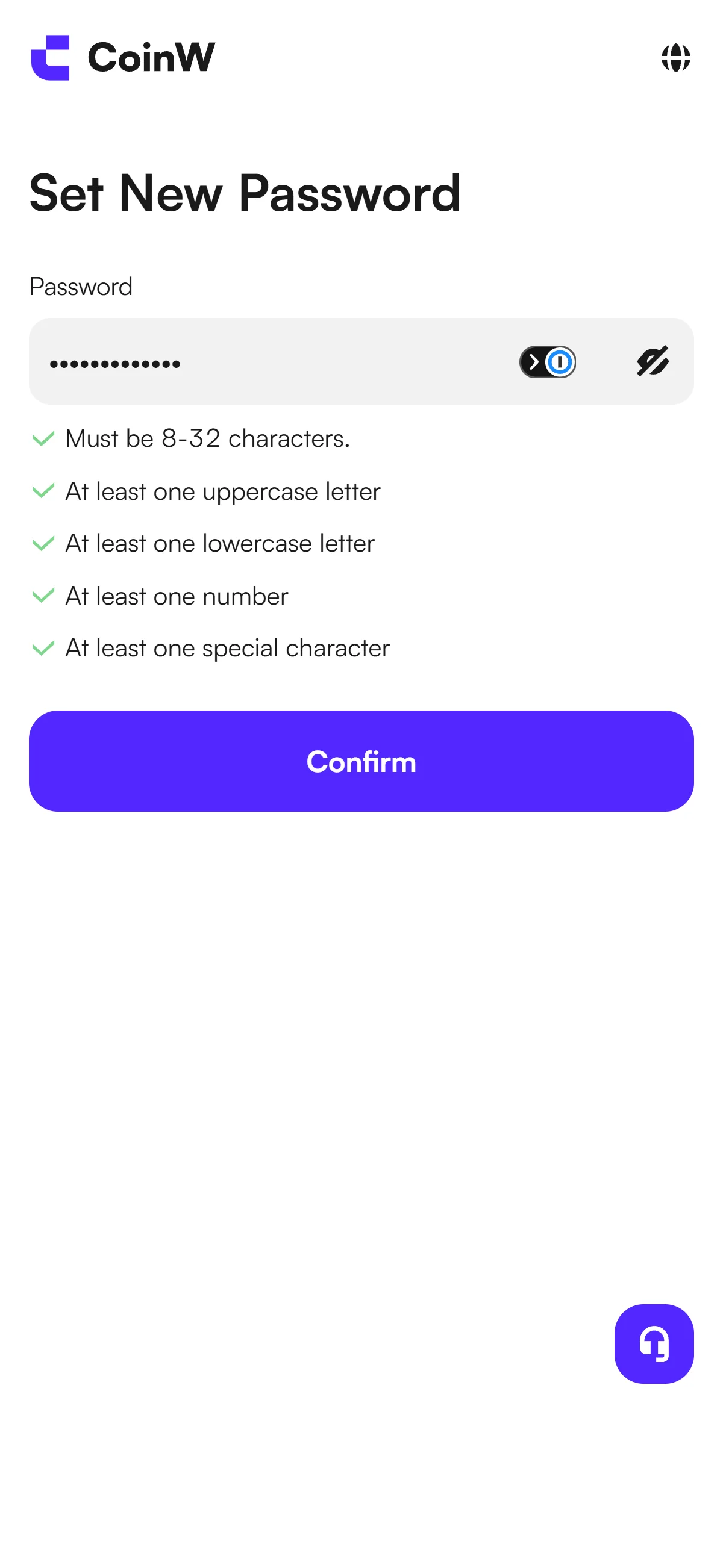
The password filled in and all five rules passing, with "Confirm" now active in purple. Source: chainhelm editorial With all five rules now ticked green, the “Confirm” button turns active. Click “Confirm” to save your new password.
CoinW then takes you to a short “Stay Signed In” prompt to finish signing in.
-
Choose whether to stay signed in
— Figure 18Stay Signed In prompt2026-07-11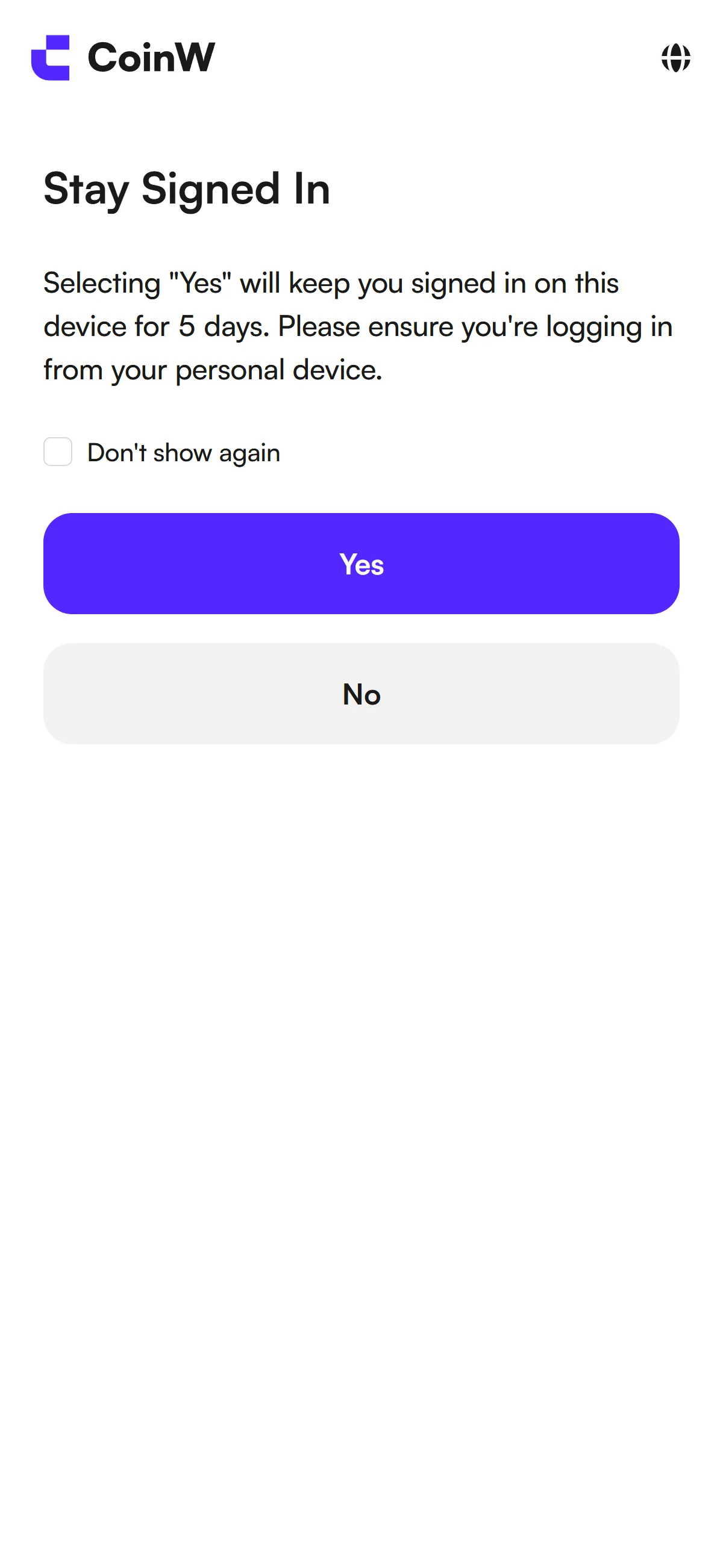
A dialog offering to keep you signed in for 5 days on a personal device, with "Yes" and "No". Source: chainhelm editorial On the “Stay Signed In” dialog, decide whether to stay logged in on this device. Choosing “Yes” keeps you signed in here for 5 days, so pick it only on your own personal device; otherwise select “No”.
After you make your choice, CoinW moves on to one last optional prompt.
-
Add a passkey or skip for now
— Figure 19Add Passkey prompt2026-07-11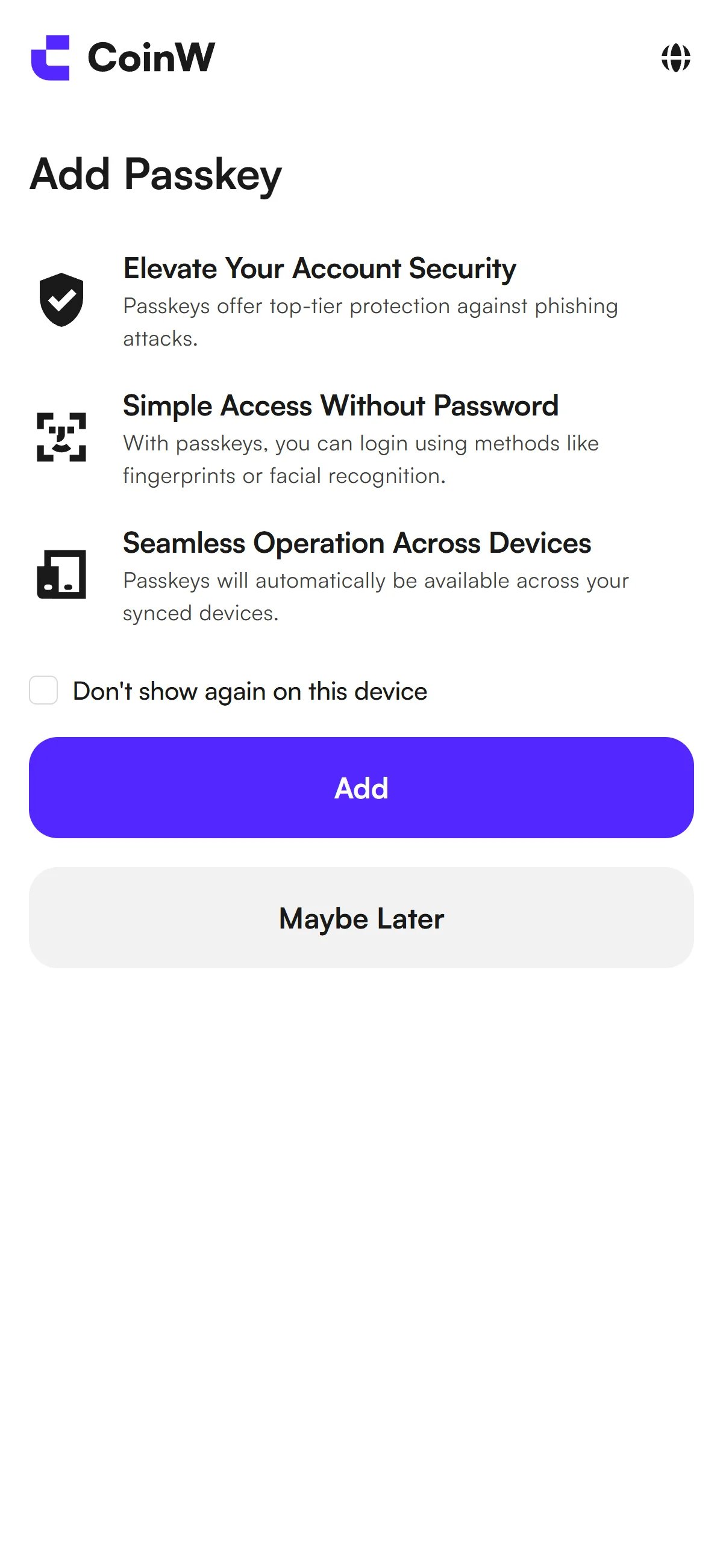
The optional passkey dialog listing three benefits, with "Add" and "Maybe Later" buttons. Source: chainhelm editorial The final “Add Passkey” prompt offers passwordless sign-in, listing three benefits: stronger account security, logging in by fingerprint or face instead of a password, and passkeys that sync across your devices.
Click “Add” to set one up now, or choose “Maybe Later” to skip it. Either way, your CoinW account is now created and ready.
What to do after signing up at CoinW
We cover identity verification separately for PC/browser and smartphone (mobile).
PC/browser identity verification
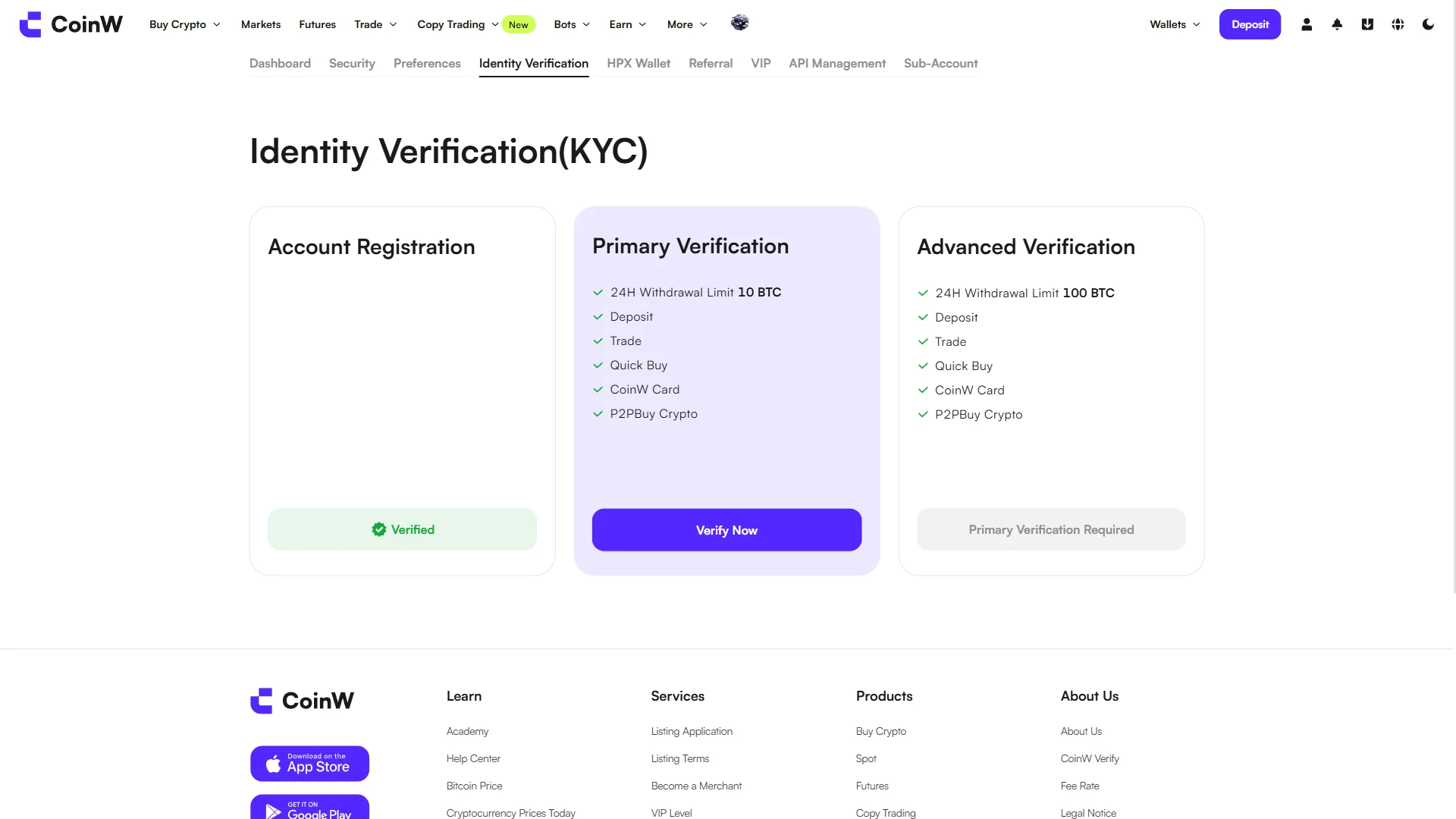
From your account menu, open “Identity Verification(KYC)” to see the three verification levels. “Account Registration” already shows as verified now that sign-up is done.
“Primary Verification” is the next level to complete: it raises your 24-hour withdrawal limit to 10 BTC and unlocks deposits, trading, Quick Buy, CoinW Card, and P2P buying. “Advanced Verification”, which lifts the limit to 100 BTC, stays locked until Primary is done.
Click “Verify Now” on the Primary Verification card to begin.
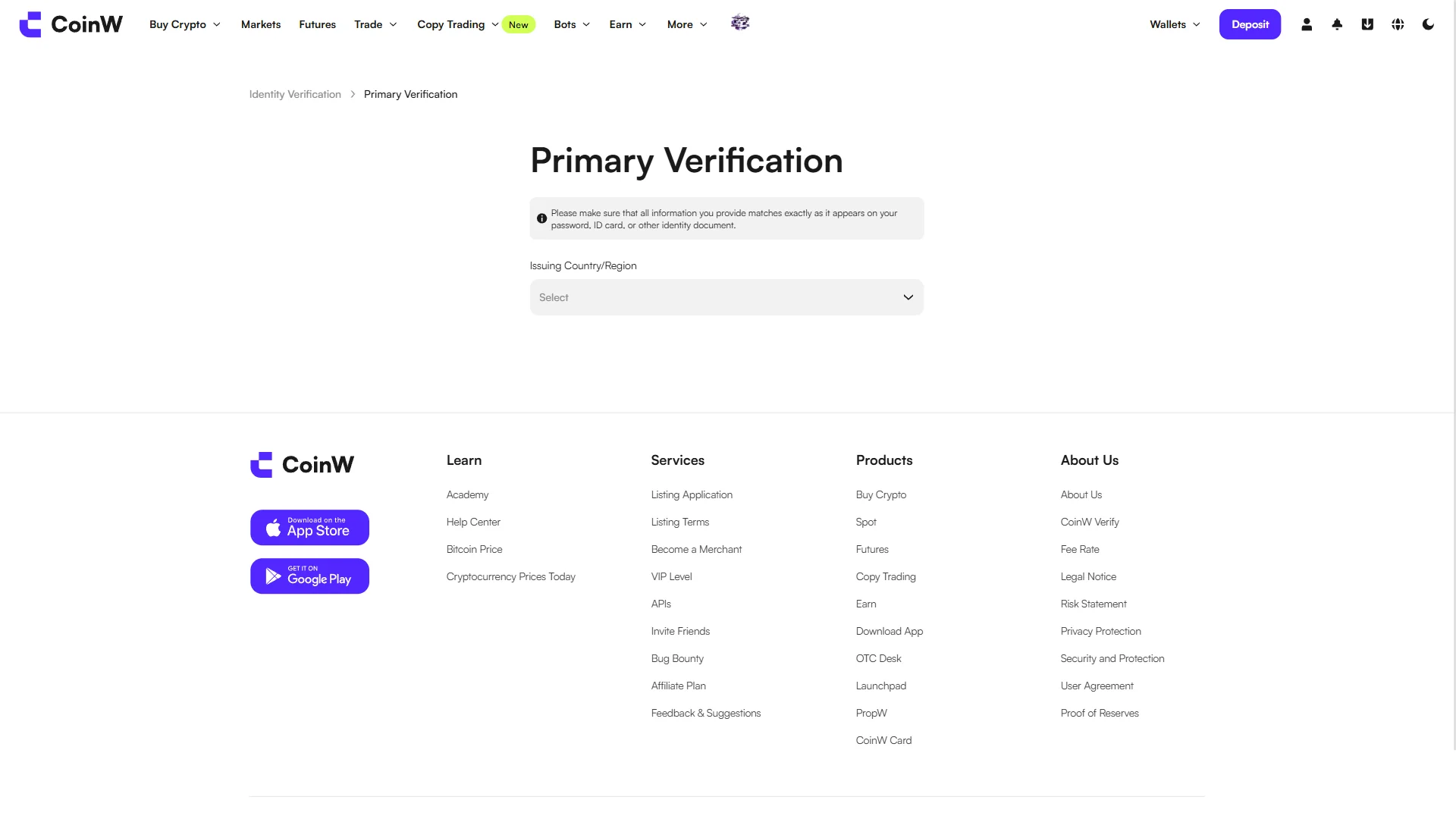
On the “Primary Verification” form, start by choosing your document’s country of issue from the “Issuing Country/Region” dropdown, which currently reads “Select”.
A notice at the top reminds you to enter every detail exactly as it appears on your identity document, so the country you pick should match the ID you’ll submit.
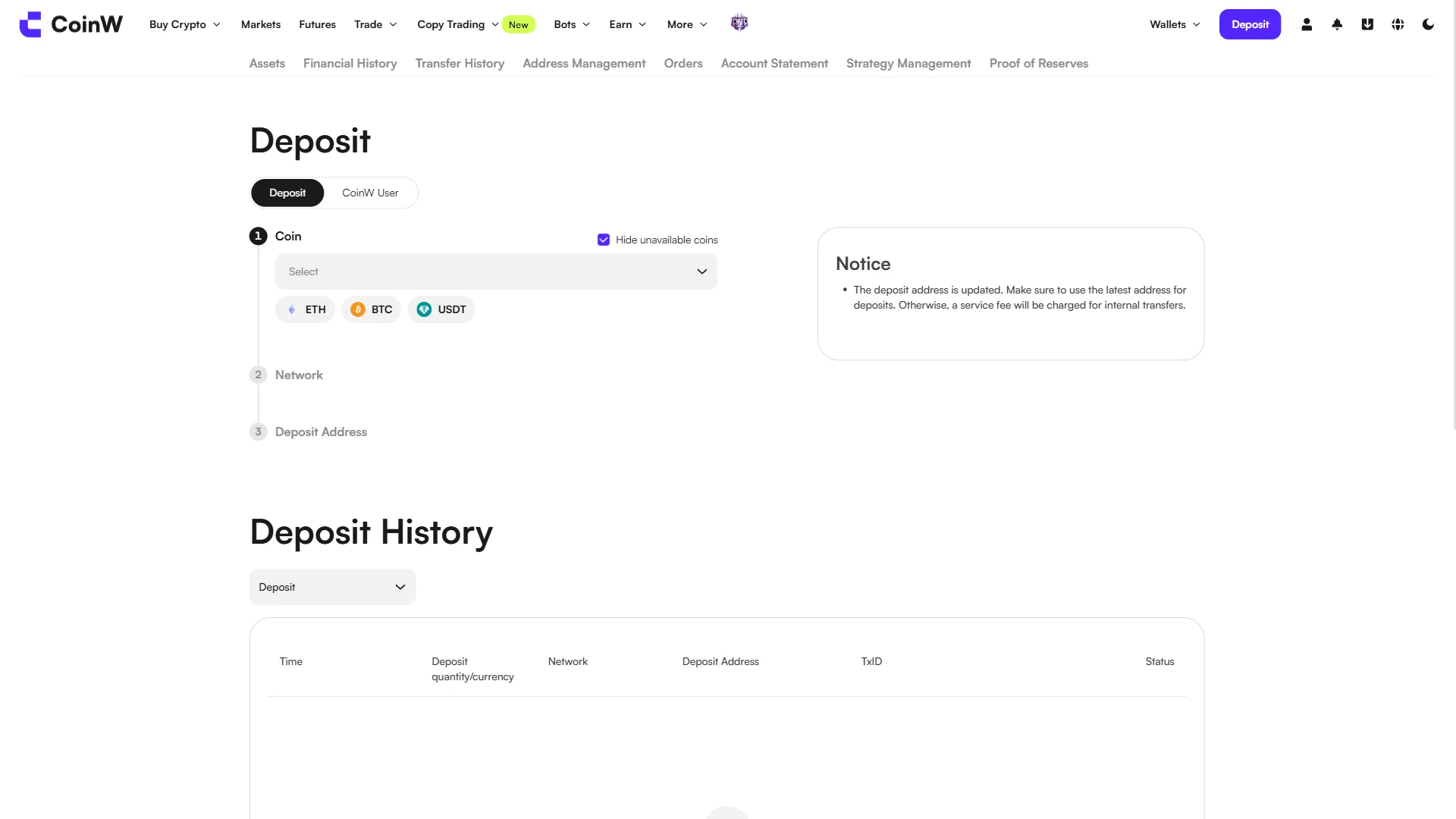
On the “Deposit” page, you fund your account in three numbered steps: pick the “Coin”, choose the “Network”, then get your “Deposit Address”. Begin by selecting a coin from the dropdown, or use one of the ETH, BTC, or USDT shortcuts.
A notice reminds you to always use the latest deposit address, since an outdated one can trigger a service fee on internal transfers.
Smartphone (iOS / Android) identity verification
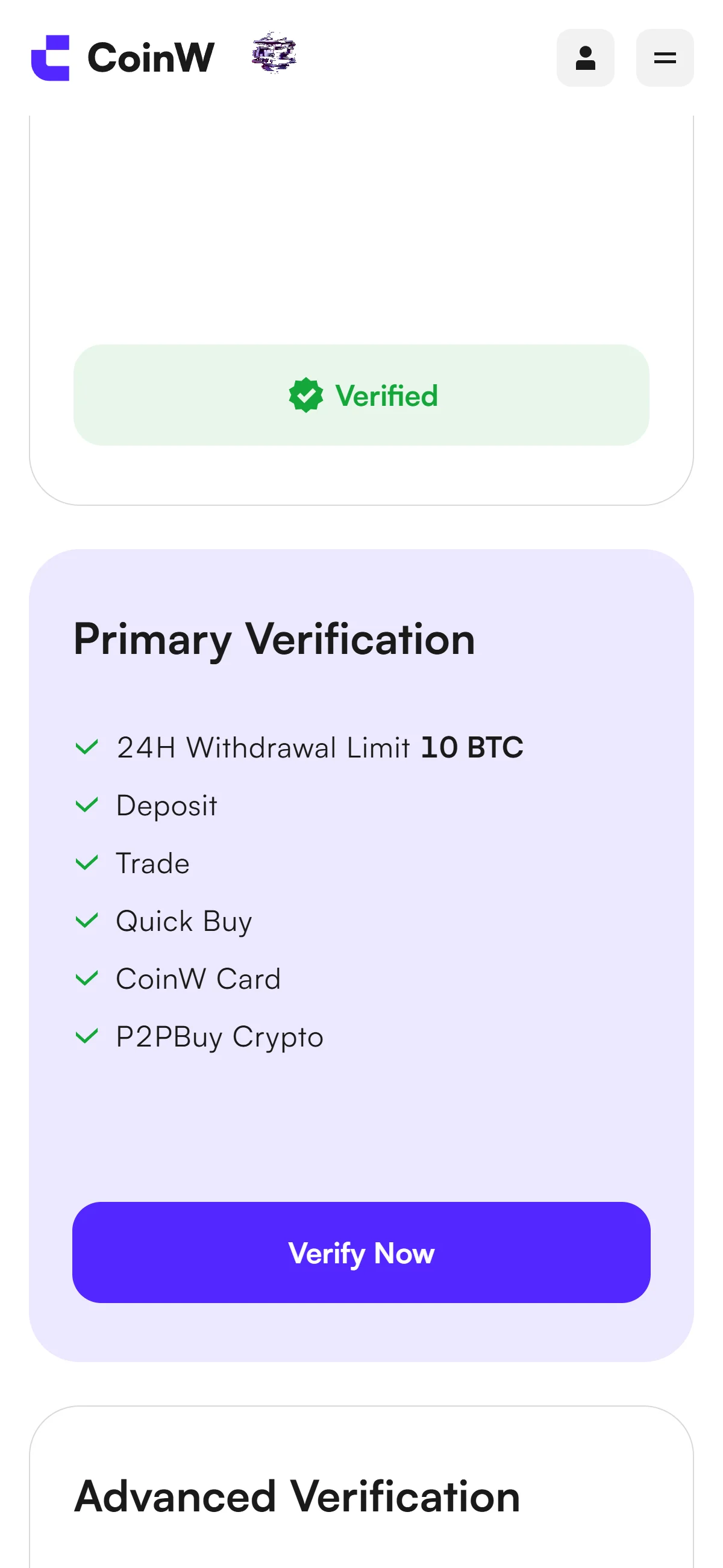
From your account menu, open “Identity Verification(KYC)” to see the three verification levels. “Account Registration” already shows as verified now that sign-up is done.
“Primary Verification” is the next level to complete: it raises your 24-hour withdrawal limit to 10 BTC and unlocks deposits, trading, Quick Buy, CoinW Card, and P2P buying. “Advanced Verification”, which lifts the limit to 100 BTC, stays locked until Primary is done.
Click “Verify Now” on the Primary Verification card to begin.
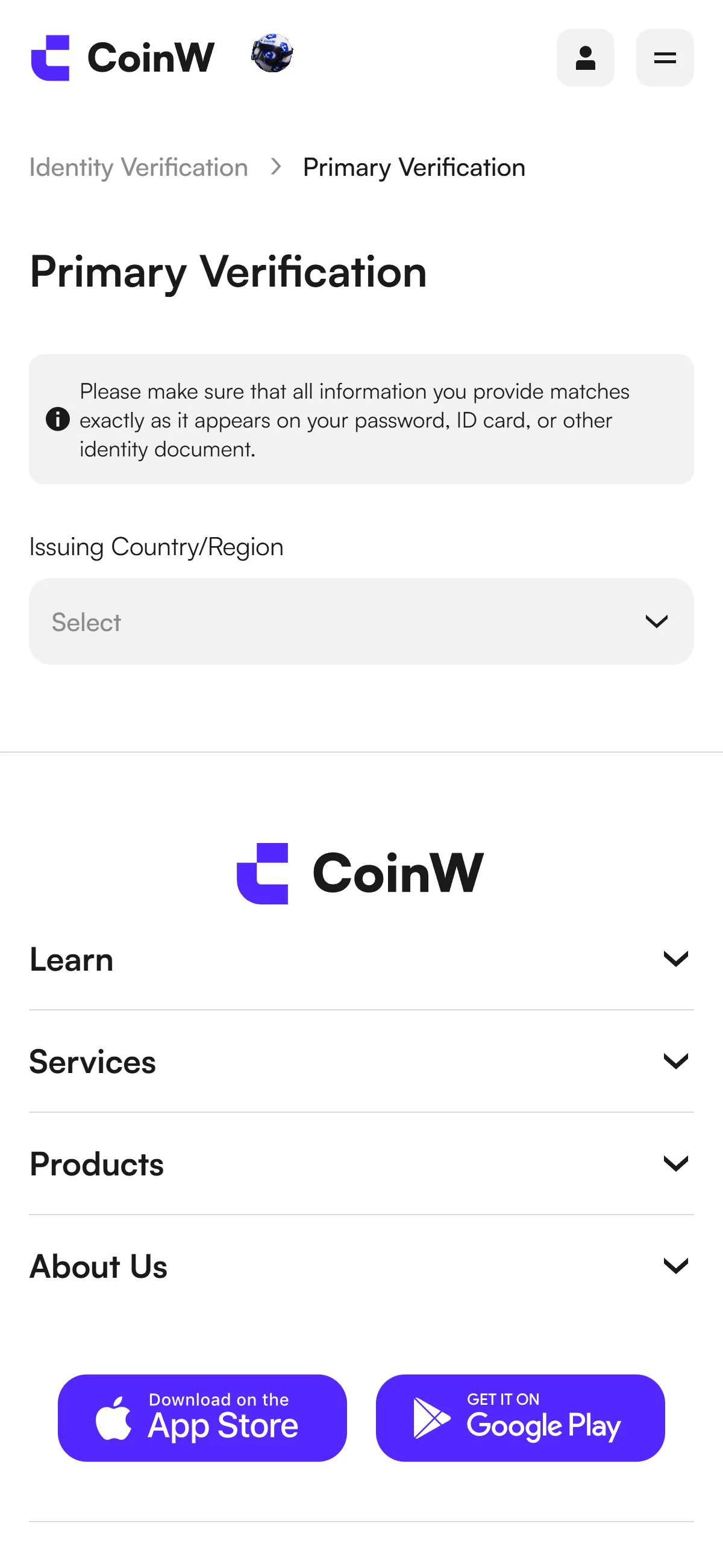
On the “Primary Verification” form, start by choosing your document’s country of issue from the “Issuing Country/Region” dropdown, which currently reads “Select”.
A notice at the top reminds you to enter every detail exactly as it appears on your identity document, so the country you pick should match the ID you’ll submit.
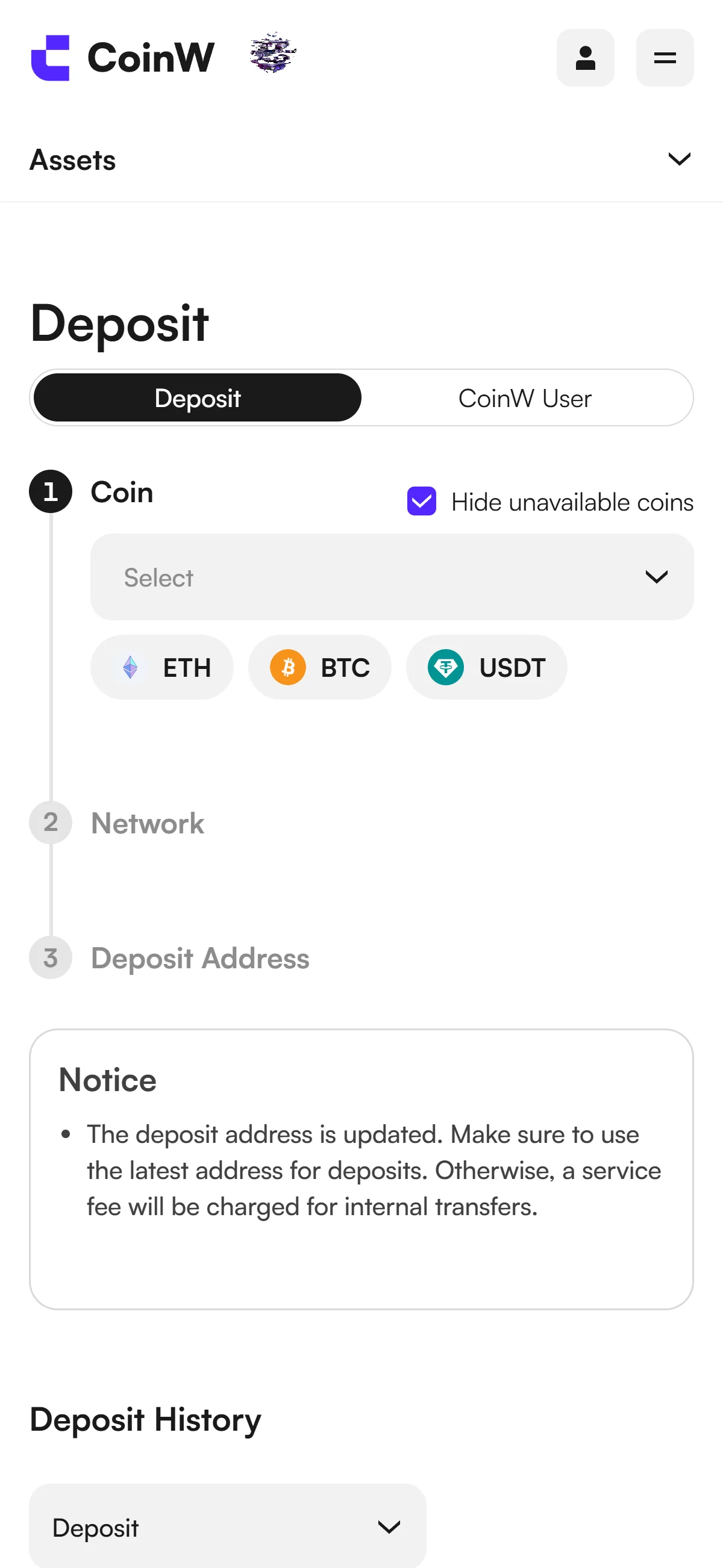
On the “Deposit” page, you fund your account in three numbered steps: pick the “Coin”, choose the “Network”, then get your “Deposit Address”. Begin by selecting a coin from the dropdown, or use one of the ETH, BTC, or USDT shortcuts.
A notice reminds you to always use the latest deposit address, since an outdated one can trigger a service fee on internal transfers.
Once Primary Verification is complete, deposits, trading, and the related features are unlocked, leaving your CoinW account ready to use.
The CoinW referral code cannot be added after sign-up
The referral code can only be entered at sign-up — it cannot be added afterwards.
If you overlook this and complete registration without the code, there is no mechanism for linking it to that account after the fact.
If you have not yet completed KYC (identity verification), creating a fresh account is an option worth considering. Some exchanges, though, restrict opening more than one account in their terms of use.
- Does the sign-up screen show referral code 26682339 as applied? (Going through the link applies it automatically; where the exchange provides a code field, check there as well.)
- Once registration is complete, open the Referral / Rewards page and confirm that the referral shows as linked to your account
What is CoinW
CoinW is a global, offshore-registered exchange whose reach rests less on regulatory standing than on scale and aggressive emerging-market distribution — so the honest way to read it is by what it discloses about itself, and then by what that disclosure leaves open.
CoinW’s origins, scale, and product lineup
CoinW dates its founding to 2017 in its official “Our Journey” timeline, though the site footer reads 2013-2026 and no primary source reconciles the earlier brand-launch date — a small but telling gap to keep in mind. The core operating entity, COINW, is a private limited company incorporated in the Union of Comoros (the Autonomous Island of Anjouan), and no single onshore headquarters is disclosed; third parties variously cite the UAE and St Vincent and the Grenadines.
In its own numbers, chainhelm reads CoinW as a mid-tier venue that markets far harder on derivatives than its audited standing warrants.
The derivatives line is where the picture blurs: the two trackers disagree by roughly 14x on 24-hour volume, a spread wide enough that the headline “top-5 derivatives venue” framing should be treated as a dated caution rather than a settled fact — we unpack what that gap implies in the risks section below.
On product breadth, CoinW is a wide but conventional CEX, with a heavy tilt toward leverage rather than options or margin.
- Spot
- ≈355 coins tracked by CoinGecko (1,000+ per CoinMarketCap)
- Perpetual futures
- USDT-margined, ≈298 contracts, up to 200x leverage
- Also offered
- Copy trading, trading bots, earn products, an OTC desk, and a Web3 wallet
- Not offered
- Options, spot margin, and an NFT marketplace
Read together, those milestones trace a deliberate arc from exchange plumbing toward brand reach and product breadth, rather than toward deeper regulatory anchoring — a trajectory that says more about who CoinW courts than about who it protects.
Trading fees and CoinW’s native fee discounts
On raw cost, CoinW sits at the industry-standard line for spot and a touch below it on futures.
- Spot (standard)
- 0.10% maker / 0.10% taker
- Spot (VIP)
- From 0.090% / 0.095% (VIP1) down to 0.020% / 0.030% (VIP9)
- Futures (standard)
- 0.02% maker / 0.06% taker
- Deposits
- Free (0%)
- Withdrawals
- Per-asset, deducted in the withdrawn asset, and varying by coin and network
VIP tiers are reached by either 30-day average assets or 30-day trading volume, and the figures above are the headline tiers as of 2026-07-11 rather than the full schedule. CoinW’s native token, CWT — an ERC-20 token capped at 25,000,000 — does not appear as an explicit fee-reduction column in the current spot VIP table, and chainhelm could not confirm a current CWT rate on a primary source, so we make no claim of one. The futures VIP schedule is not published statically, which is worth remembering before you size a strategy around a specific taker cost.
What makes CoinW distinct
Distinctiveness, for CoinW, is mostly about leverage and reach rather than safeguards — it competes by offering more of what aggressive traders want, and less of the regulatory cushioning that cautious ones rely on.
CoinW’s distinctive product edge
The headline edge is leverage: up to 200x on USDT-margined perpetuals across roughly 298 contracts, beyond the 100x-125x ceiling common at many tier-1 venues. Read plainly, that points CoinW squarely at high-leverage derivatives traders in emerging markets rather than at conservative spot buyers.
PropW
DeriW
Copy trading
Sports brand-building
Taken together, the product set is coherent: prop tooling, an in-house perp DEX, and multi-modal copy trading all serve the same leverage-forward audience. The sports marketing is best read as a distribution and brand strategy aimed at 200+ countries — not as a guarantee about the underlying product.
How CoinW compares — and who it suits
Set against regulated majors, CoinW’s advantages and disadvantages fall on predictable sides.
Where CoinW leads
Where regulated majors lead
Who it suits: high-leverage derivatives and copy-trading retail traders in emerging markets — across Asia, Latin America, Africa, and MENA outside the UAE — who sit outside CoinW’s restricted regions.
CoinW regulatory landscape
CoinW’s regulatory story is a study in contrasts: a lengthening list of light registrations on one side, and a long roster of geoblocked markets on the other. The two rarely line up, and the gap between them is the single most important thing to understand before you fund an account.
CoinW’s registration and licensing footprint
CoinW points to registrations and light approvals across several named jurisdictions, and it is worth seeing them laid out before reading too much into them.
The catch is that several of these are registration-tier only and unverified in official registries, and several sit alongside CoinW geoblocking those same markets’ retail — a documented tension between what the registrations claim and where retail can actually trade. The pattern reads as a compliance-expansion posture: light, registration-tier approvals acquired to support emerging-market retail growth, not a set of full retail licenses. There is also no separate same-brand consumer entity — no licensed local “CoinW” to fall back on — so, for any given reader, availability is decided entirely by this single global entity, which the next section takes up.
Restricted markets, and where CoinW is merely usable
CoinW’s own Legal Statement, under “Restricted Countries and Regions,” draws the harder line.
chainhelm found no credibly documented, dated market-exit event; these are standing geoblocks rather than dated withdrawals. The trajectory is consistent — acquire light, registration-tier approvals while geoblocking strict-regime and sanctioned markets, with the core operating entity incorporated offshore in the Union of Comoros (Anjouan). Among the five markets this guide addresses, that pattern leaves Australia as the one where CoinW is actually usable, but only on a registration-tier (AUSTRAC) footing with no dedicated local retail license — so access there does not amount to local regulatory protection.
CoinW availability across major jurisdictions
The section above is about CoinW; this one is about you. Whether the referral code is worth anything depends entirely on whether CoinW is lawfully usable where you live — and across these major English-speaking markets, that answer is mostly no. Where CoinW is blocked or unregistered, the honest move is a locally regulated venue, laid out below as fact rather than a nudge.
United States: geoblocked despite a claimed MSB registration
Because this is a complete block, the reader-optimal path is a US-regulated venue rather than a workaround. The four below are all US-licensed at the entity level.
Coinbase
Kraken
Crypto.com
Gemini
For a CoinW-style trader, Crypto.com sits closest to the broad-altcoin, app-first feel, while Kraken and Crypto.com are the ones now offering onshore CFTC-regulated perpetuals to eligible US users.
United Kingdom: no FCA authorization — use an FCA-registered venue
This is again a complete block, so the route is an FCA-registered venue.
Coinbase
Kraken
Crypto.com
Revolut X
The distinctive UK point is the safety net’s limit: on Revolut, the FSCS covers your fiat, never your crypto — a caveat worth internalizing before treating any of these as a bank.
Singapore: no MAS license — use a MAS-licensed venue
Use a MAS Major Payment Institution licensee, where that safeguarding applies to your assets.
Coinhako
Independent Reserve
Crypto.com
OKX
Of these, OKX is the nearest match to CoinW for global spot and altcoin range, but with MAS licensing and PSA safeguarding attached — the protection CoinW’s offshore posture does not offer.
India: named in an FIU-IND takedown — use an FIU-registered venue
There is also a tax reality the referral-code results tend to skip, and it is specific to India.
An FIU-registered venue handles that deduction for you and keeps you inside the PMLA regime.
CoinDCX
CoinSwitch
Binance
Bybit
For a derivatives-first Indian trader, Bybit and Binance are the nearest CoinW analogs that are legally available post-registration, and both deduct the 1% TDS you would otherwise have to track yourself.
Risks to acknowledge before using CoinW
Every point below is specific to CoinW’s own record. The question this section answers is not whether crypto is risky in general, but what, specifically, could go wrong with your money on this venue.
Counterparty health: custody, reserves, and track record
The first risk with any offshore venue is the plainest one: can it keep your money, and can you get it back? On CoinW’s own record, the answer rests on self-attestation rather than independent audit.
That self-attestation sits on top of an offshore footing: the core operating entity is incorporated in the Union of Comoros (Anjouan), a light-touch jurisdiction, with no single regulated onshore headquarters disclosed — which narrows your recourse if funds are ever at risk. CoinW cites a SAFU-style protection fund on its About page (size and terms undisclosed) and describes in-house MPC and multi-sig custody, HSM, and air-gapped cold storage, but it does not disclose the hot/cold wallet split or any insurance coverage amount. On track record, chainhelm found no credibly sourced hack, outage, withdrawal-freeze, or insolvency event as of 2026-07-11, and CoinGecko records “Incident History: None recorded” — though the absence of a found record is not proof that none exists, and unverified user complaints are out of scope.
Regulatory shut-out risk in your market
The second risk is one you do not control: your whole market can be closed to CoinW after you have funded an account. That is not hypothetical — it has already happened elsewhere.
The sequence — criminal referral, app-store removal, payment-rail severance, access blocks — is exactly what a regulatory shut-out looks like from the user’s side. These are the same enforcement events noted earlier, read here not as present-day availability but as forward-looking risk: if your regulator moves next, your account could be cut off.