— Contents 10 sections
- 01 Is the Bitget referral code “MLWKXVCN” still active?
- 02 What the Bitget referral code “MLWKXVCN” gets you
- 03 Bitget sign-up steps with the referral code
- 04 What to do after signing up at Bitget
- 05 The Bitget referral code cannot be added after sign-up
- 06 What is Bitget
- 07 What makes Bitget distinct
- 08 Bitget regulatory landscape
- 09 Bitget availability across major jurisdictions
- 10 Risks to acknowledge before using Bitget
chainhelm’s exclusive Bitget referral code is .
As of 2026-07-12, we signed up as a new user and confirmed that the referral code was applied.
Enter the code at sign-up to receive a new-user bonus of up to 7,780 USD equivalent. You can only do this during registration, so we recommend entering it right then and there.
This article covers the sign-up process with the Bitget referral code, Bitget’s distinguishing features, availability in your country, and the risks to acknowledge — with the sign-up flow and code application verified first-hand by chainhelm’s editorial team.
Is the Bitget referral code “MLWKXVCN” still active?
The chainhelm editorial team created a fresh Bitget account on 2026-07-12 and confirmed that the referral code “MLWKXVCN” is still active.
Here is the actual screen captured during verification.
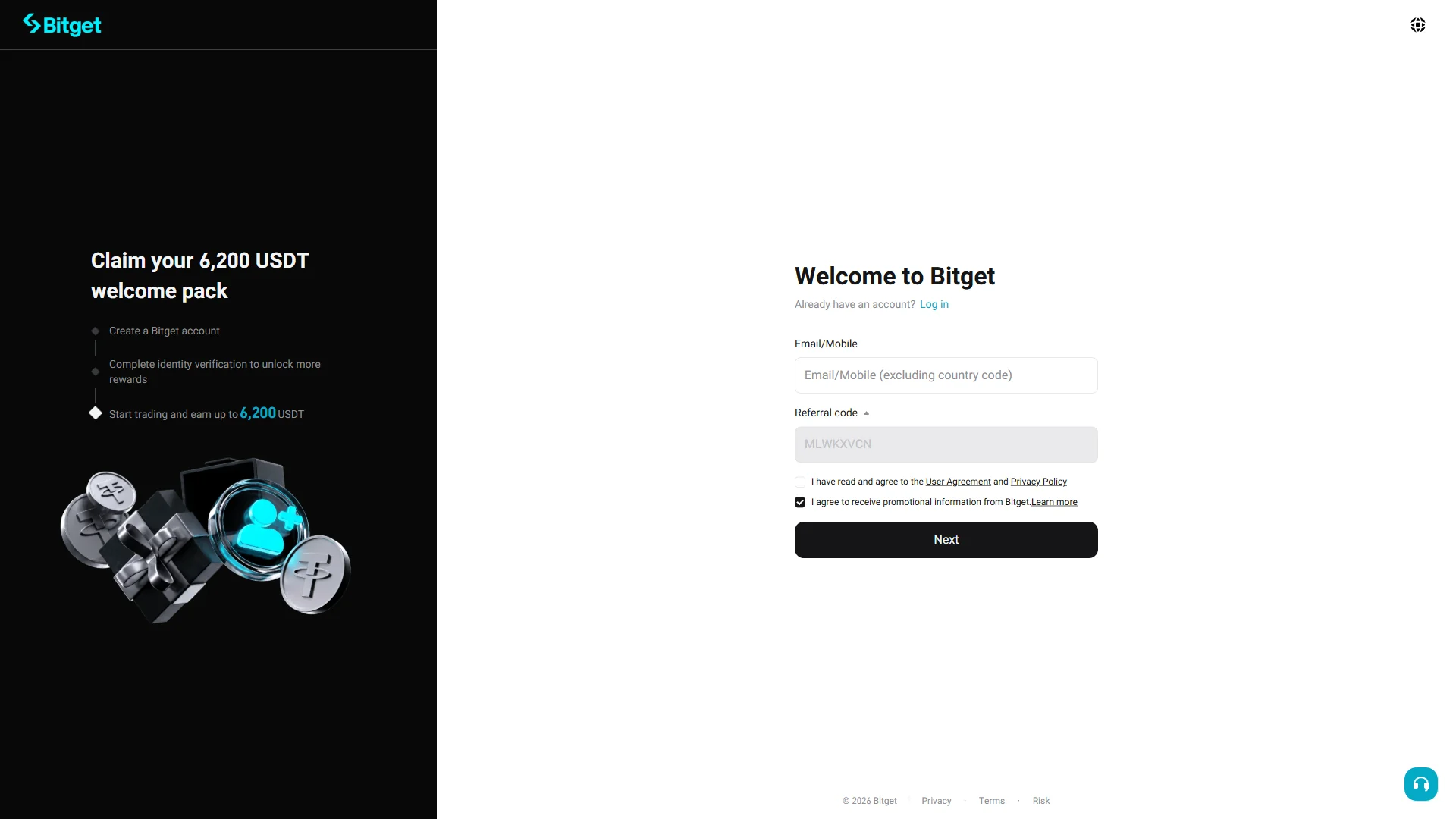
The screen shows “Welcome to Bitget”, confirming that the referral code MLWKXVCN was correctly applied.
chainhelm continuously verifies the validity of the code and confirms it remains usable.
What the Bitget referral code “MLWKXVCN” gets you
Apply this code at sign-up to receive the following benefits on Bitget:
- Benefit: a new-user bonus of up to 7,780 USD equivalent
- Expiration: None
- Eligibility: New users
To receive the benefits, you need to enter the code when you create your account. Be careful not to miss this step.
Bitget sign-up steps with the referral code
We cover the sign-up process separately for PC/browser and smartphone (mobile).
PC/browser sign-up steps
-
First, open the Bitget official sign-up page (the link applies the referral code). When you open it, you’ll see a screen like the one below.
-
Enter your email and accept the terms
Sign-up form before entry2026-07-12 The sign-up form with an empty "Email/Mobile" field and the referral code "MLWKXVCN" already filled in. Source: chainhelm editorial On the “Welcome to Bitget” sign-up form, enter the email address (or mobile number) you want to register in the empty “Email/Mobile” field. The “Referral code” field already shows “MLWKXVCN” from the invitation link, so leave it as it is.
Below the fields, tick the box to agree to the “User Agreement” and “Privacy Policy”, which starts out unchecked; the promotional-information box is pre-checked, and you can leave it on or clear it as you prefer.
As you fill in these details, the left panel lays out the “Claim your 6,200 USDT welcome pack” steps for new users.
-
Submit the completed form
Completed sign-up form2026-07-12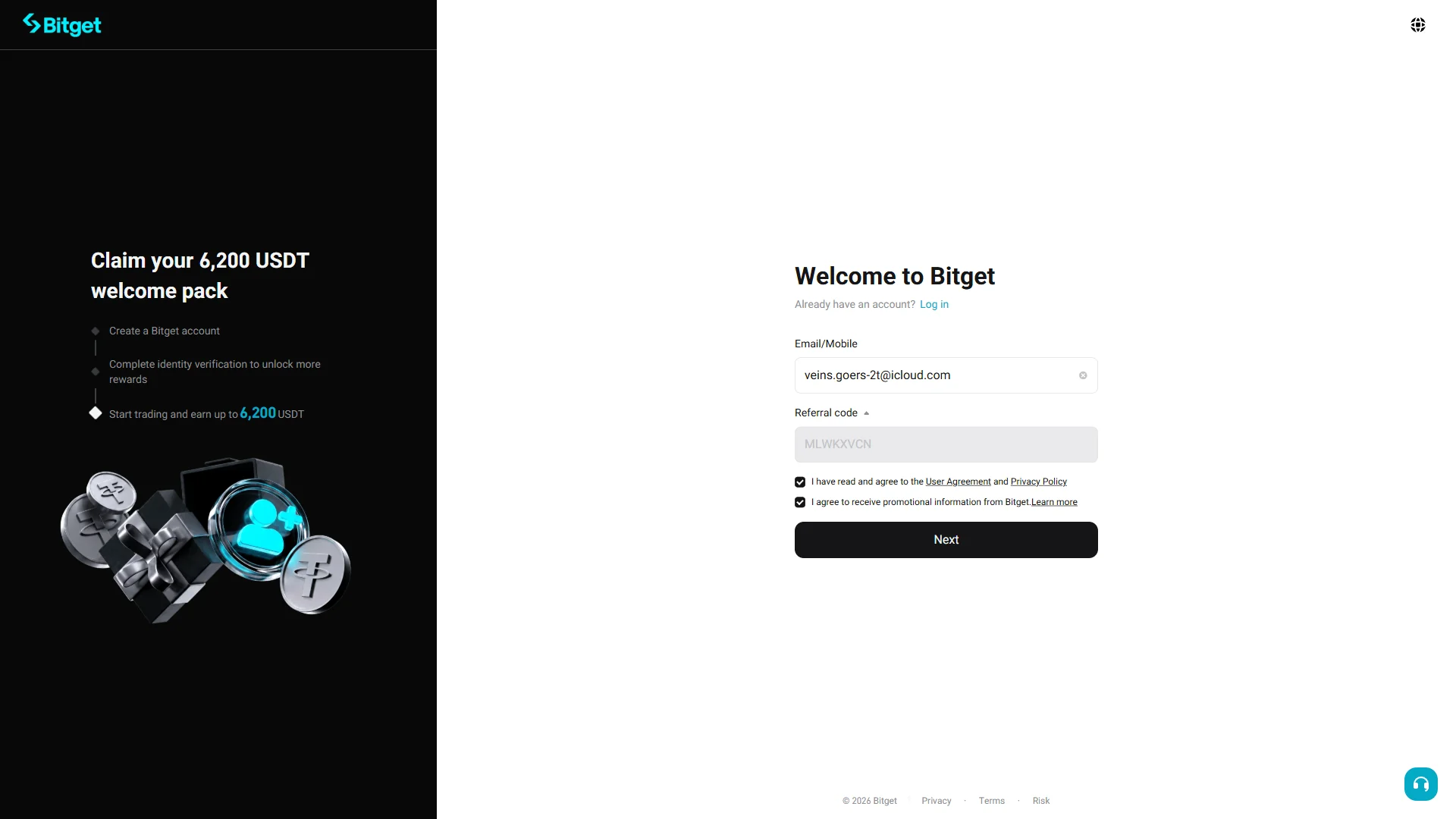
The form with the email entered and both agreement boxes checked, ready to submit. Source: chainhelm editorial Once the “Email/Mobile” field shows your address and the “User Agreement” box is checked, click “Next” to move on.
Bitget then opens the “Set password” screen, where you create a password for the account.
-
Create your account password
Empty password field2026-07-12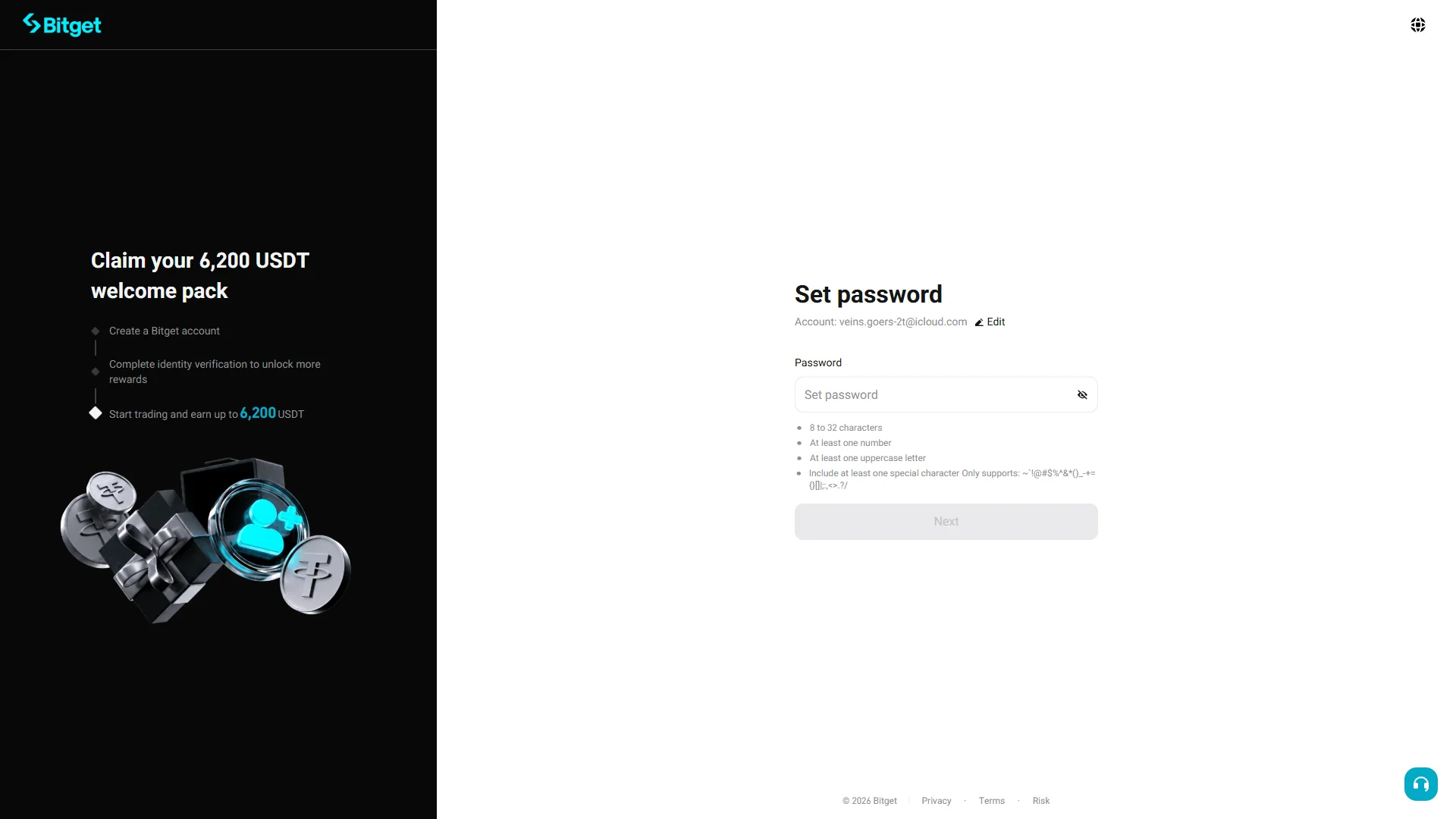
The "Set password" screen with an empty field and the requirement checklist not yet satisfied. Source: chainhelm editorial On the “Set password” screen, type a password into the empty “Password” field; use the eye icon to show or hide what you type, and check the account email shown at the top, correcting it through “Edit” if needed.
As you type, follow the checklist below the field: your password needs 8 to 32 characters, at least one number, one uppercase letter, and one of the listed special characters. The “Next” button stays disabled until every rule is met.
-
Continue with your new password
Password requirements met2026-07-12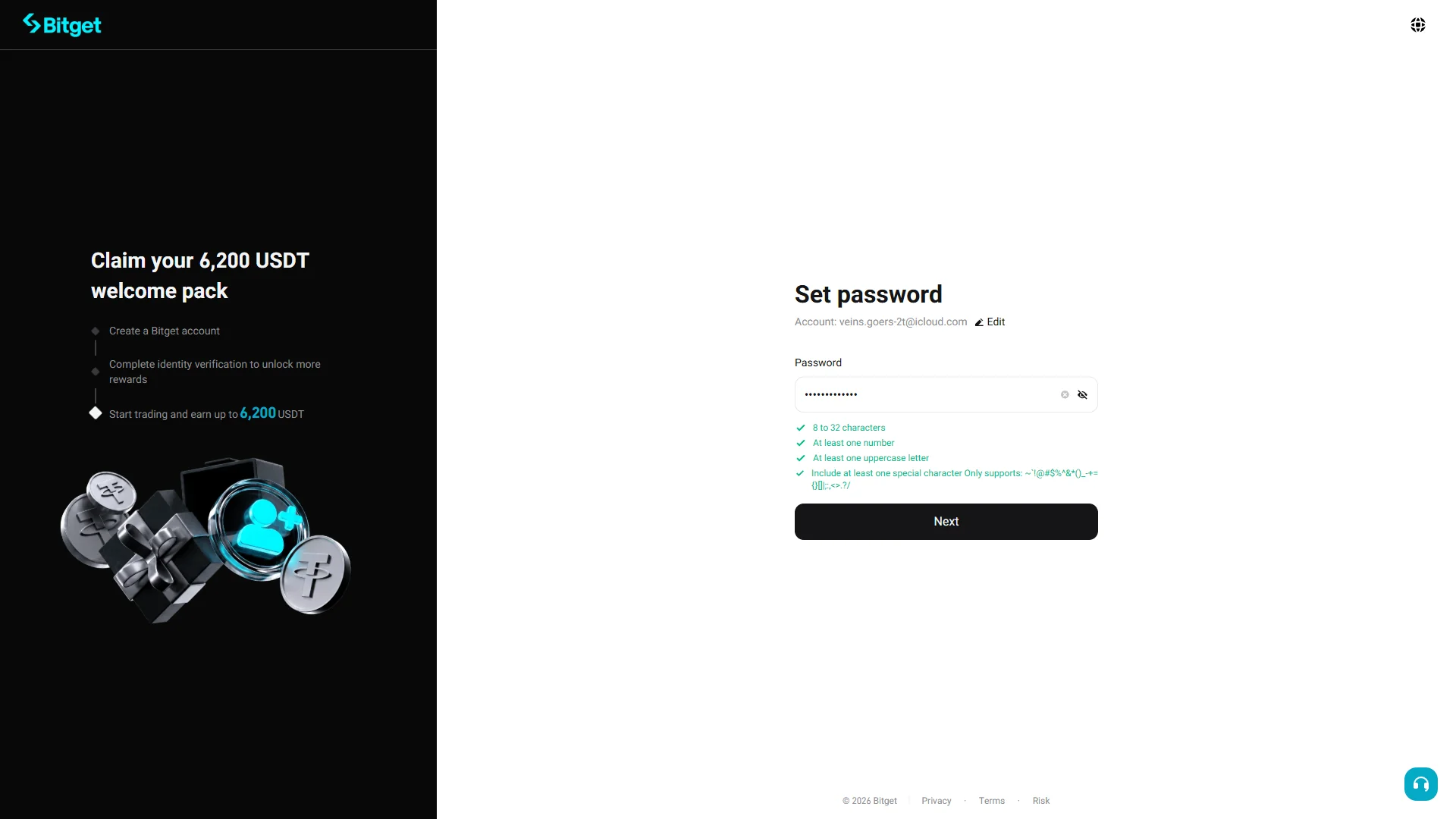
The password entered and masked, every requirement checked, and "Next" now enabled. Source: chainhelm editorial Once your password satisfies every rule, all items in the checklist turn green and the “Next” button becomes active. Click “Next” to continue.
A verification captcha then appears so Bitget can confirm that you are a real person.
-
Clear the image captcha
Image selection captcha2026-07-12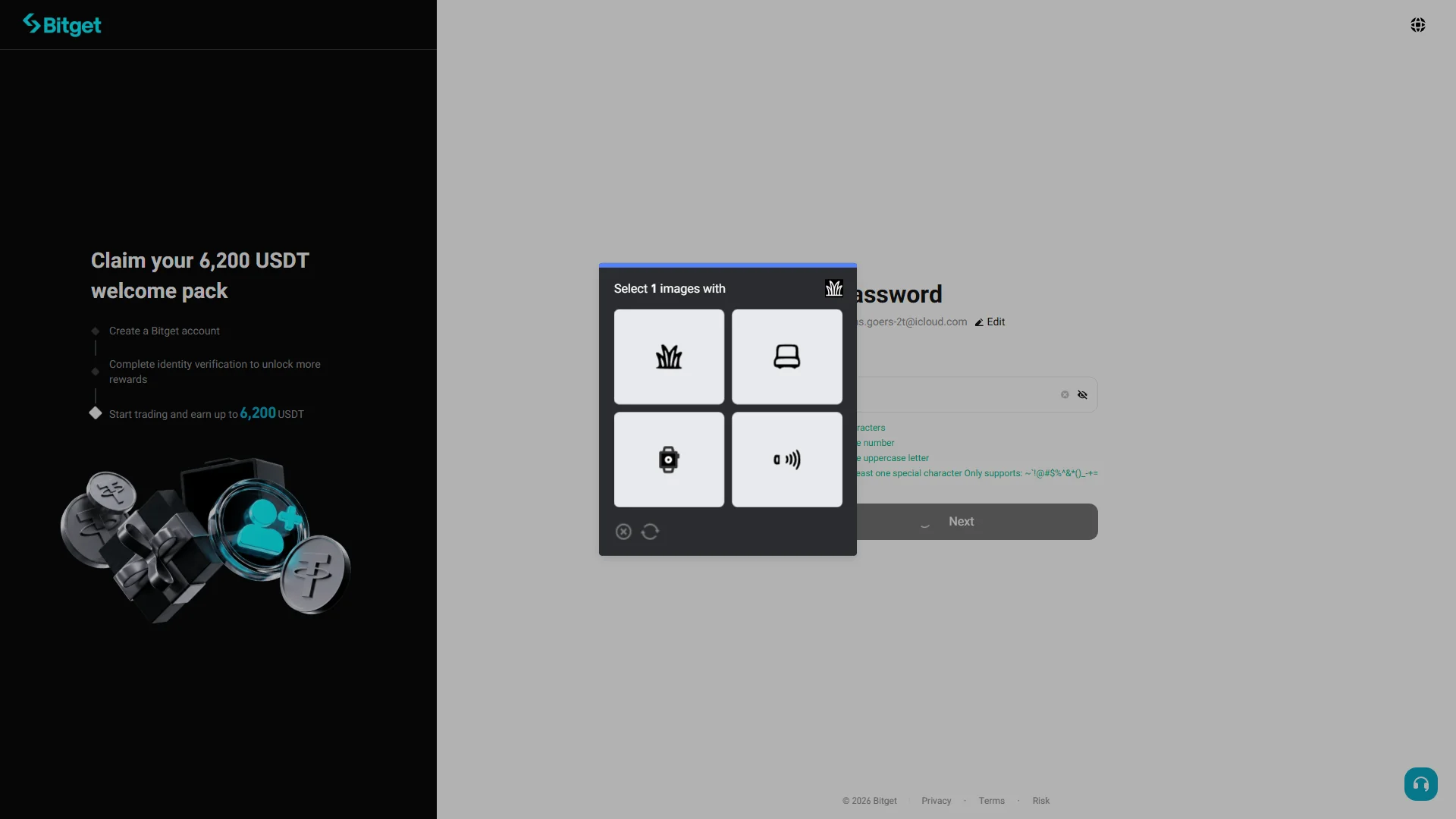
A pop-up asking you to pick the one image that matches the icon from a 2x2 grid. Source: chainhelm editorial In the “Select 1 images with” pop-up, look at the small icon in the prompt and click the matching picture in the 2x2 grid. Use the refresh icon if you want a fresh set of images.
After you pick the correct image, Bitget clears the challenge and sends a verification code to your email.
-
Enter the verification code
Verification code entry2026-07-12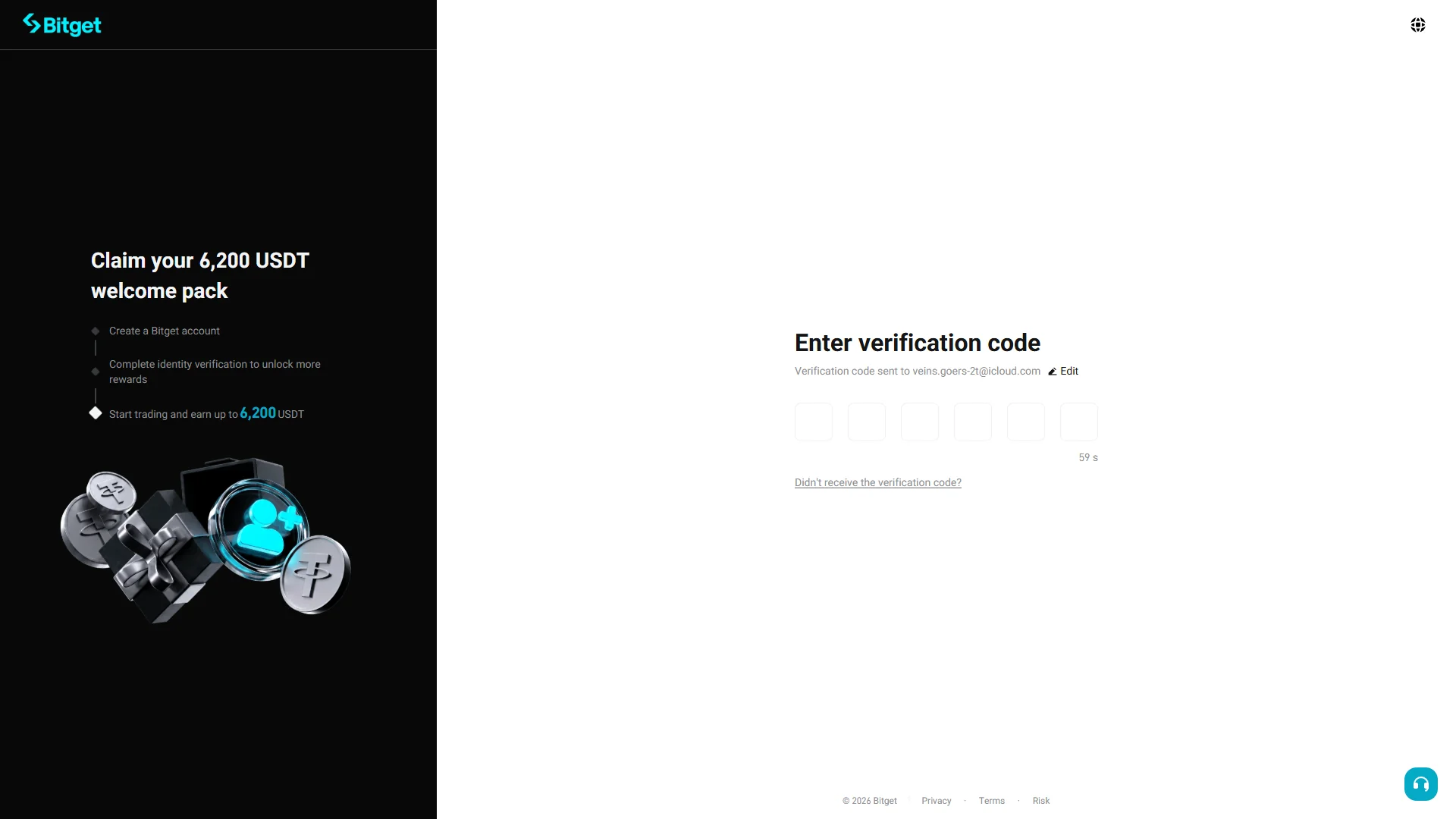
Six empty code boxes with a resend countdown, waiting for the emailed code. Source: chainhelm editorial On the “Enter verification code” screen, type the six-digit code that Bitget just emailed to your address into the boxes. The code is sent automatically, and a countdown shows how long before you can request a new one.
If it does not arrive, use “Didn’t receive the verification code?” to send it again. Once the six digits are correct, your Bitget account is created and you land on your logged-in home page.
-
Find the code in your inbox
Verification email2026-07-12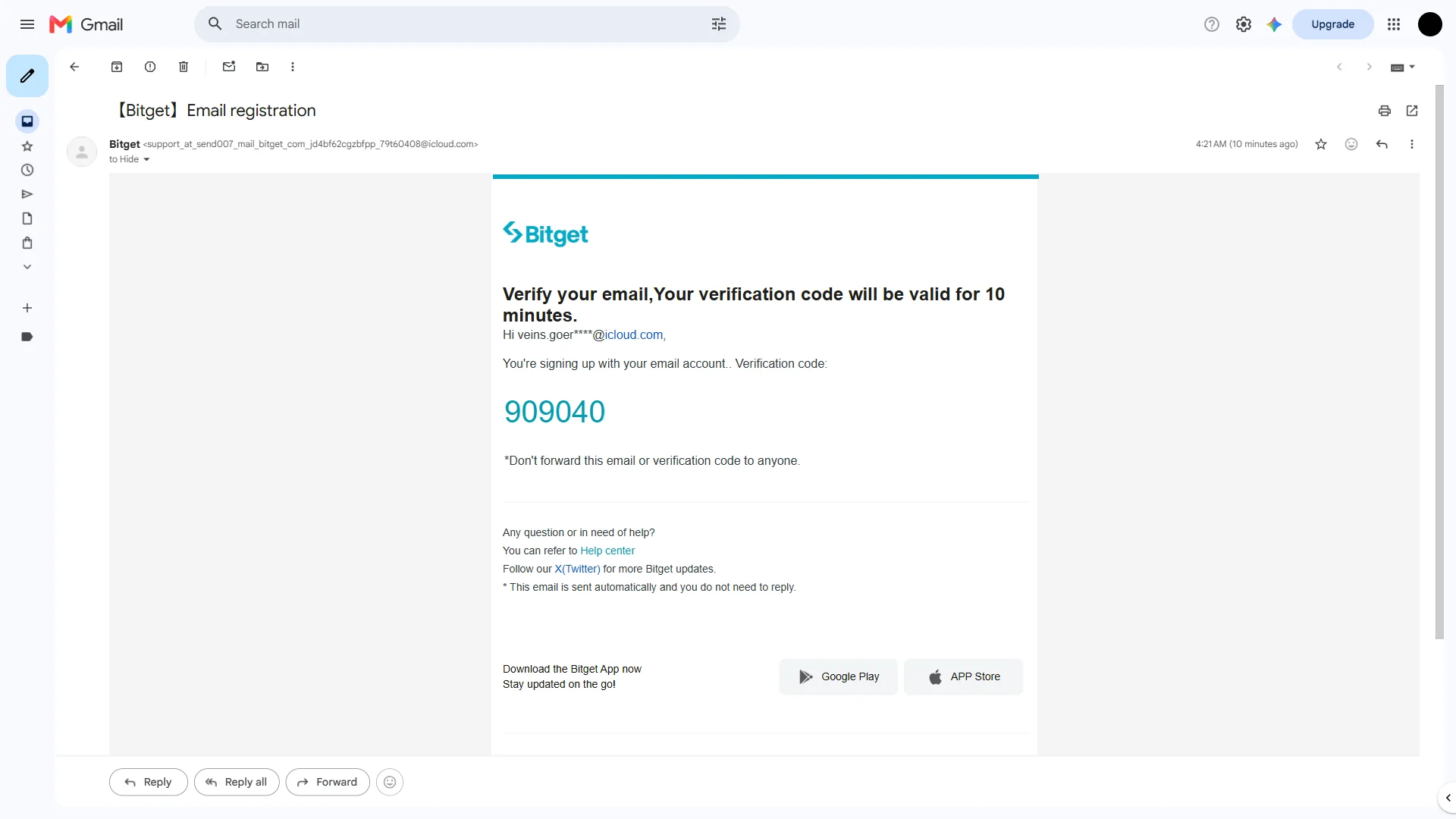
The Bitget registration email showing the six-digit code, valid for 10 minutes. Source: chainhelm editorial Open your email inbox and find the message from Bitget titled “【Bitget】Email registration”. Inside, the “Verify your email” note shows your six-digit verification code in large type.
Copy the code and enter it back on the verification screen; keep in mind that it stays valid for 10 minutes, so use it promptly.
-
Reach your Bitget home page
Logged-in home page2026-07-12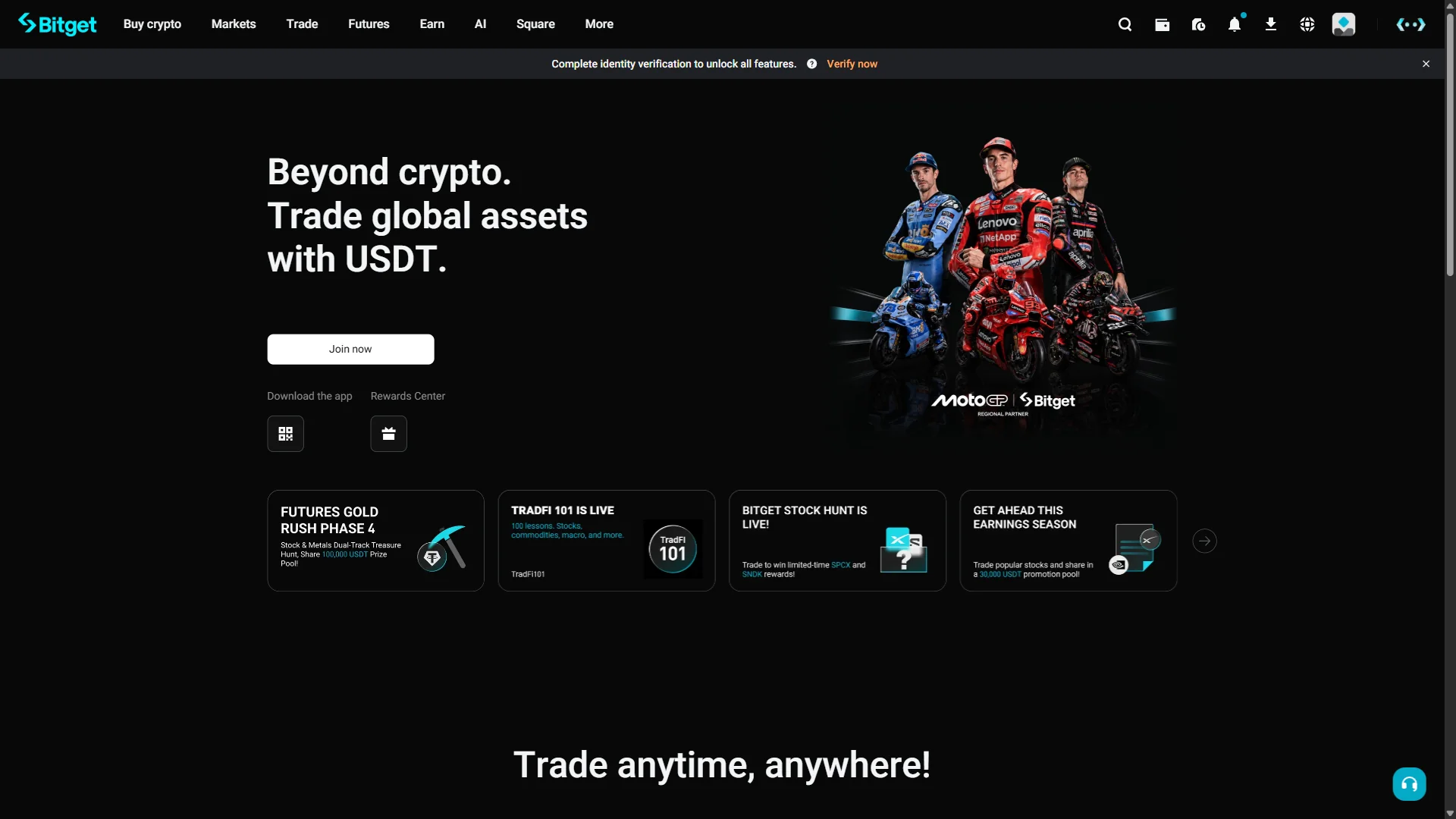
The logged-in Bitget home with a banner prompting identity verification. Source: chainhelm editorial With registration finished, you arrive at your logged-in Bitget home page, where a banner prompts you to “Complete identity verification to unlock all features.”
To carry on, click “Verify now” in that banner, which opens the identity verification page.
Smartphone (iOS / Android) sign-up steps
-
First, open the Bitget official sign-up page in the mobile app or browser (the link applies the referral code). When you open it, you’ll see a screen like the one below.
-
Enter your email and accept the terms
Sign-up form before entry2026-07-12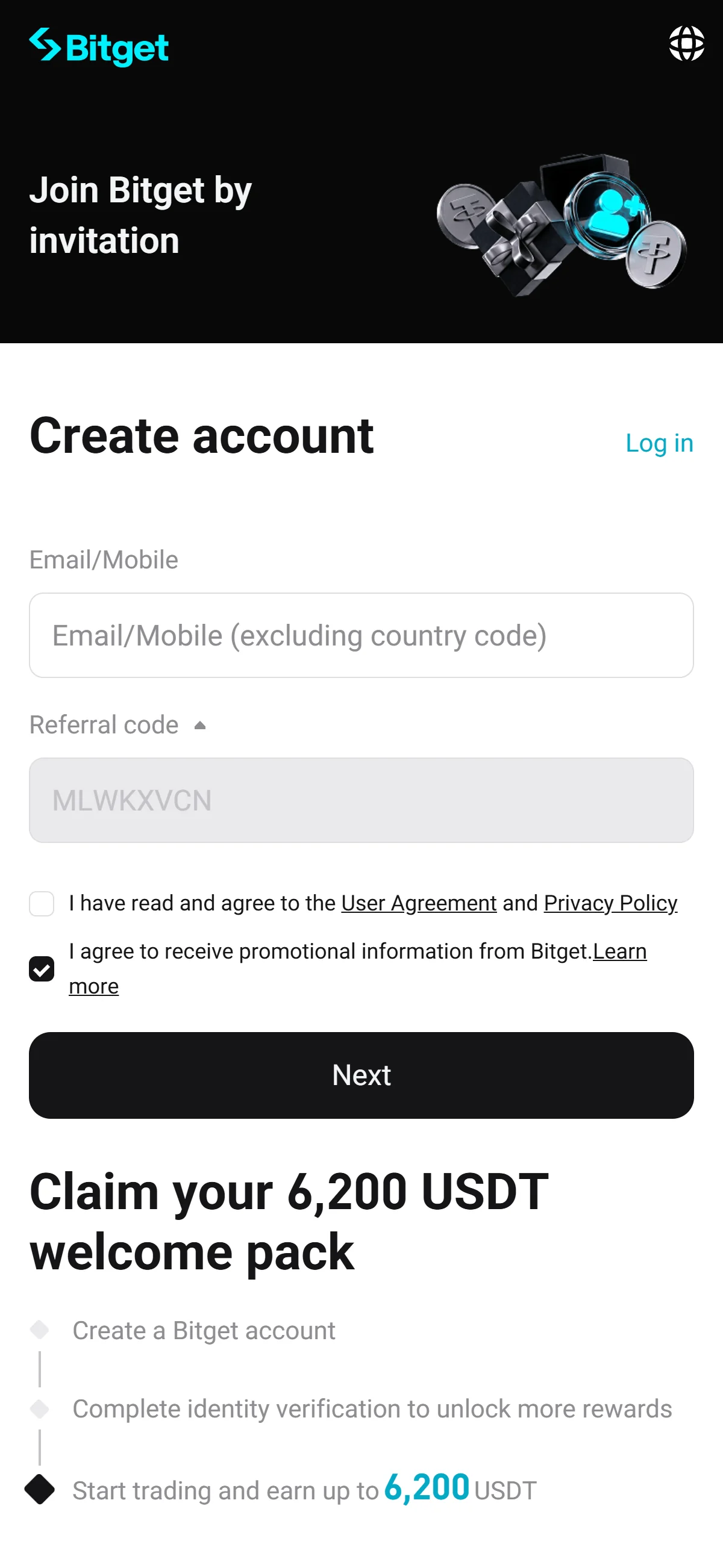
The sign-up form with an empty "Email/Mobile" field and the referral code "MLWKXVCN" already filled in. Source: chainhelm editorial On the “Welcome to Bitget” sign-up form, enter the email address (or mobile number) you want to register in the empty “Email/Mobile” field. The “Referral code” field already shows “MLWKXVCN” from the invitation link, so leave it as it is.
Below the fields, tick the box to agree to the “User Agreement” and “Privacy Policy”, which starts out unchecked; the promotional-information box is pre-checked, and you can leave it on or clear it as you prefer.
As you fill in these details, the left panel lays out the “Claim your 6,200 USDT welcome pack” steps for new users.
-
Submit the completed form
Completed sign-up form2026-07-12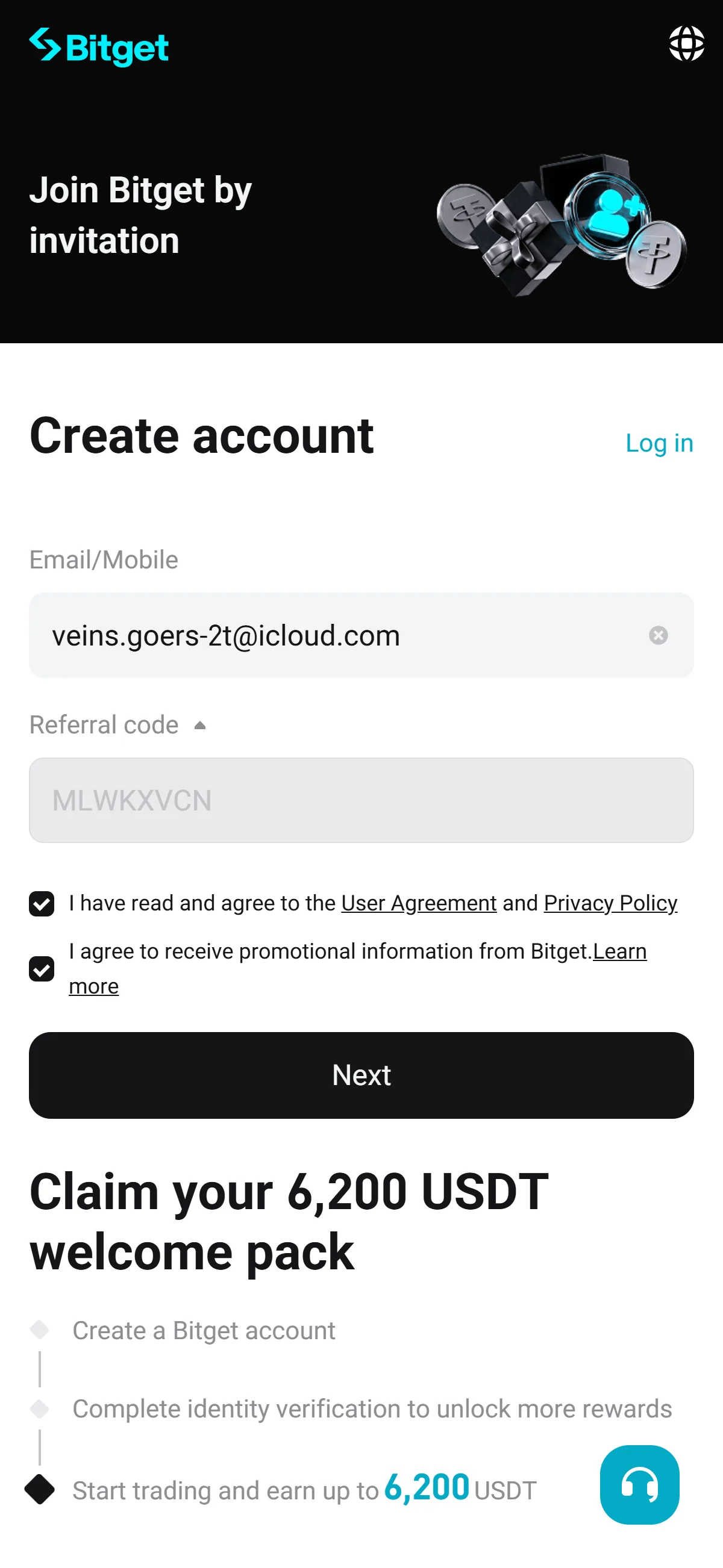
The form with the email entered and both agreement boxes checked, ready to submit. Source: chainhelm editorial Once the “Email/Mobile” field shows your address and the “User Agreement” box is checked, click “Next” to move on.
Bitget then opens the “Set password” screen, where you create a password for the account.
-
Create your account password
Empty password field2026-07-12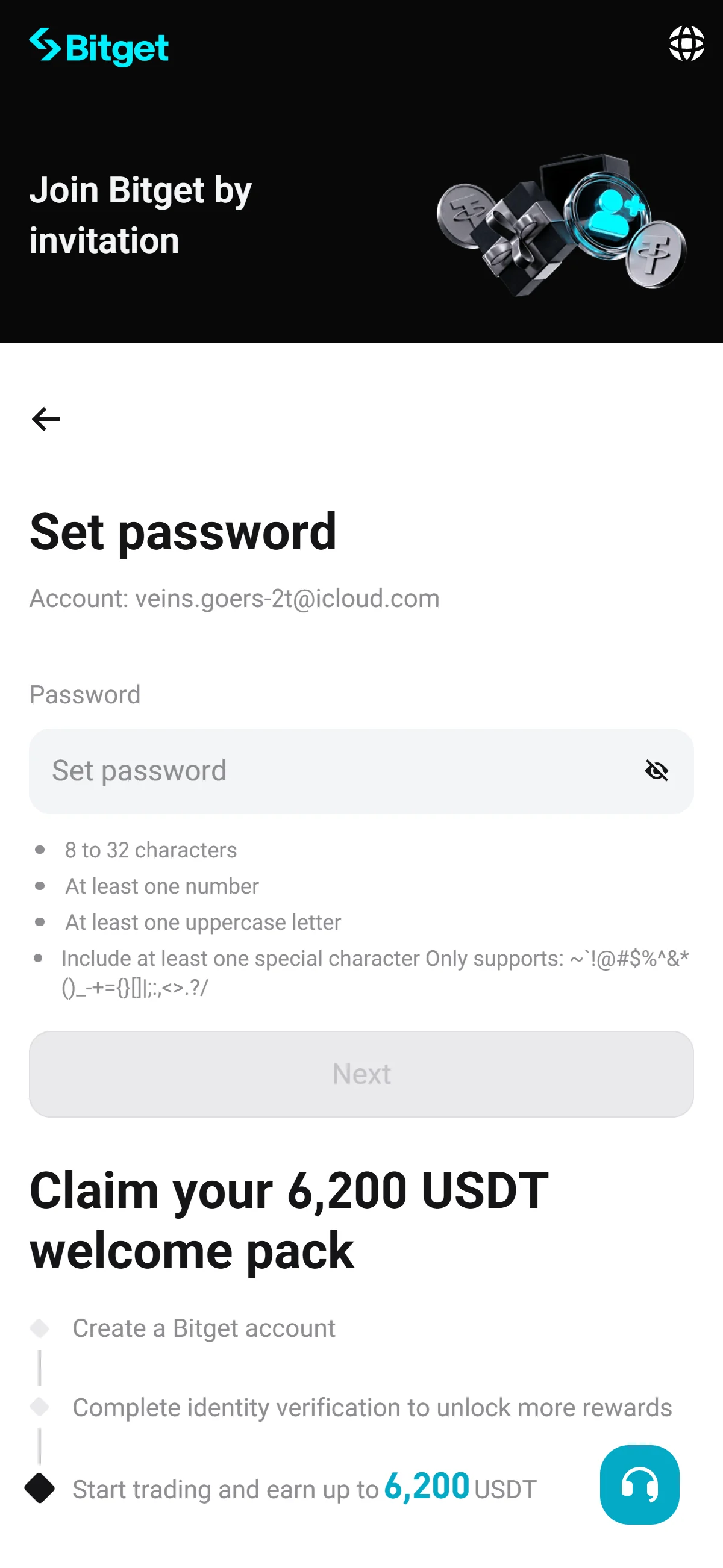
The "Set password" screen with an empty field and the requirement checklist not yet satisfied. Source: chainhelm editorial On the “Set password” screen, type a password into the empty “Password” field; use the eye icon to show or hide what you type, and check the account email shown at the top, correcting it through “Edit” if needed.
As you type, follow the checklist below the field: your password needs 8 to 32 characters, at least one number, one uppercase letter, and one of the listed special characters. The “Next” button stays disabled until every rule is met.
-
Continue with your new password
Password requirements met2026-07-12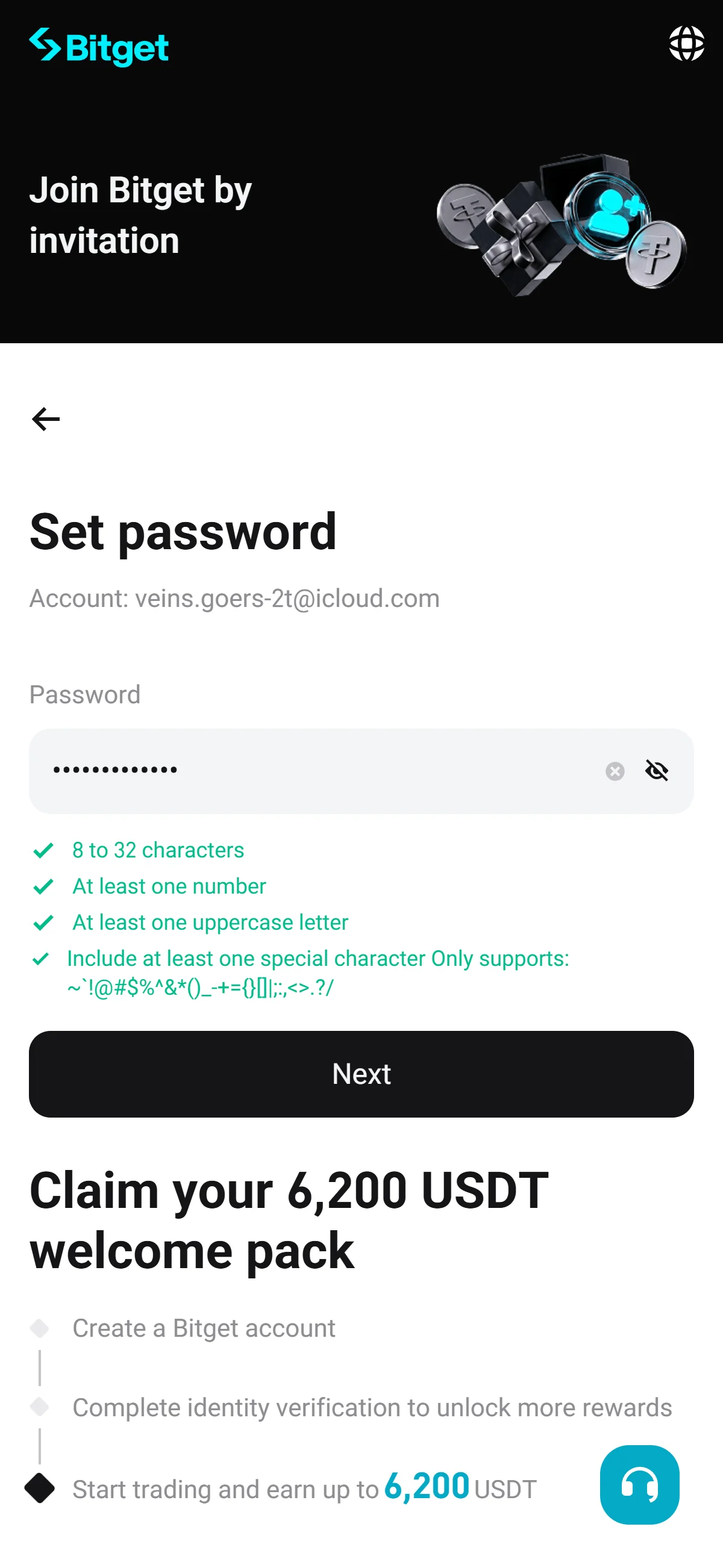
The password entered and masked, every requirement checked, and "Next" now enabled. Source: chainhelm editorial Once your password satisfies every rule, all items in the checklist turn green and the “Next” button becomes active. Click “Next” to continue.
A verification captcha then appears so Bitget can confirm that you are a real person.
-
Clear the image captcha
Image selection captcha2026-07-12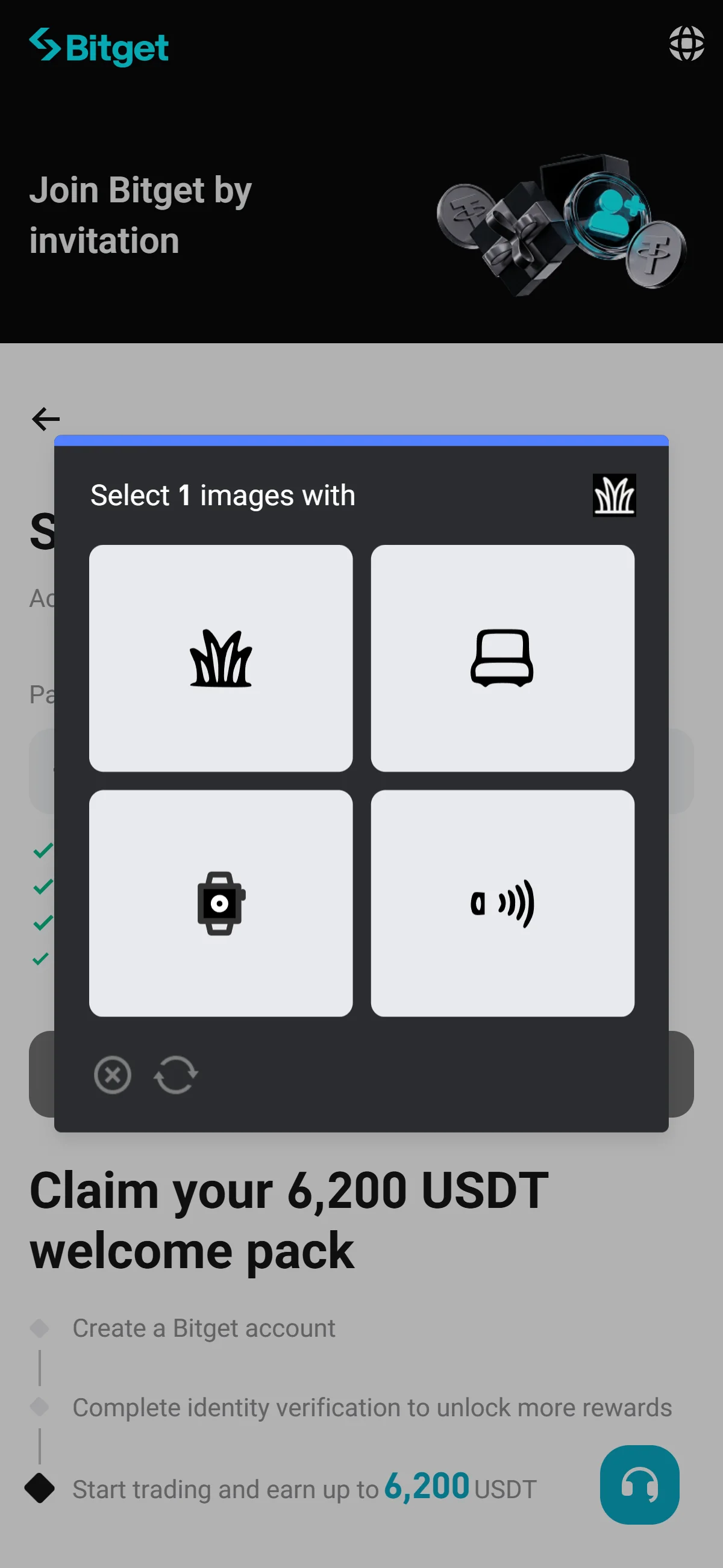
A pop-up asking you to pick the one image that matches the icon from a 2x2 grid. Source: chainhelm editorial In the “Select 1 images with” pop-up, look at the small icon in the prompt and click the matching picture in the 2x2 grid. Use the refresh icon if you want a fresh set of images.
After you pick the correct image, Bitget clears the challenge and sends a verification code to your email.
-
Enter the verification code
Verification code entry2026-07-12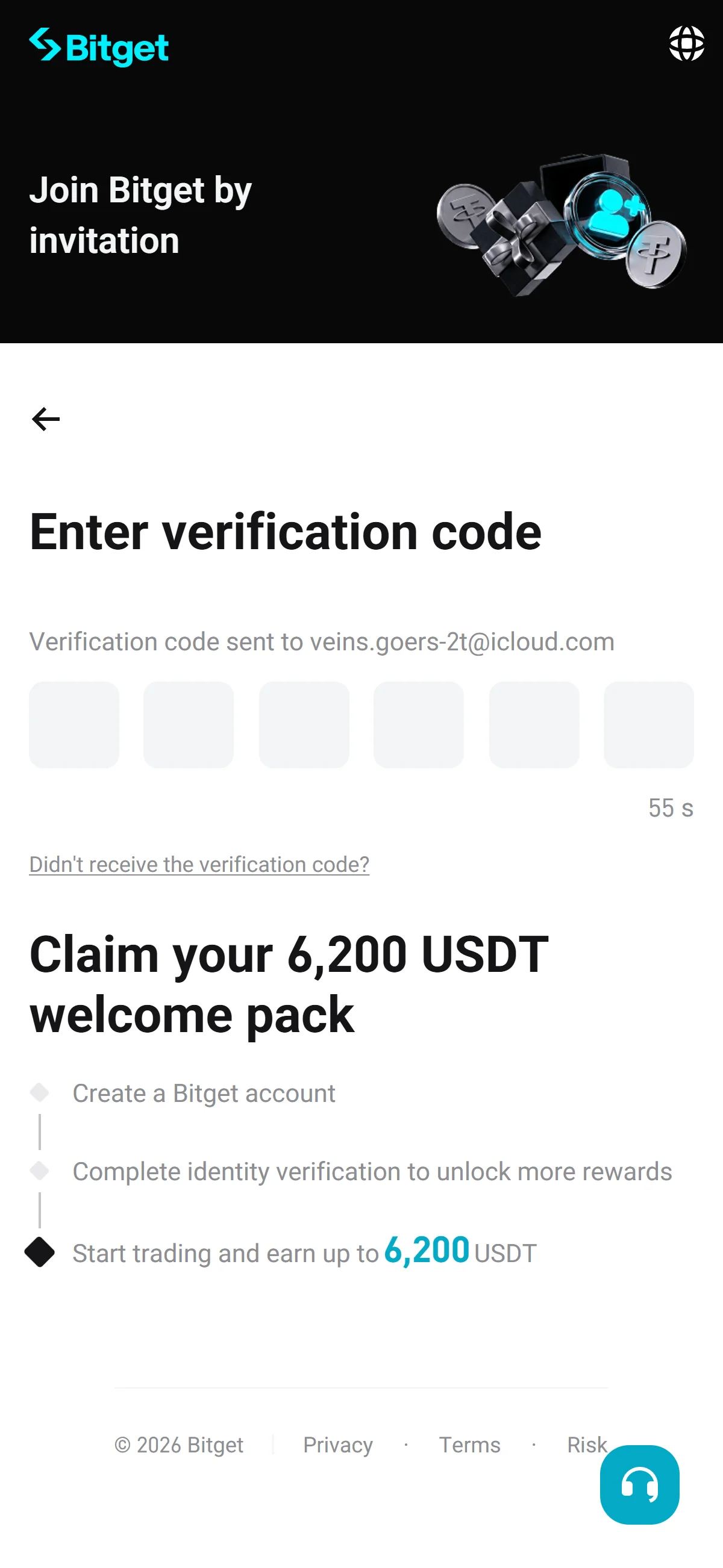
Six empty code boxes with a resend countdown, waiting for the emailed code. Source: chainhelm editorial On the “Enter verification code” screen, type the six-digit code that Bitget just emailed to your address into the boxes. The code is sent automatically, and a countdown shows how long before you can request a new one.
If it does not arrive, use “Didn’t receive the verification code?” to send it again. Once the six digits are correct, your Bitget account is created and you land on your logged-in home page.
-
Find the code in your inbox
Verification email2026-07-12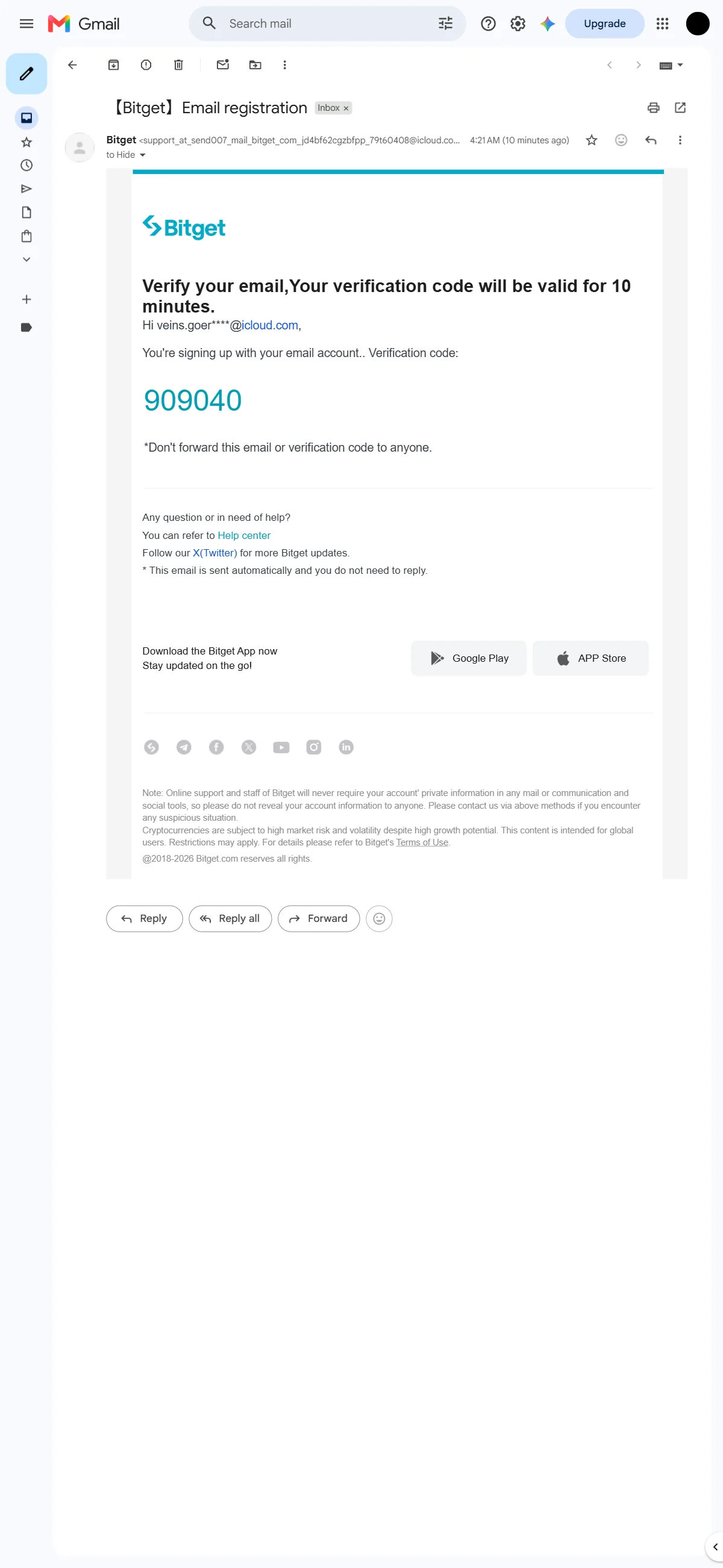
The Bitget registration email showing the six-digit code, valid for 10 minutes. Source: chainhelm editorial Open your email inbox and find the message from Bitget titled “【Bitget】Email registration”. Inside, the “Verify your email” note shows your six-digit verification code in large type.
Copy the code and enter it back on the verification screen; keep in mind that it stays valid for 10 minutes, so use it promptly.
-
Reach your Bitget home page
Logged-in home page2026-07-12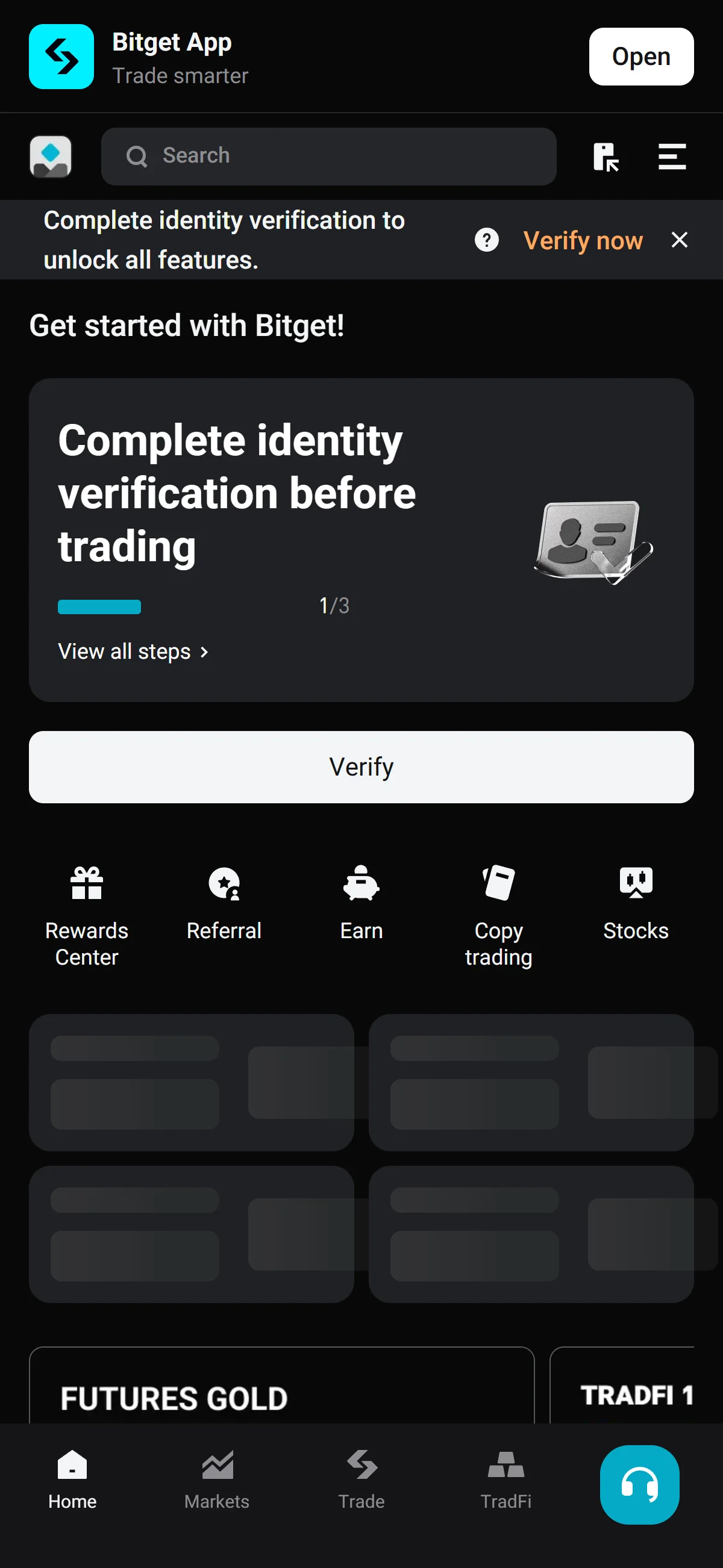
The logged-in Bitget home with a banner prompting identity verification. Source: chainhelm editorial With registration finished, you arrive at your logged-in Bitget home page, where a banner prompts you to “Complete identity verification to unlock all features.”
To carry on, click “Verify now” in that banner, which opens the identity verification page.
What to do after signing up at Bitget
We cover identity verification separately for PC/browser and smartphone (mobile).
PC/browser identity verification
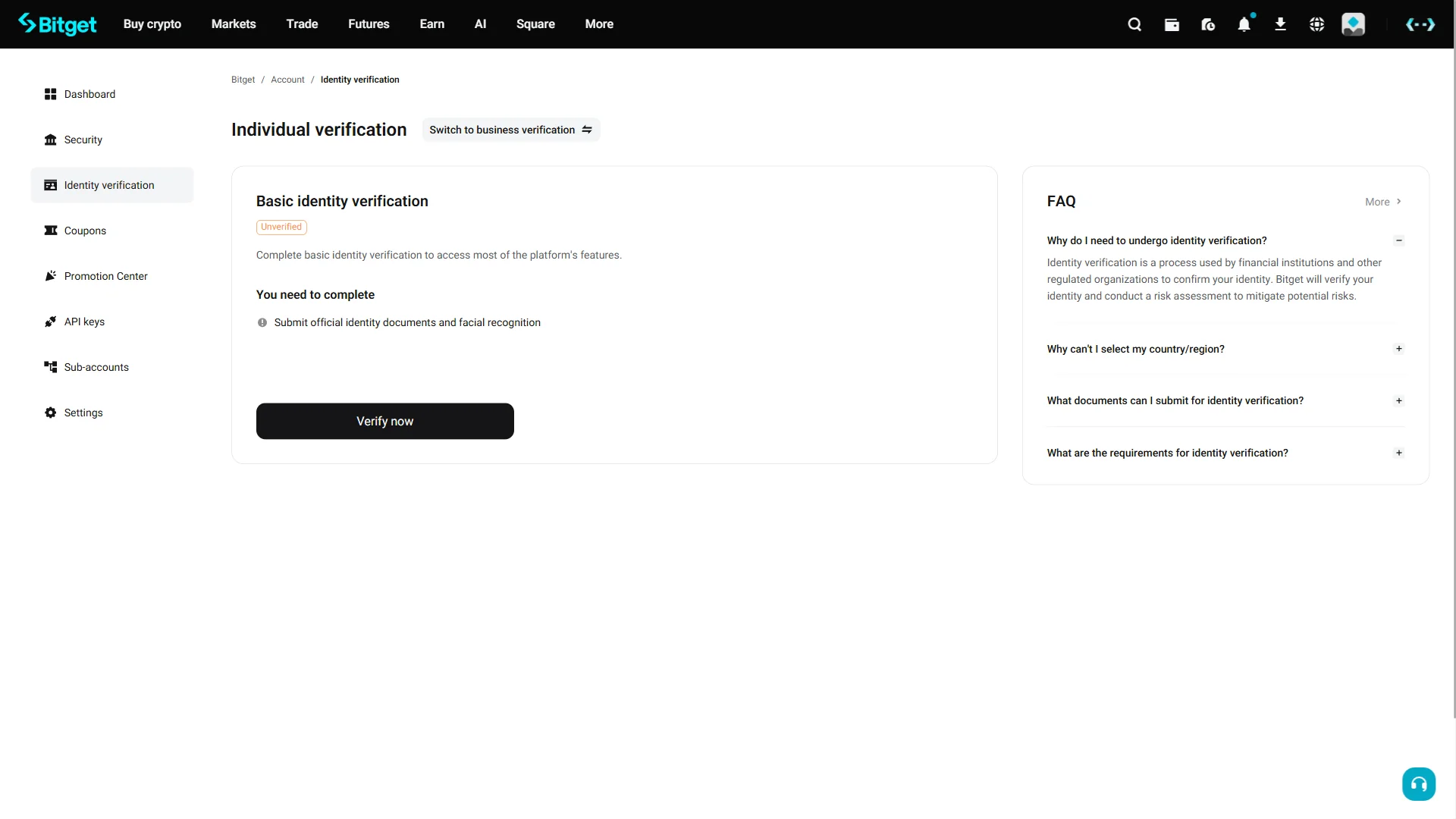
On the “Individual verification” page, find the “Basic identity verification” section marked with an “Unverified” badge. It lists what you need to complete — “Submit official identity documents and facial recognition”.
Click “Verify now” to begin, and a “Select document” window opens for you to choose your country and ID type.
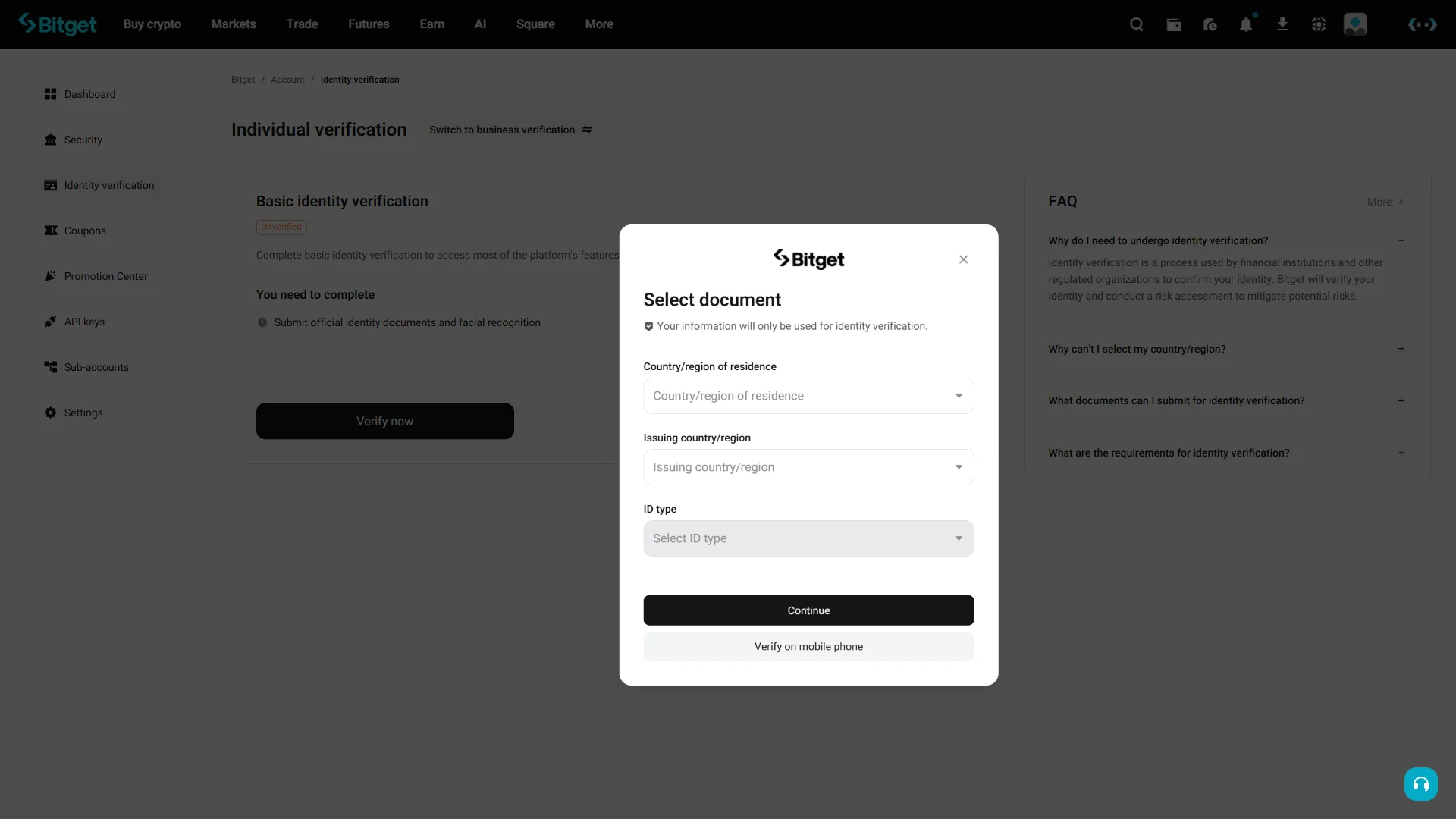
In the “Select document” window, choose your “Country/region of residence” and “Issuing country/region” from the dropdowns, then pick your “ID type”.
With all three selected, click “Continue” to move forward; you can also choose “Verify on mobile phone” to finish the steps from your phone. The information you enter here is used only for identity verification.
Smartphone (iOS / Android) identity verification
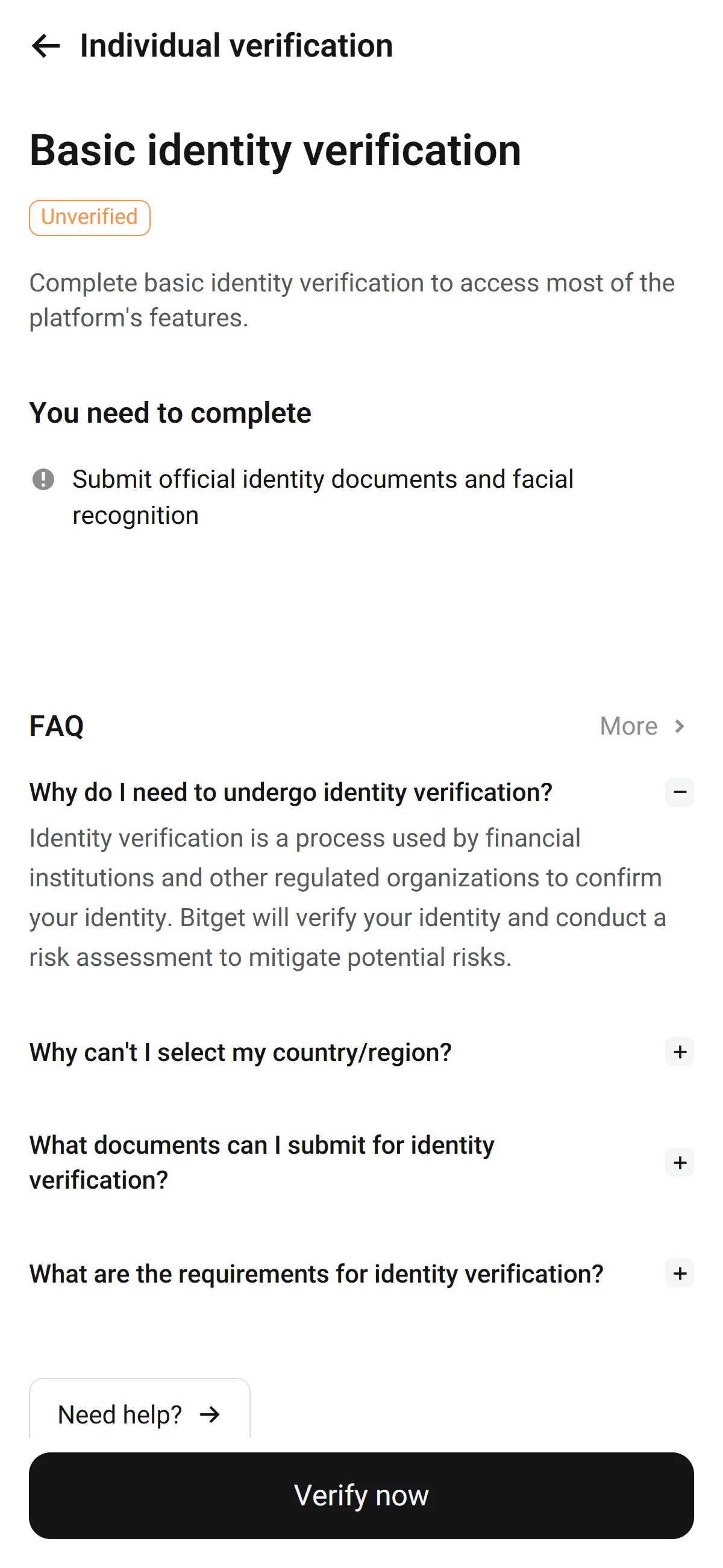
On the “Individual verification” page, find the “Basic identity verification” section marked with an “Unverified” badge. It lists what you need to complete — “Submit official identity documents and facial recognition”.
Click “Verify now” to begin, and a “Select document” window opens for you to choose your country and ID type.
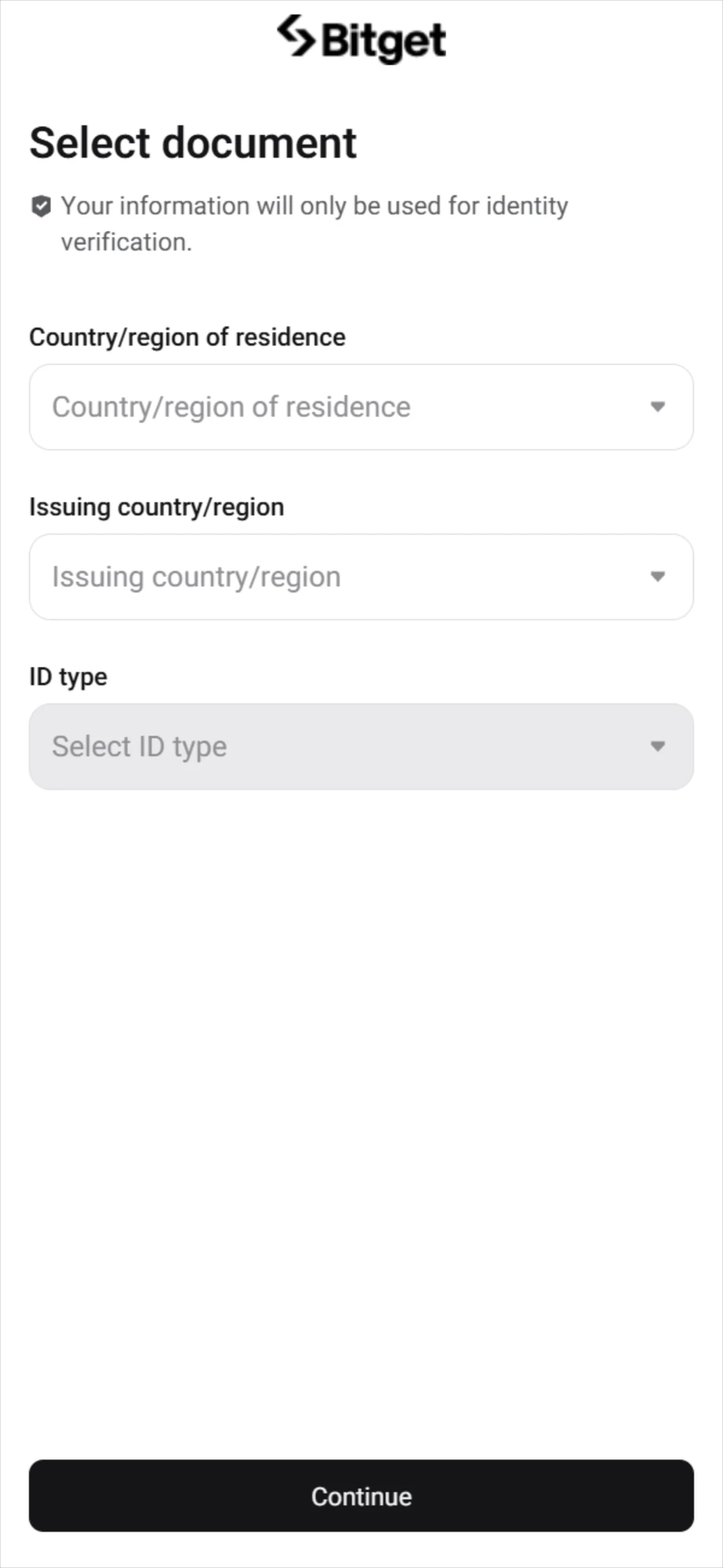
In the “Select document” window, choose your “Country/region of residence” and “Issuing country/region” from the dropdowns, then pick your “ID type”.
With all three selected, click “Continue” to move forward; you can also choose “Verify on mobile phone” to finish the steps from your phone. The information you enter here is used only for identity verification.
With your Bitget account created and identity verification started at the document selection step, completing the remaining verification unlocks the platform’s full features.
The Bitget referral code cannot be added after sign-up
The referral code can only be entered at sign-up — it cannot be added afterwards.
If you overlook this and complete registration without the code, there is no mechanism for linking it to that account after the fact.
If you have not yet completed KYC (identity verification), creating a fresh account is an option worth considering. Some exchanges, though, restrict opening more than one account in their terms of use.
- Does the sign-up screen show referral code MLWKXVCN as applied? (Going through the link applies it automatically; where the exchange provides a code field, check there as well.)
- Once registration is complete, open the Referral / Rewards page and confirm that the referral shows as linked to your account
What is Bitget
Bitget’s origins, scale and product range
Bitget launched in 2018 as a derivatives-first venue in the middle of a bear market and has since grown into a broad, offshore-registered exchange. The figures below sketch its scale; the paragraphs that follow read what they mean.
The operating company was registered in Seychelles in late 2022, and Bitget declares no single physical global headquarters; its team is distributed across roughly 60 countries, with regional regulated subsidiaries in El Salvador, Georgia, Bulgaria and Dubai. Gracy Chen took over as CEO in 2024, succeeding Sandra Lou. The practical signal for a reader is that this is an offshore-registered venue whose regulatory home is deliberately spread across jurisdictions rather than anchored to one national regulator.
Its product range is unusually wide for a crypto exchange: spot trading of 565 coins by CoinGecko’s count (600+ self-reported) across 1,187 pairs, futures on 590+ coins in USDT-M, USDC-M and Coin-M flavors, copy trading for spot, futures and bots, tokenized US equities through xStocks, US stock options, multi-asset CFDs, Earn products and the Web3 Bitget Wallet. Recent milestones — the BGB buyback-and-burn (2025), the xStocks launch on 2025-07-09, and the 2026 “Universal Exchange” push into US stock options — show the direction of travel.
The scale numbers above deserve one caution. Tracker-normalized spot 24h volume sits around USD 0.44–0.45B, whereas Bitget self-reports 20B+ USDT in daily volume by aggregating spot, derivatives and on-chain activity — the two are not the same measure. Reserves are similarly source-dependent: DeFiLlama puts clean assets near USD 4.66B, CoinGecko nearer USD 5.04B and CER.live around USD 5.49B. Read together, Bitget is best understood as a top-six liquidity venue built on derivatives and copy trading — derivatives 24h volume runs near USD 5.69B with open interest near USD 3.32B — with the standing caveat that self-reported aggregates run well above independently tracked figures.
Trading fees and the BGB fee discount
- Spot (VIP0)
- 0.10% maker / 0.10% taker
- USDT-M perpetual futures (standard)
- 0.02% maker / 0.06% taker
- With BGB held
- 20% off trading fees on spot and futures — e.g. spot 0.08% / 0.08%
- On-chain withdrawals
- vary by asset and network; there is no single flat withdrawal fee
Real trading cost is more than the headline maker/taker line. The spot VIP ladder falls as your 30-day spot volume and BGB balance rise — from VIP0 at 0.10% down to VIP7 at 0% maker / 0.03% taker as of 2026-07-11 — so the standard rates above are the ceiling, not the floor. Holding BGB, Bitget’s native token, applies a separate 20% reduction on trading fees; and because on-chain withdrawal fees are set per asset and network, the only way to know your true cost is to check the specific coin you plan to move. This BGB reduction is a native fee mechanism built into the exchange itself.
What makes Bitget distinct
Bitget’s core differentiators
Beyond raw scale, a handful of features are what Bitget actually markets itself on — and each reads better as a strategic choice than as a spec line.
Bitget brands itself the #1 or largest crypto copy-trading platform, spanning spot, futures and bot copy. Where many peers treat copy trading as a secondary feature, Bitget places it at the center of the product — a real distinction for followers who want to mirror lead traders and for lead traders seeking an audience.
The BGB token ties the ecosystem together: a 20% trading-fee reduction, Launchpad and Launchpool access, and VIP, Pay and Card utility, underpinned by a deflationary quarterly buyback-and-burn funded from 20% of exchange and wallet profits — the burn shown above is that mechanism in action.
Its “Universal Exchange” strategy stretches beyond crypto into tokenized US equities (xStocks), US stock options and CFDs on gold, forex, commodities and indices; cumulative tokenized-stock spot volume passed the mark shown above by January 2026, and Bitget positions itself as the only major crypto exchange offering US stock options alongside crypto. The Protection Fund above — roughly USD 352M, or 5,500 BTC — sits on top of Proof of Reserves as an explicit user-recourse layer.
Relative fit versus peers and who it suits
Against its peers, Bitget sits mid-pack at the top: roughly #5–6 in spot and #5 in derivatives, versus Binance at spot #1, OKX around #4 and Bybit nearby. The recurring closest product analog is OKX — similar derivatives depth and multi-asset ambitions — so for most readers the honest comparison is Bitget versus OKX rather than versus the whole field. Ranking metrics mix spot and derivatives volume and are vulnerable to wash trading, so treat them as directional rather than precise.
You are in a prohibited jurisdiction
You need a MiCA-authorized venue
For everyone else, the two cases above are the honest “look elsewhere” signals.
Bitget fits active derivatives and copy-trading users who want a top-six liquidity venue with broad multi-asset breadth and the BGB fee-discount ecosystem — provided they sit outside its prohibited jurisdictions.
Bitget regulatory landscape
Bitget’s regulated footprint
Bitget’s regulatory picture is best read as a map rather than a single verdict: a spread of registrations in some countries and hard exclusions in others.
Most of the registrations above are narrow. An AUSTRAC listing covers anti-money-laundering obligations, not market-conduct licensing, and the FCA arrangement is a Section-21 financial-promotions permission via an Authorized Person rather than a full exchange authorization. Bulgaria (VASP, February 2025) is framed as an EU compliance hub, and the Dubai VARA registration extends the footprint further. Taken together they show an exchange assembling national registrations rather than holding one comprehensive license.
For readers in the two English-speaking markets that this map touches directly: in the United Kingdom, Bitget operates as an available market under that FCA Section-21 financial-promotions regime, while in Australia it is available with the AUSTRAC DCE registration (AML/CTF only) but sits under an ASIC July 2025 warning on unlicensed crypto futures. Both are light landscape notes; the chapter that follows handles the markets where availability is genuinely in question.
Restricted markets, enforcement flags and regulatory trajectory
Beyond the dated events above, France’s AMF has blacklisted Bitget for operating without authorization, Germany’s BaFin has an investigation on record, and EU/EEA access remains transitional pending a MiCA CASP authorization.
The two companies in that timeline — the former Hong Kong arm and the Turkish entity — are distinct legal entities from the article’s subject, the global bitget.com platform, and are noted here only so the brand’s history is not mistaken for the current offering. Per-country availability for readers is handled in the next chapter.
Bitget’s trajectory reads as mixed but actively compliance-seeking: broadening a regulated footprint and pursuing an EU MiCA CASP through Bulgaria, while still offshore-registered, not yet MiCA-authorized, and carrying live enforcement warnings.
Bitget availability across major jurisdictions
Availability differs sharply by country. The three markets below are where a Bitget sign-up is currently blocked, paused or otherwise not the right route — each with the locally regulated alternatives that apply.
United States: Bitget’s exchange is closed to US persons
Not available to US personsBitget’s centralized exchange does not serve US persons. The United States is a Prohibited Country in the Terms of Use, enforced through IP geo-fencing and KYC, and no US license exists, so a referral sign-up from the US is simply not possible. The non-custodial Bitget Wallet may remain reachable, but it sits outside the exchange referral program and is not a route into the CEX. For US readers the workable path is a locally regulated venue:
- Coinbase
- US-domiciled and NASDAQ-listed (COIN), SEC-reporting; holds a NYDFS BitLicense plus state MTLs and offers the broadest US state coverage with USD rails.
- Kraken
- US-based since 2011; FinCEN MSB with state MTLs and a Wyoming SPDI charter; began CFTC-regulated US perpetual futures in 2026 — the closest domestic analog to Bitget’s derivatives — though it is unavailable in New York and Maine.
- Crypto.com
- Available across 49 states and territories (excluding New York) through US-regulated entities, with CFTC-regulated derivatives and CRO-stake fee reductions.
- Gemini
- US-based and NYDFS trust-chartered, available in all 50 states with full-reserve custody and SOC 1/2 audits, though its altcoin and derivatives breadth is narrower.
◆ ◇ ◆
Singapore: a prohibited market with MAS-licensed alternatives
Not available to new sign-upsSingapore is enumerated in Bitget’s Terms of Use as a Prohibited Country, and MAS added Bitget to its Investor Alert List on 2025-09-08, so a new sign-up from Singapore is not an available route. The old PSA transitional exemption has lapsed — Bitget is no longer exempt — and its Singapore entity is winding down under the DTSP regime. MAS-licensed venues are the practical alternative:
- OKX (OKX SG Pte Ltd)
- Holds a MAS Major Payment Institution license; offers the deepest orderbook and the closest product analog to Bitget in this set, with SGD PayNow/FAST rails and the lowest headline spot fees.
- Crypto.com (Foris DAX Asia)
- MAS MPI-licensed, with a large app ecosystem spanning card and earn products and an SGD FAST on-ramp.
- Independent Reserve SG
- Locally incorporated and fully MAS-licensed, with a transparent SGD orderbook and an OTC desk.
- Coinhako
- A Singapore-founded, MAS MPI-licensed brokerage offering the simplest SGD PayNow/FAST on-ramp for local retail.
◆ ◇ ◆
India: new sign-ups paused, existing accounts unaffected
New sign-ups pausedBitget paused new-user onboarding from India on 2026-02-06: registration is blocked when India is the residence country or Indian KYC documents are used, so new Indian readers cannot apply the referral. Existing Indian accounts, by contrast, retain full access. India is not a Prohibited Country in the Terms of Use, and this is specifically a new-user onboarding pause rather than a ban. For new users, FIU-registered local venues are the current route:
- CoinDCX
- Domestic and FIU-IND registered, with direct INR rails (IMPS/NEFT, no INR fee), automatic 1% TDS deduction, the first Indian Proof of Reserves plus ISO 27001, and native futures and margin.
- CoinSwitch
- Domestic and FIU-IND registered, with the largest reported Indian user base, a beginner-friendly mobile-first app, zero-fee INR withdrawals and automatic TDS.
- WazirX
- Domestic and FIU-IND registered, with INR-settled spot and futures — weigh honestly its roughly 16-month post-hack shutdown and the ≈15% of user funds still held in non-tradable recovery tokens.
- Binance
- An offshore, FIU-IND-registered VDA service provider, with the largest liquidity and coin breadth, though INR support is P2P-only and there is no automatic TDS.
Risks to acknowledge before using Bitget
Counterparty health: reserves, custody and recourse
The first risk to weigh with any exchange is whether it can keep its promises with your money — and here Bitget’s record is mixed but legible.
On the positive side, there has been no disclosed breach of Bitget’s core CEX hot or cold wallets since its 2018 founding. The reserve ratios above come from a self-generated Merkle-tree Proof of Reserves (26 layers, 46,363,291 records) dated 2026-06-15 — reassuring on their face, but no third-party auditor is named, and CER.live flags Bitget as “without proof of reserves audit”. Recourse rests on the ≈USD 352M Protection Fund (5,500 BTC); custody is self-described as ≈70%+ cold multi-sig and under 5% hot, with no third-party custodian or external wallet-insurance figure disclosed. In short, the numbers are healthy but self-attested — you are trusting Bitget’s own accounting rather than an independent audit.
Operational track record: wallet hacks and the VOXEL episode
Two things stand out from that record. The 2022 BitKeep losses landed on a separately-acquired wallet product, not the exchange treasury, which limits their read-across to CEX balances. The 2025 VOXEL episode cuts both ways as evidence: it shows Bitget willing to suspend a contract, roll back trades and compensate from the protection fund within a day, but also that a single perpetual market could be manipulated for more than USD 20M in the first place.
Regulatory and access risk to you
This is the risk most within Bitget’s control and least within yours. Because it is offshore-registered and not yet MiCA-authorized, a market that is reachable today can be pushed out tomorrow, as the Hong Kong exit already showed. If you open an account, keep withdrawal routes and record-keeping ready so that an access change does not strand your funds.